The Greenholt Phish Writeup
A sales executive at Greenholt PLC has reported a suspicious email received from a known customer. Analyze a malicious email.
Scenario:
A sales executive at Greenholt PLC has reported a suspicious email received from a known customer. The message raised several red flags: a generic greeting, an unexpected request for a money transfer, and an unsolicited attachment. According to the employee, this behavior does not align with the customer’s usual communication style. Concerned that the email may be malicious, the message has been escalated to the SOC (Security Operations Center) for further investigation. Your goal is to analyze the provided email sample and determine whether it is legitimate or part of a phishing attempt.
Objective
- Analyze the provided email to identify and extract key artifacts
- Investigate the message source to determine its origin and authenticity
- Use analysis tools to assess the potential maliciousness of the email
Summary
Description: Phishing attempt via an fake receipt from an transfer via SWIFT. But SPF, DMARC tests failed. Other IOCs available below. Receiver: webmaster[at]edacted[.]org Sender: Mr. James Jackson (info[.]mutawamarine[at]mail[.]com) Timestamp: 10-06-2020 05:58:55 (dd-mm-yyyy hh:mm:ss) IOCs:a
- info[.]mutawamarine[at]mail[.]com
- info[at]mutawamarine[.]com
SWT_#09674321____PDF__.CABAttachment Details:- Trojan MSIL/Loki is a type of malicious software (malware) designed to steal sensitive data or compromise Windows-based computers.
Initial Overview and Front View Artifacts
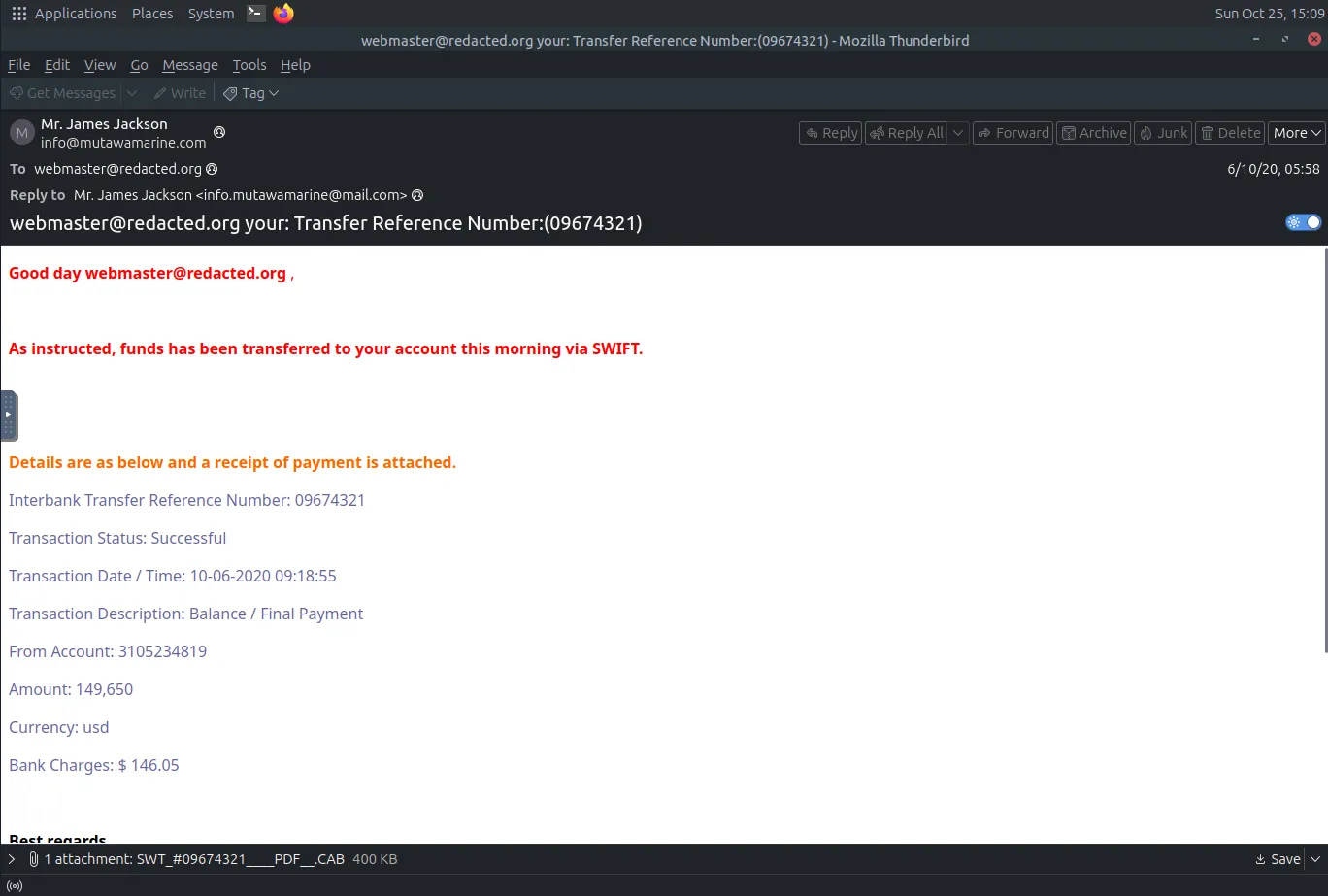
Email Details:
- Subject:
webmaster[at]redacted[.]org - Display name: Mr. James Jackson
- From:
info@mutawamarine[.]com - Reply-To:
info[.]mutawamarine@mail[.]com - To:
webmaster@redacted[.]org - Transaction date in the body:
10-06-2020 09:18:55 - Attachment:
SWT_#09674321____PDF__.CAB
Source code: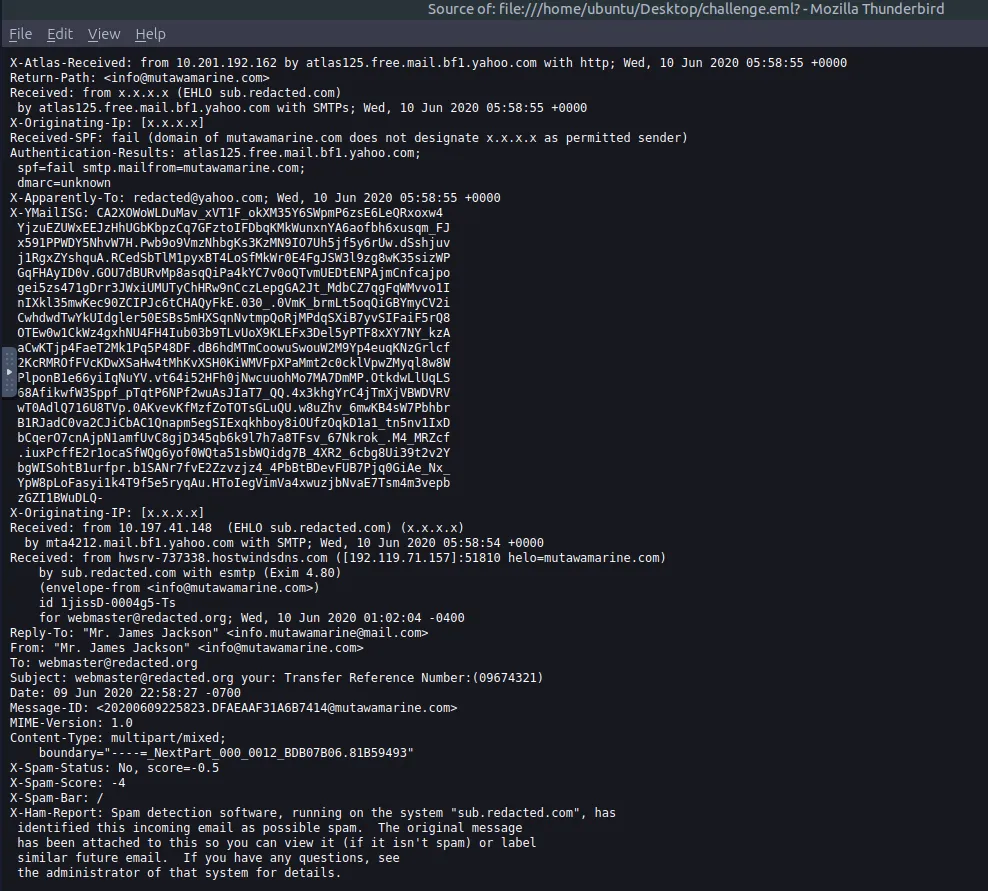
Investigation
Before checking the SPF, DKIM, DMARC. We are going to analyze the mail received to find any IOCs that could instantly indicate the maliciousness of the email.
Different IOCs and Malicious behaviour was spotted in this email at first sight.
- Not referring to the person in context but to it’s email address (
Good day webmaster[at]redacted[.]org) - Unprofessional spacing, formatting and design (Unusual for a professional bank)
- Typos (
funds has been transferredinstead offunds have been transferred) - Hiding real file extension from attachment. (
____PDF__.CABinstead of.pdffor an legitimate PDF file or.CABfor an cabinet file extension like in our case) - Soft hiding Urgency via colour (Bright red to mark importance) and fake transaction receipt on huge amounts (Phishing attempt via transactions are an easy way due to the curiousity factor, an user would be more interested in the Transfer status being successful than the email subtle details).
- No support account mentioned in cases of issues.
- Bank charges and amount not lining up (Formatting
xxx.xxxand thenxxx,xxthe cents are mentioned in one place but not in the other) - Format not corresponding to SWIFT MT103.
Below we can see two templates which look way more legitimate but are only templates. 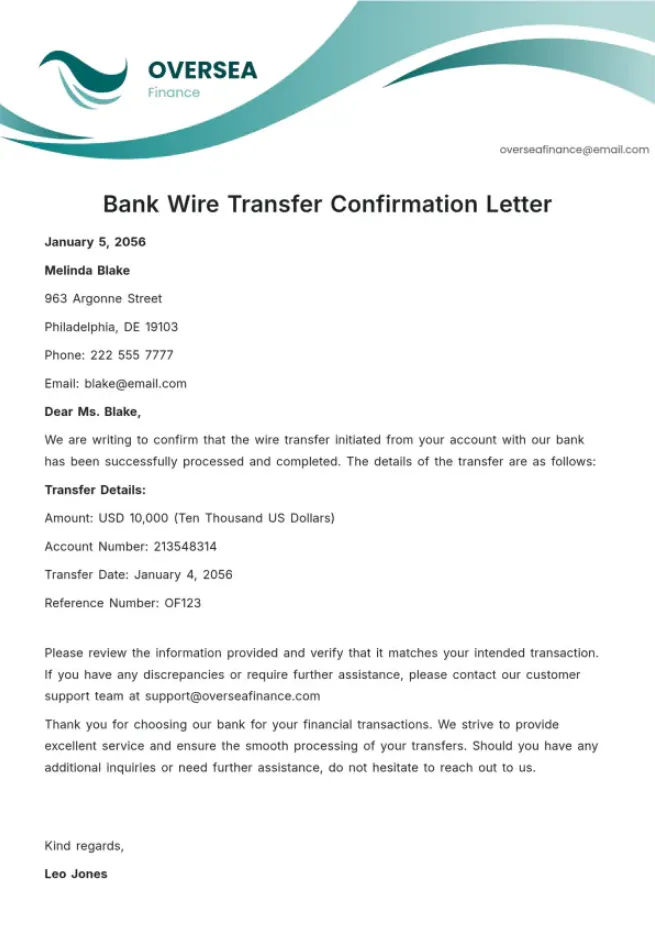
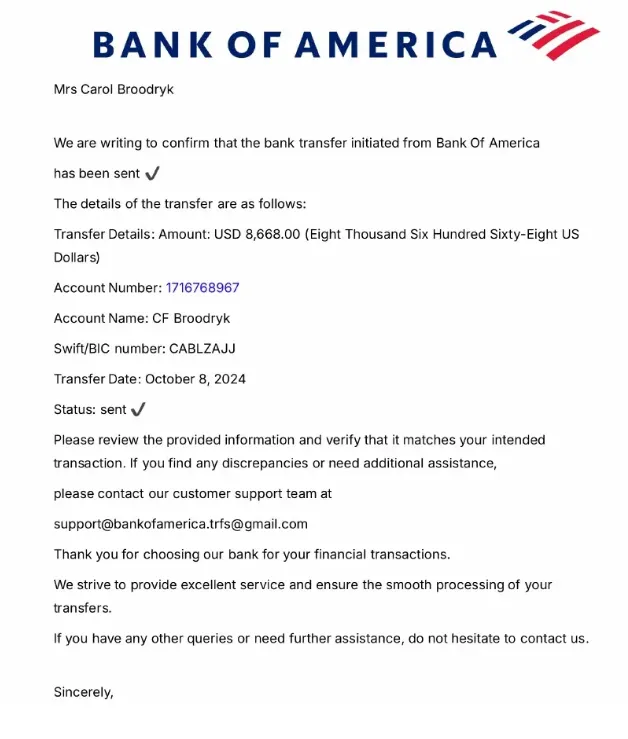
Let’s talk about important details missing from our Phishing attempt.
- UETR (Unique End-to-End Transaction Reference): This is the single most important detail. It is a 36-character string (formatted like
xxxxxxxx-xxxx-xxxx-xxxx-xxxxxxxxxxxx). It allows banks to track the payment in real-time. Without this, you cannot track a delayed payment. - Sender’s Reference (Field 20): A unique reference number assigned by the sending bank to identify the operation.
- Charge Details (Field 71A): This specifies who pays the transfer fees. It must say either OUR (sender pays all), SHA (shared fees), or BEN (beneficiary pays all).
- Sender (Field 50A/K): The ordering customer’s full name, account number/IBAN, and address.
Let’s Dive deeper into Header Analysis to see what can get.
Header Analysis
Some inconsistencies found in the header:
- First sender is
info@mutawamarine[.]combut the reply goes toinfo.mutawamarine@mail[.]comwhich is an free mail service. - Failed SPF, DMARC and missing DKIM
SPF
Received-SPF: fail (domain of mutawamarine.com does not designate x.x.x.x as permitted sender)
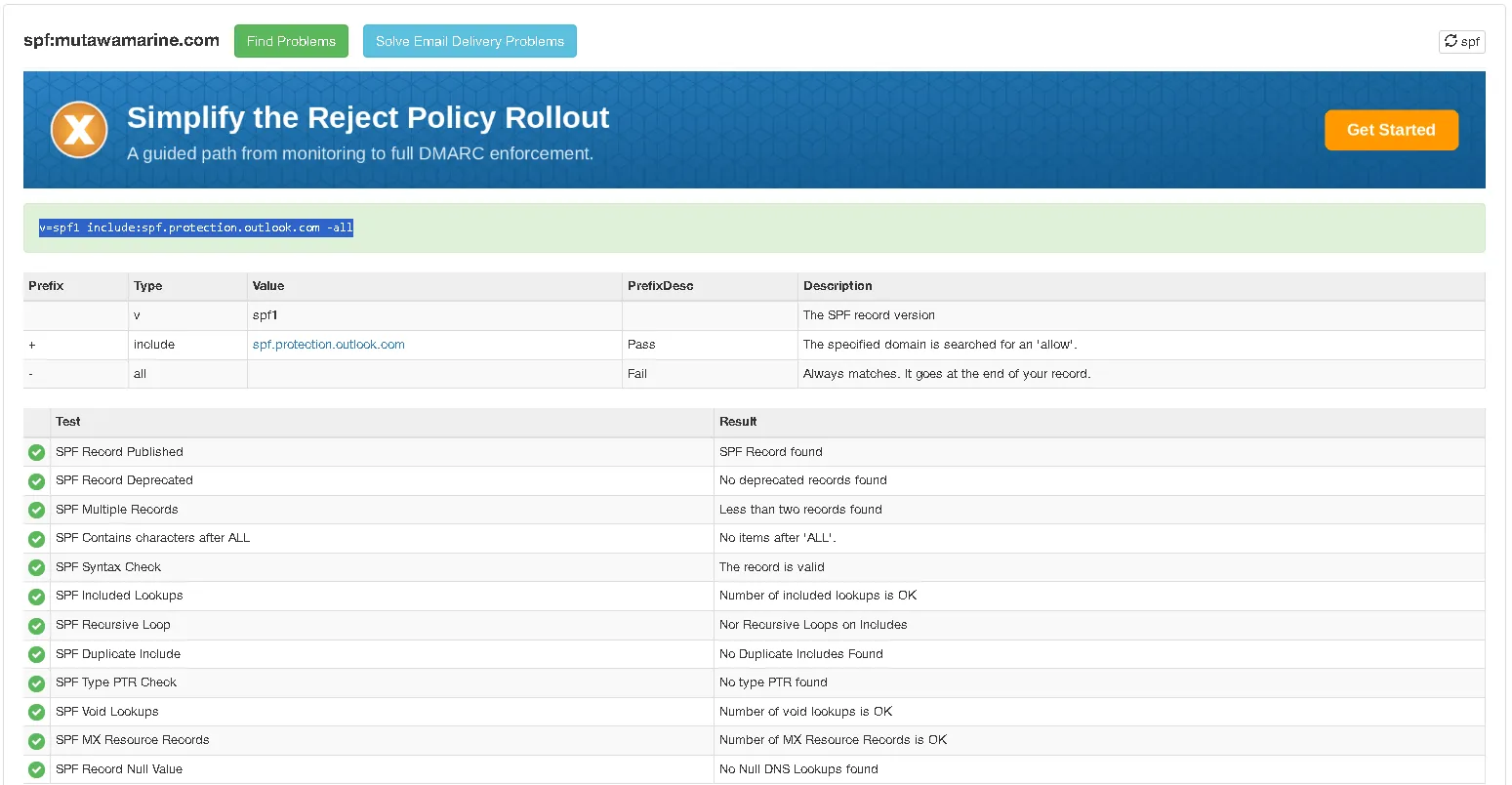
The SPF checking results: Fail. We can also see that in the header but also used mxtoolbox for the following questions from TryHackMe and getting used to other platforms available.
DMARC
dmarc=unknown
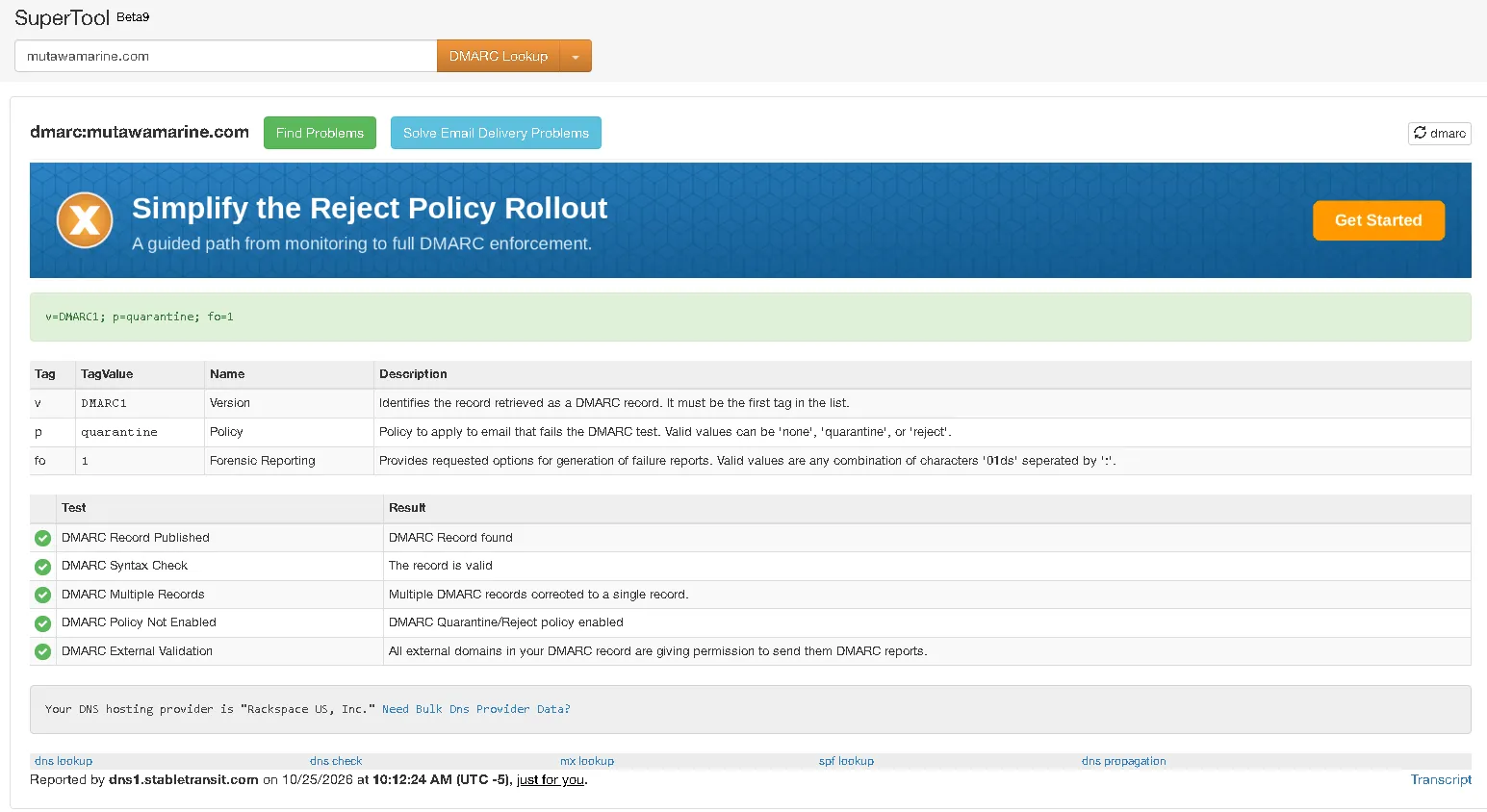
Same as the SPF, DMARC failed but had to check it on the following task.
IP Address Checking
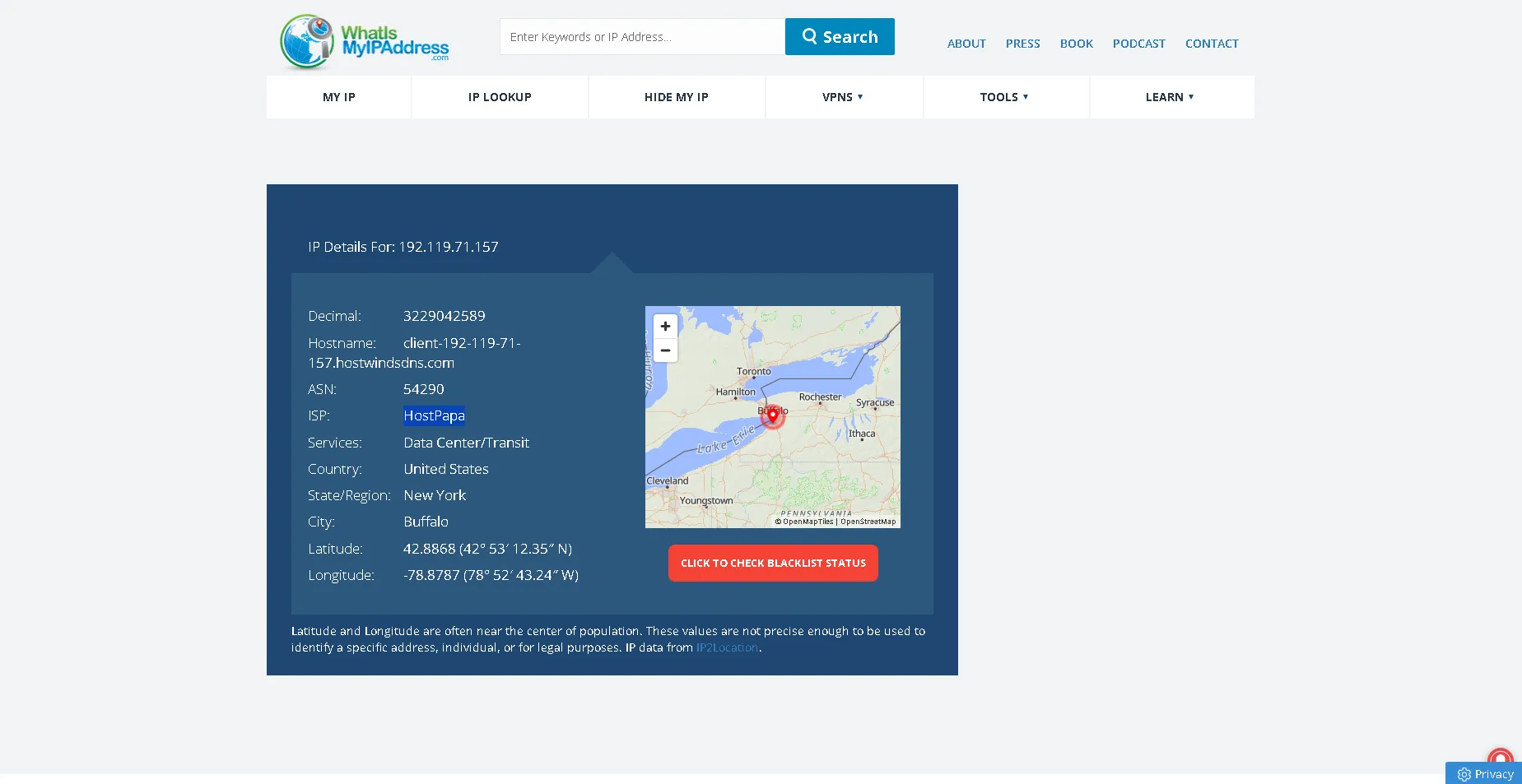
The following report gives us a couple of details such as IPS: HostPapa.
Solving the tasks provided by TryHackMe
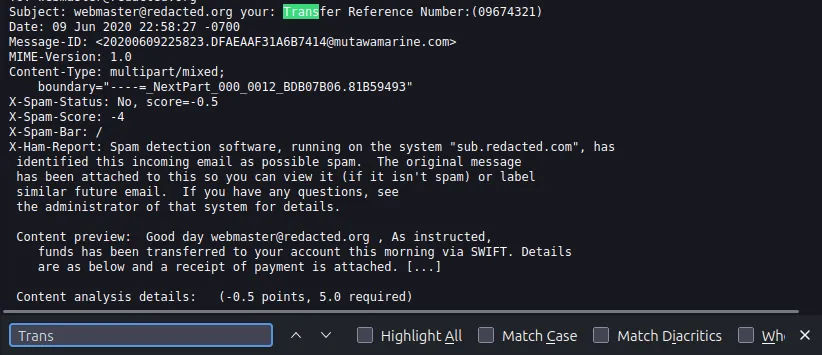
Task 1
What is the Transfer Reference Number listed in the email’s Subject line?
For that we can look at the code and use the search function for it OR just look at the subject.
Task 2
What is the display name of the sender?
We can just look at the header. Mr. James Jackson

Task 3
Continue investigating the email headers.
What is the sender’s email address?
The header reveals info[at]mutawamarine[.]com right next to Mr. James Jackson.
Task 4
What email address will receive a reply to this email?
As mentioned before, the reply goes to info.mutawamarine@mail[.]com even though the sender is info[at]mutawamarine[.]com. An attempt to hide the reply’s real destination from the sender details.

Task 5
Begin analyzing the message source.
What is the originating IP address of this email?
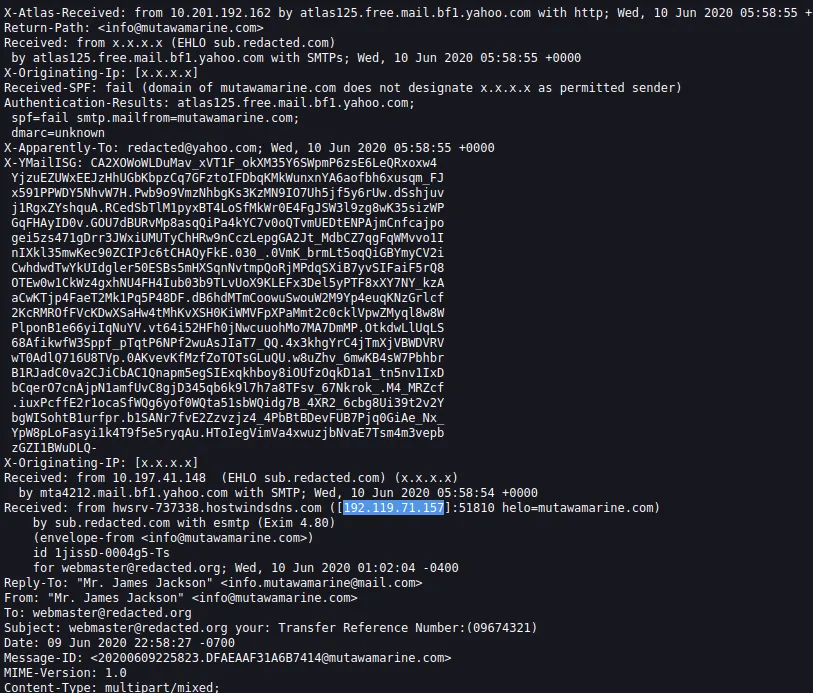 As seen in the picture above, we can look at the Received from tag.
192[.]119[.]71[.]157
Task 6
Investigate the IP address from the previous question.
Who is the owner of the originating IP?
We can use platforms such as WhatIsMyIPAddress or similar platforms to gather more intel.
Task 7
Run an SPF record check on the Return-Path domain identified in the email headers.
What is the full SPF record for this domain?
v=spf1 include:spf.protection.outlook.com -all
Task 8
Perform a DMARC lookup for the Return-Path domain found in the email headers.
What is the complete DMARC record for this domain?
v=DMARC1; p=quarantine; fo=1
Task 9
What is the file name of the attachment found in the email?
We can see in the bottom part of the email the attachment itself. 
Task 10
Download the attachment to your virtual environment.
Using the sha256sum command, what is the SHA256 hash of the file?
We can download the file and and open the terminal to use sha256sum command.  2e91c533615a9bb8929ac4bb76707b2444597ce063d84a4b33525e25074fff3f
Task 11
Investigate the file hash from the previous question using VirusTotal.
What is the attachment’s file size in KB (e.g., 122.31 KB)?
After we have the hash we can use the VirusTotal for more information about the attachment. 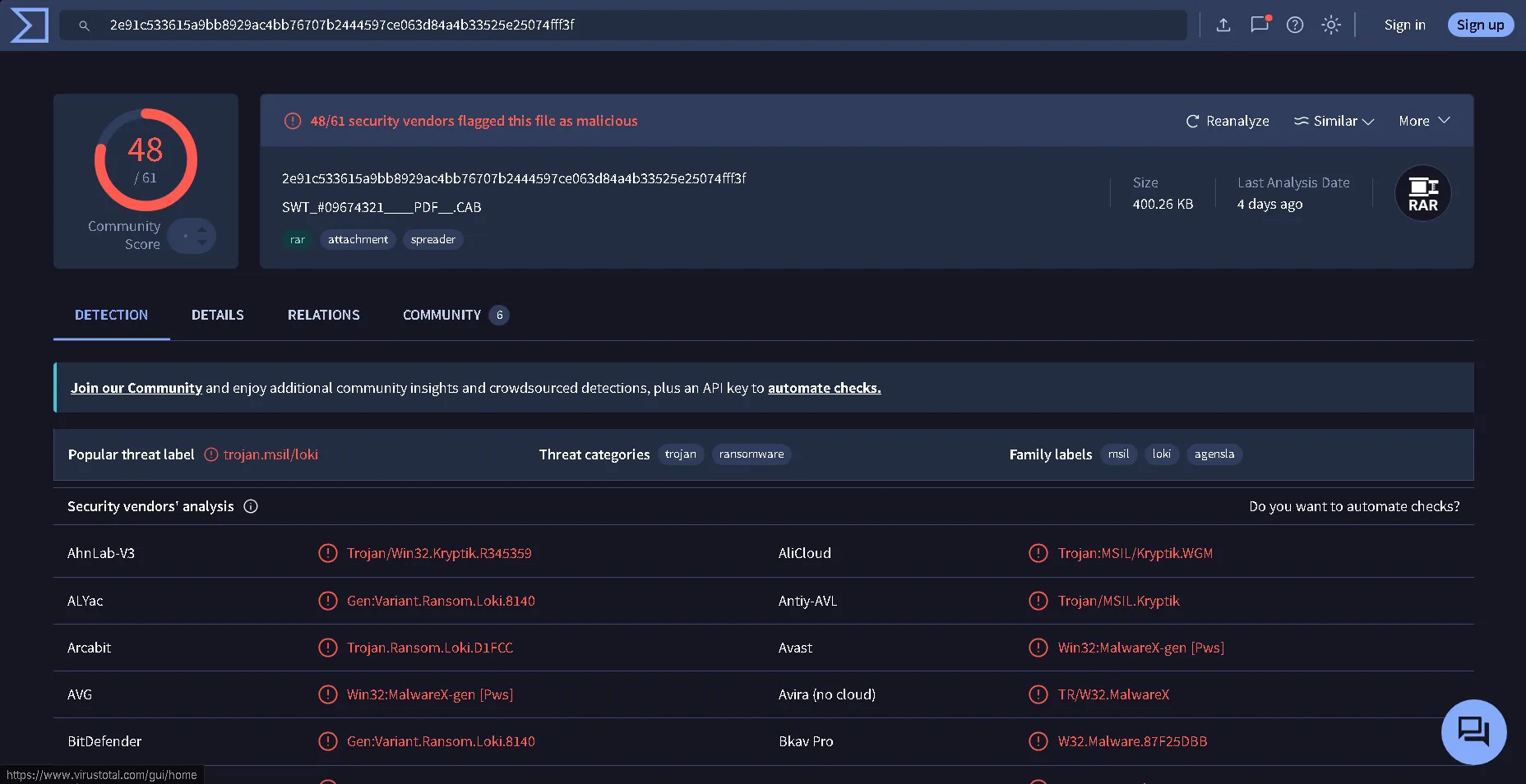 After an search we can see it is an
Trojan.MSIL/Loki.
- Trojan: A malicious program that disguises itself as legitimate software, a document, or a useful app to trick the user into executing it.
- MSIL (Microsoft Intermediate Language): Indicates that the malware was written using Microsoft’s .NET Framework (such as C# or VB.NET) and compiled into intermediate code.
- Loki / LokiBot / LokiLocker: The specific malware family. Depending on the variant, it primarily functions as an infostealer or a ransomware.
We are tasked to see the size, let’s have a look at details tab to spot the 400.26 KB. 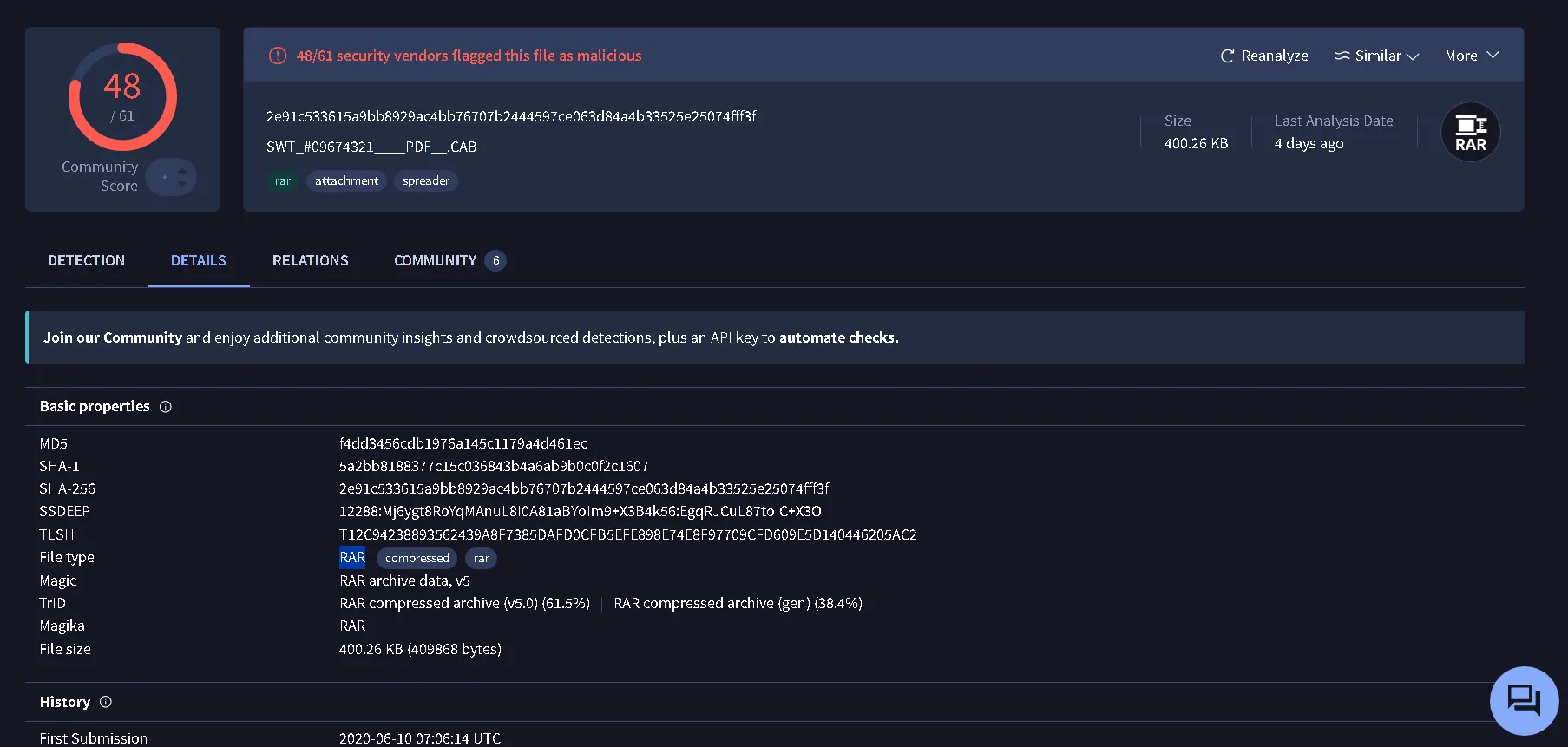
Task 12
Continue your research on the file.
What is the actual file type of the attachment?
Right above we can see the RAR file type.
Conclusion
An simple yet interesting phishing mail analysis task from TryHackMe. Depending on the user behaviour, we can either escalate it in case of execution and anormalities, or just close the ticket and move on. An fun challenge to end the module of Phishing with more to come. Thank you for reading.