
Phishing Analysis Tools Walkthrough
Learn the tools used to aid an analyst to investigate suspicious emails. With 3 practical examples where we can use the tools provided.
Summary
A great room with a couple of tools and 3 little practical exercises to test them, I went a bit further and used external tools to find hidden details but not as many due to the obvious hints of malicious practices. Overall, a really fun room where we discover more tools for our arsenal.
Learning Objectives
- Understand what information should be collected during an email analysis
- Learn about the tools that enable effective email investigation
- Explore IP and URL analysis, including reputation lookups
- Investigate phishing cases to apply your understanding and strengthen your analysis skills
Identifying Artifacts
When analyzing an phishing email, some of your goal is to find malicious artifacts, a couple of artifacts are:
Header Artifacts
When you begin your analysis with the email header, you should take note of the following points:
- Sender email address: Where did the email originate from?
- Sender IP address: What is the source IP, and what does a reverse lookup reveal?
- Email subject line: Does it contain urgency or a call to action?
- Recipient email address: Who is the intended recipient (To/CC/BCC)?
- Reply-To email address: Where are responses being directed?
- Date and time: When was the email sent?
Body Analysis
Next comes the email body, which has its own set of artifacts to be aware of:
- URLs and hyperlinks: Identify all links and expand shortened URLs to reveal their true destination
- Attachment name(s): What files are included, and do their names or extensions appear suspicious
- Attachment hash: Generate a hash value for threat intelligence lookups
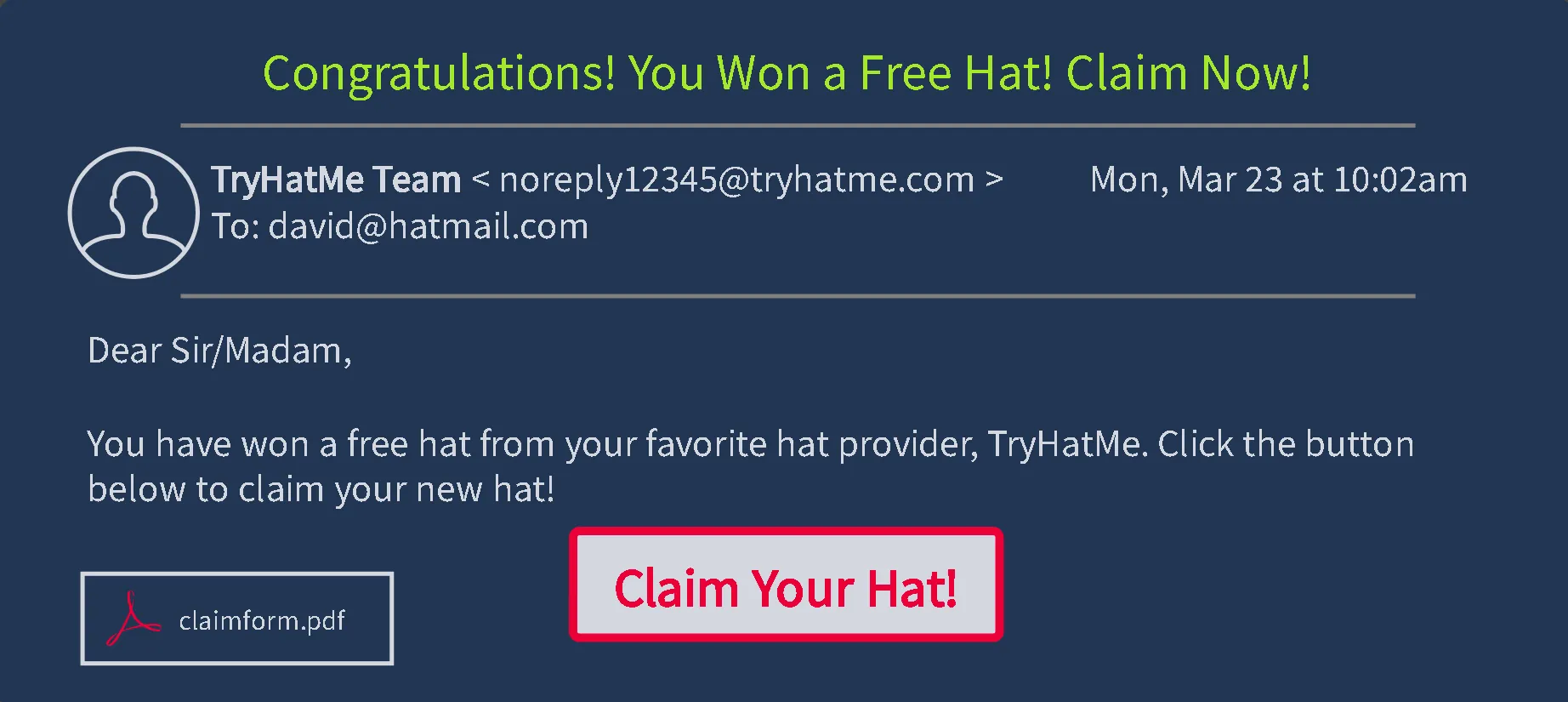
Email Header Analysis
Some important details can be viewed directly in Gmail or Yahoo, others can be obtained from the header manually via tools dedicated for this instance, such as:
Mail Header Analysis
Two tools useful are: Message Header Anlyzer and Messageheader. Below is a screenshot from an Messageheader report. 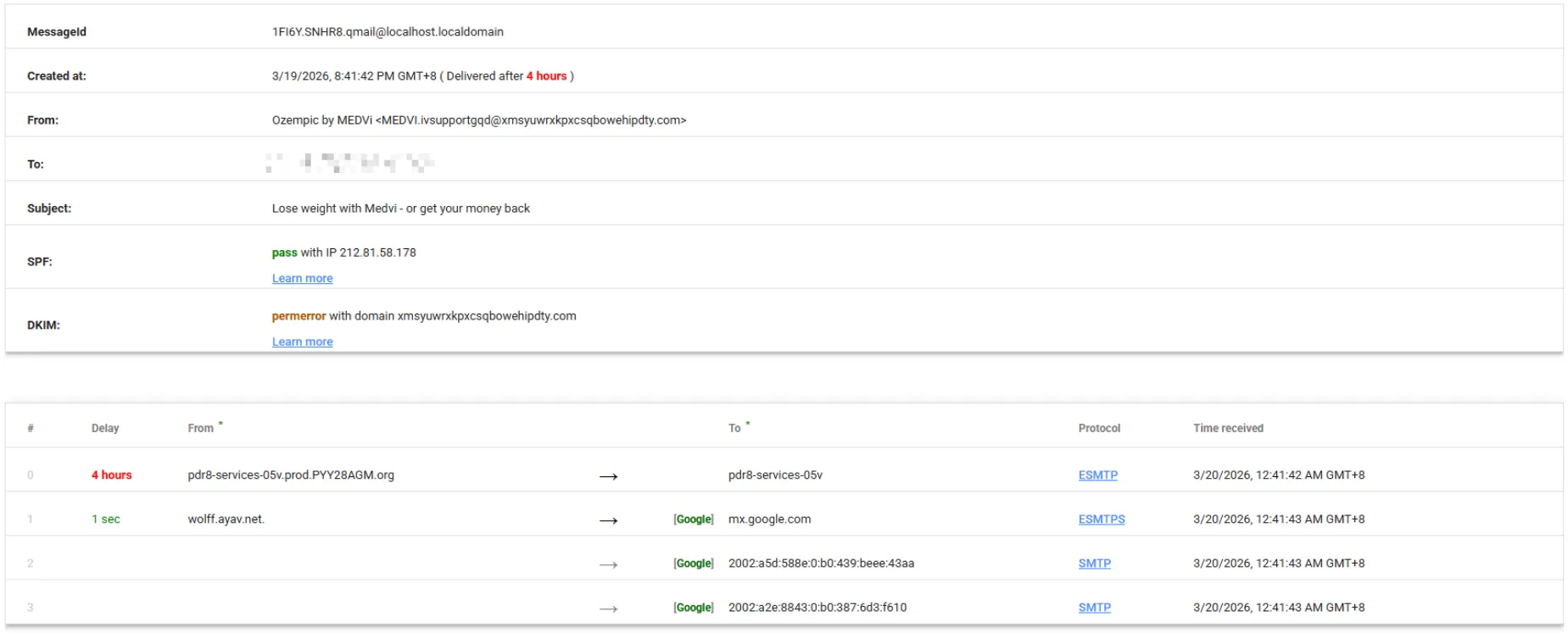
And an Message Header report. 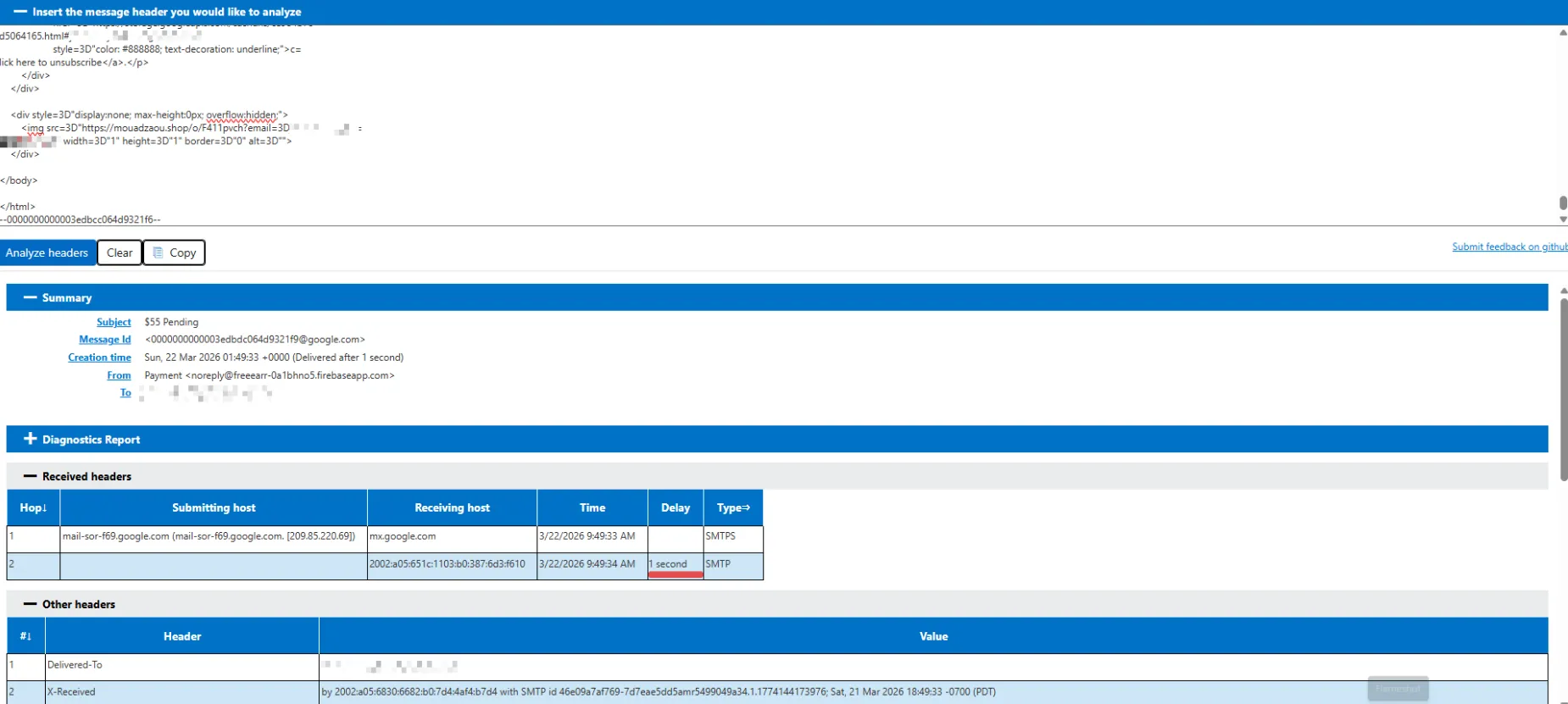
IP and URL Reputation Analysis
When investigating suspected phishing emails, it is important to determine the origin of any identified IP addresses and assess the reputations of any associated IPs or URLs. These indicators can reveal whether the infrastructure is legitimate or tied to known malicious activity. Fortunately, several free tools are available that allow analysts to quickly perform these checks and gain valuable insight into potential threats.
IPinfo is one tool that makes this possible. This tool helps analysts determine whether an IP is potentially malicious.
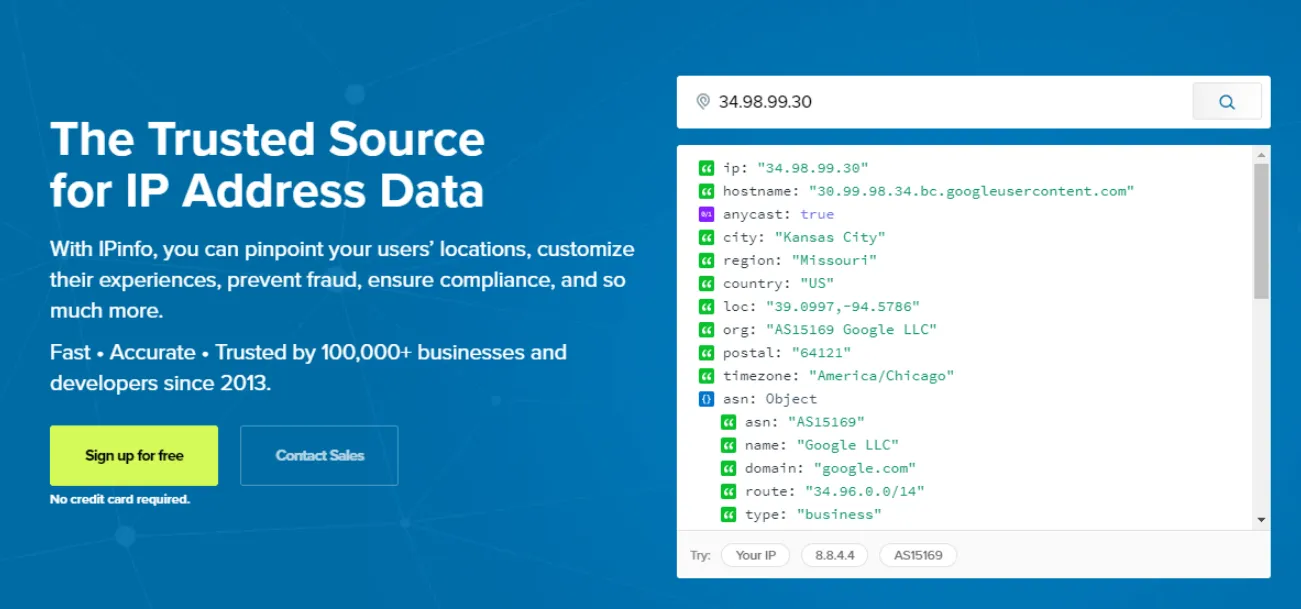
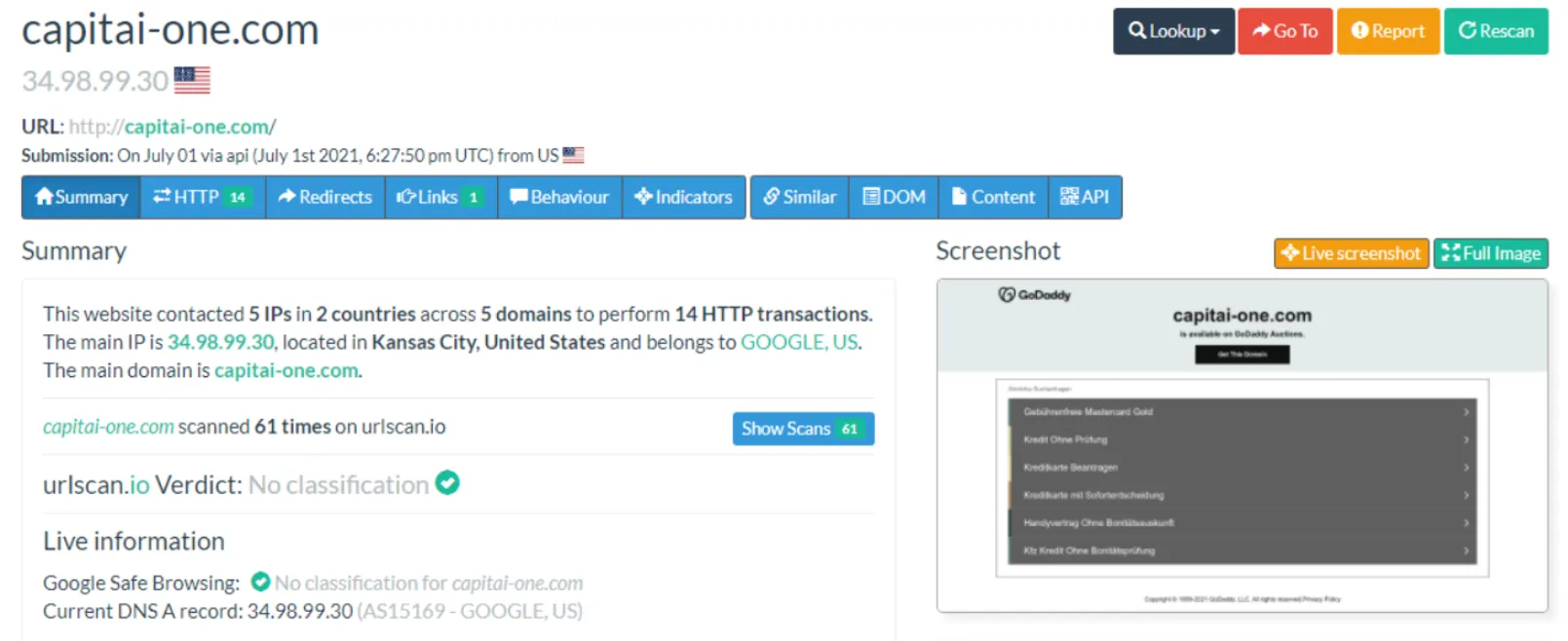
URLScan.io is another option to check for URL.
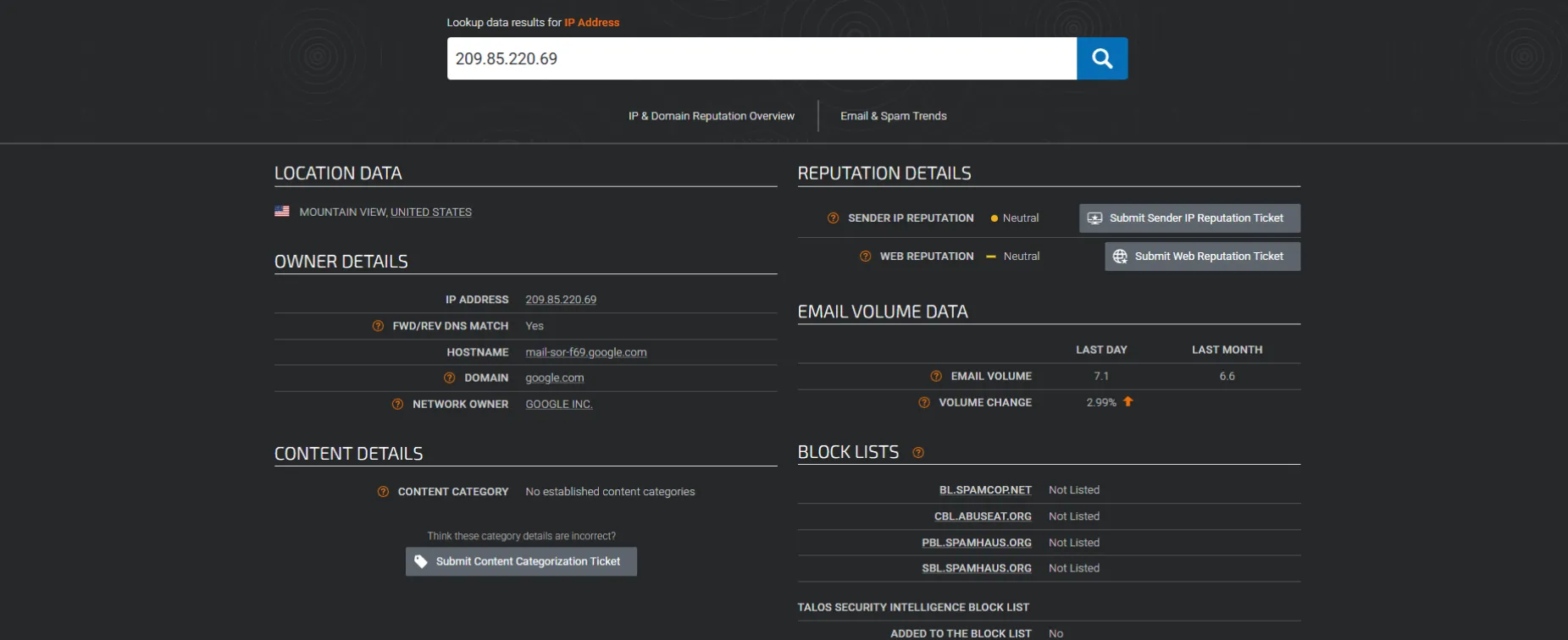
Talos IP & Domain Reputation Center is a threat intelligence tool from Cisco that enables analysts to assess the reputation of IP addresses, domains, and networks. By submitting an indicator, you can quickly assess whether it has been associated with malicious activity and view its classification.
Email Body Analysis
This is where the malicious payload is delivered, either as a hyperlink or as an attachment. During analysis, links can be extracted manually from the visible email content or by examining the underlying HTML and raw source to uncover hidden or obfuscated URLs.
Mail Body Analysis
Determining the destination of a link within an email can be as easy as right-clicking the link and selecting Copy link address.

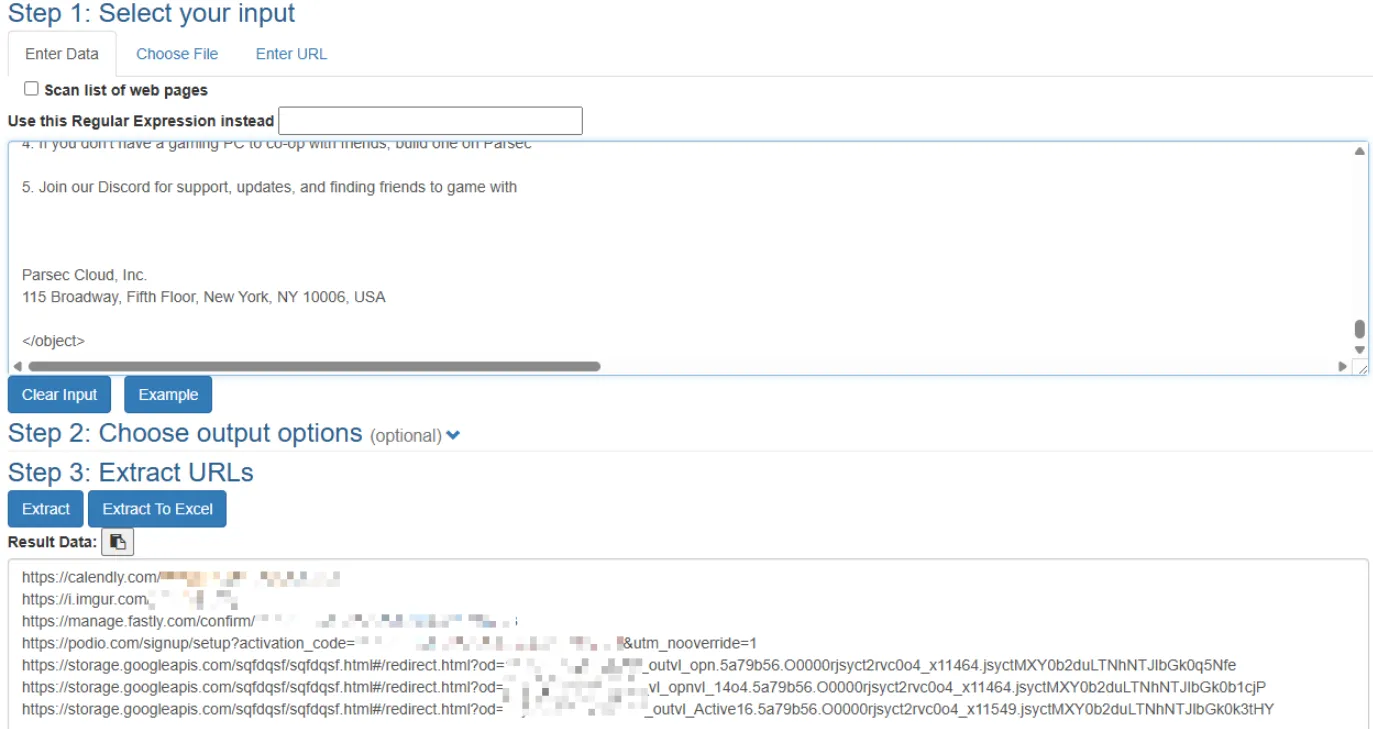
Another effective way to identify URLs in an email is to use a URL extraction tool. These tools let you paste raw email content and automatically parse all embedded links, saving time and reducing the risk of missing hidden or obfuscated URLs. Tools like CyberChef can also perform this function, making them a versatile option for email analysis.
Email Attachments
Download the files only in an sandbox environment to reduce the risk of accidental execution. You can use tools like the sha256sum command in a Linux environment to generate a hash value for further analysis and reputation checks.

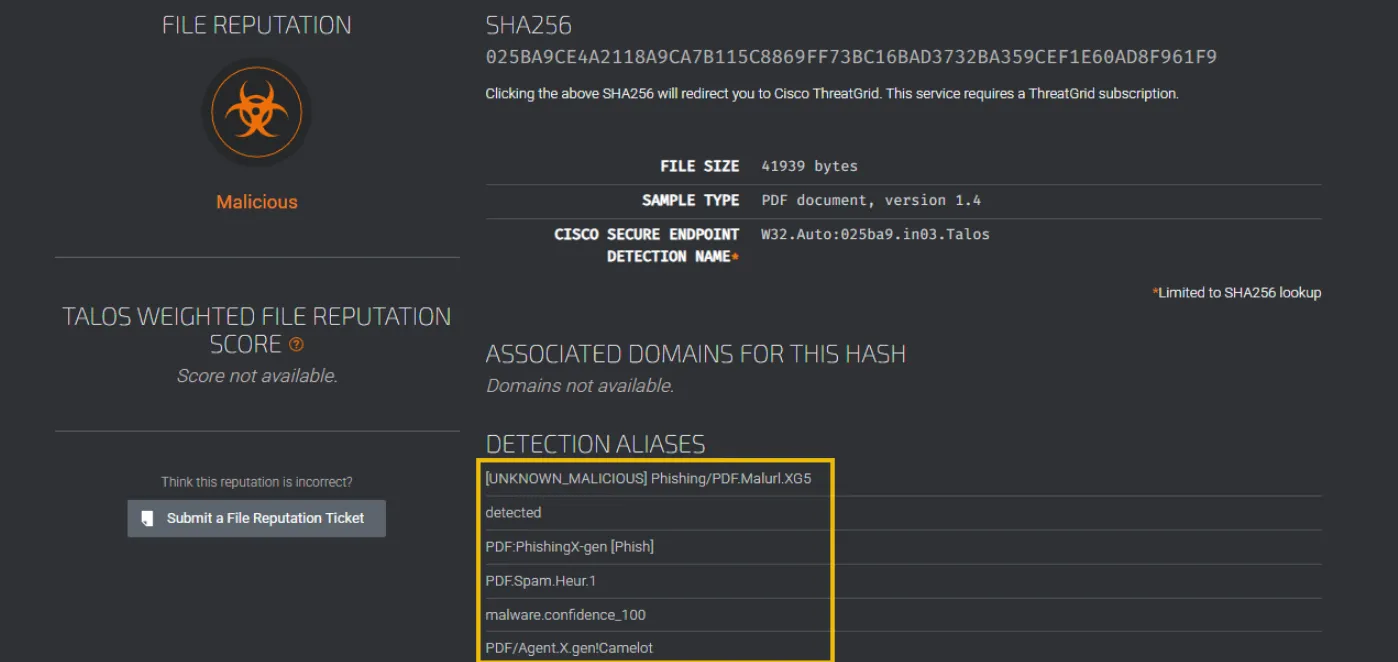
Once you’ve obtained the hash value, several sites can safely assist with analyzing the attached file. Talos IP & Domain Reputation Center for example,
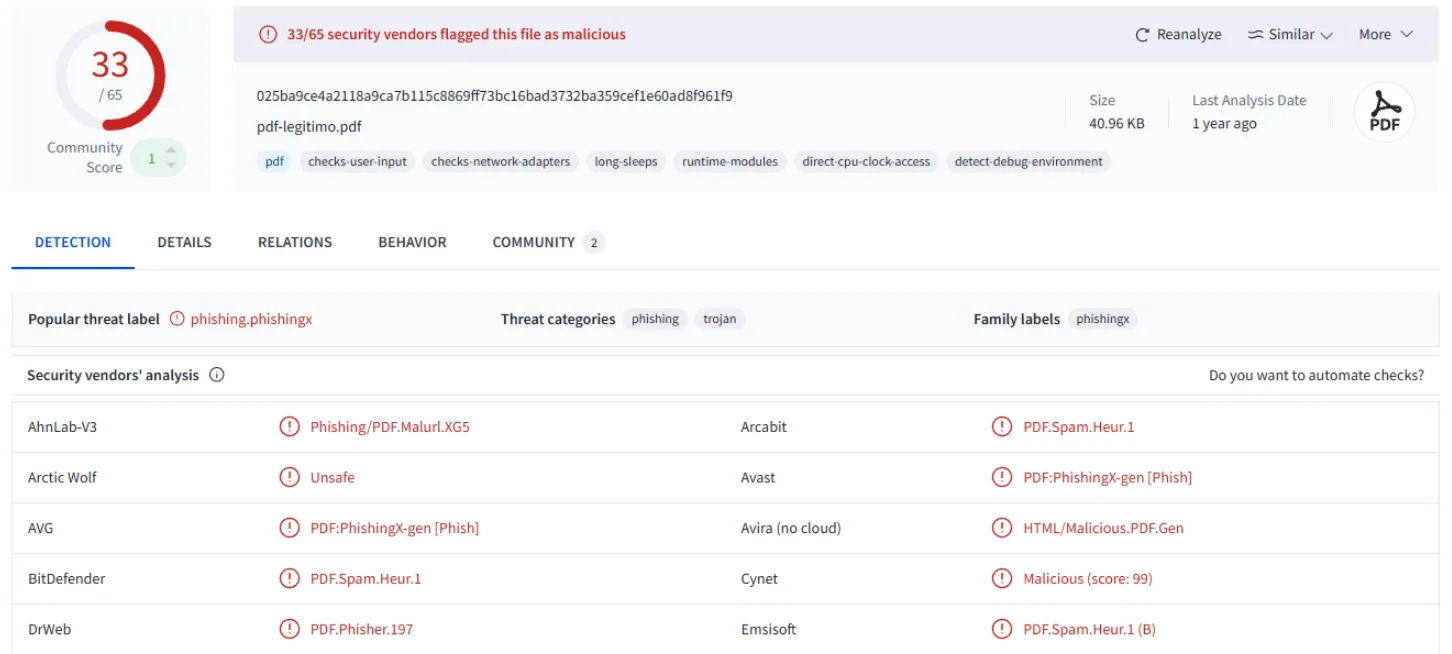
VirusTotal is a widely used tool that allows analysts to check the reputation of files, URLs, IP addresses, and domains using data from dozens of security vendors.
Malware Sandboxes
ANYRUN is an interactive malware sandbox that allows analysts to safely execute and observe suspicious files and URLs in real time. 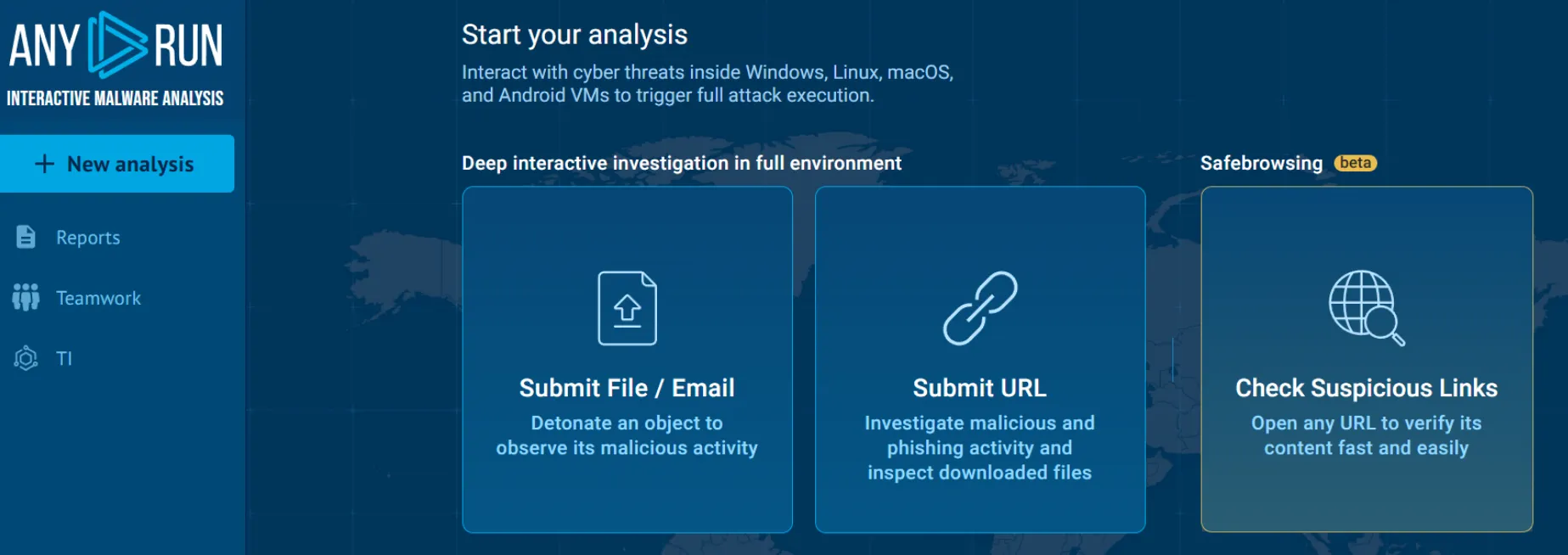
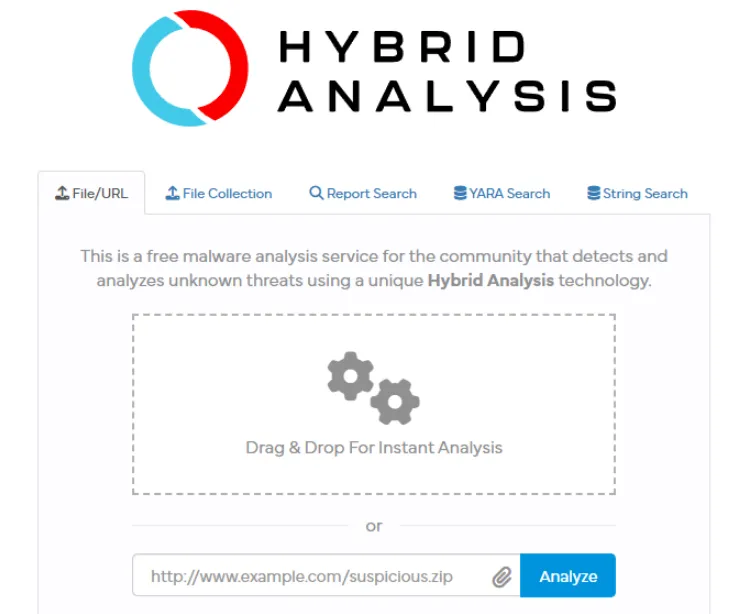
Hybrid Analysis is a free malware analysis sandbox that allows analysts to upload and examine suspicious files in a controlled environment.
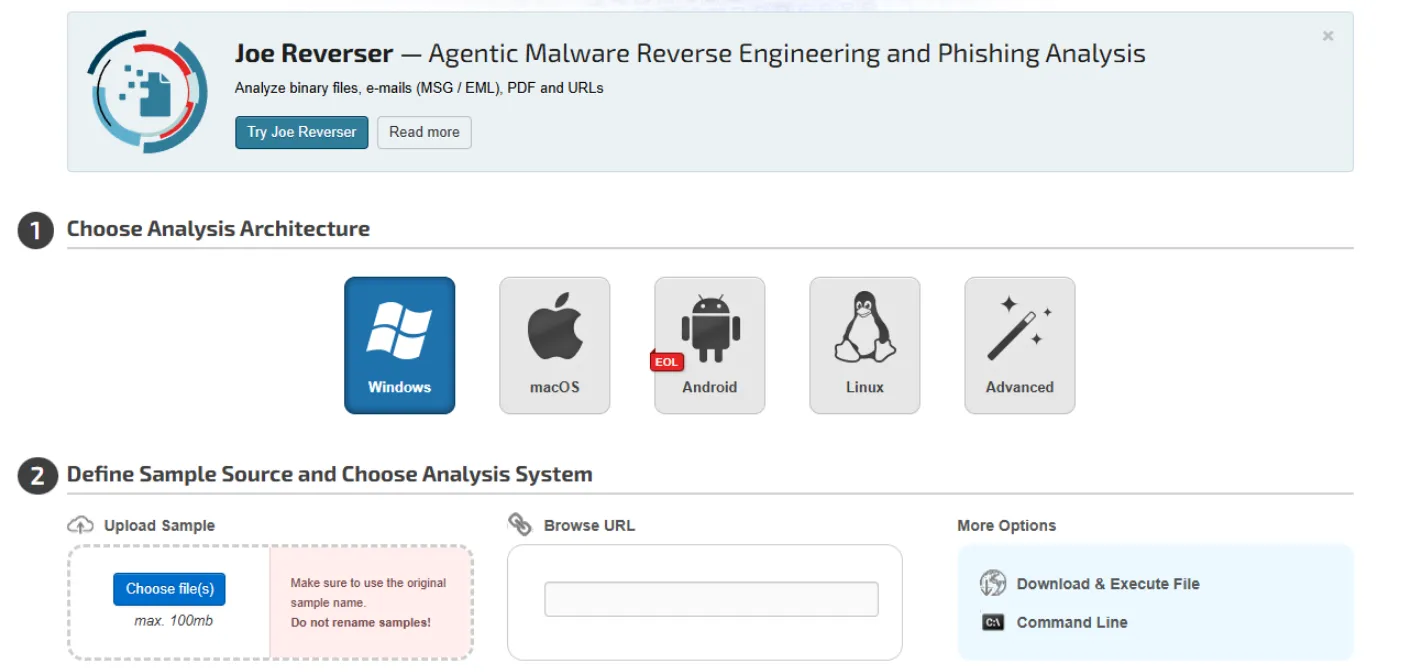
JOESandbox for advanced malware analysis. It performs both static and dynamic analysis on suspicious files and URLs. It generates comprehensive reports that highlight behavior, indicators of compromise, and threat classifications.
Using PhishTool
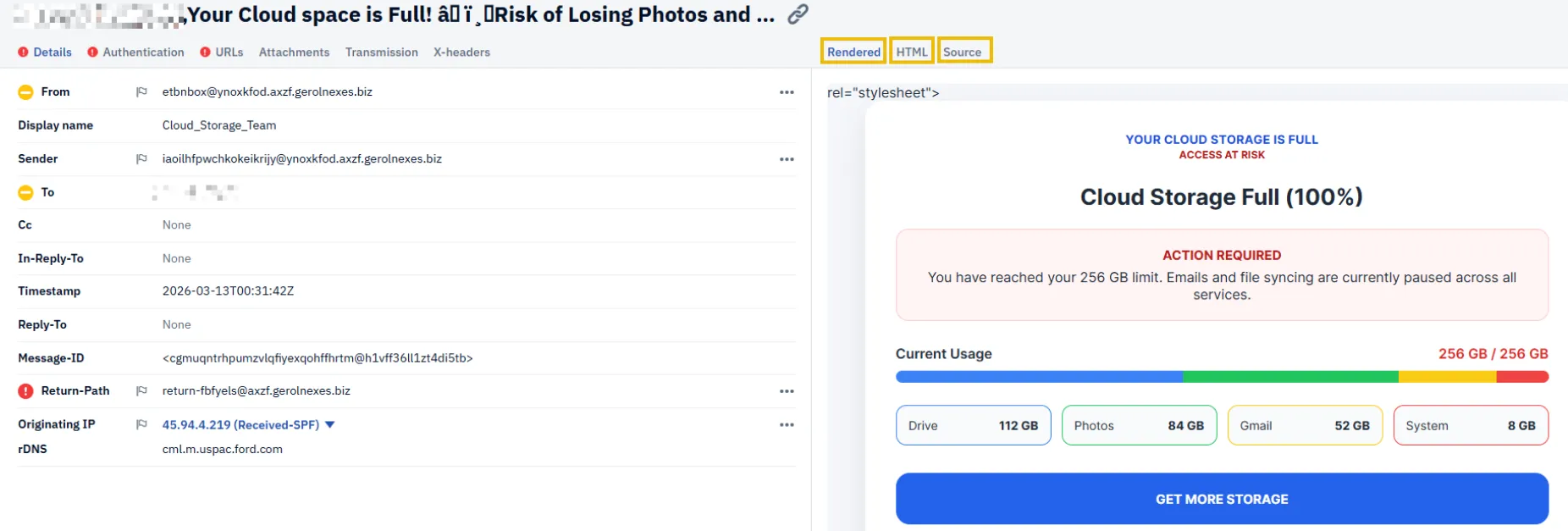
A powerful platform that streamlines phishing investigations is PhishTool↗. It is designed for security professionals across multiple disciplines. PhishTool automates much of the manual work involved in analyzing suspicious emails. Whether you are a SOC analyst triaging user-reported messages, a threat intelligence analyst collecting indicators, or a researcher investigating phishing kits, PhishTool brings everything together in one place. By combining threat intelligence, OSINT, email metadata, and automated analysis workflows, PhishTool provides a centralized view of phishing activity, helping you quickly identify malicious intent and extract valuable indicators of compromise.
Identifying Artifacts
On the right-hand side, the tool provides the rendered HTML view, similar to what you’d see in your inbox, the raw HTML, and also the message source.
Further Analysis
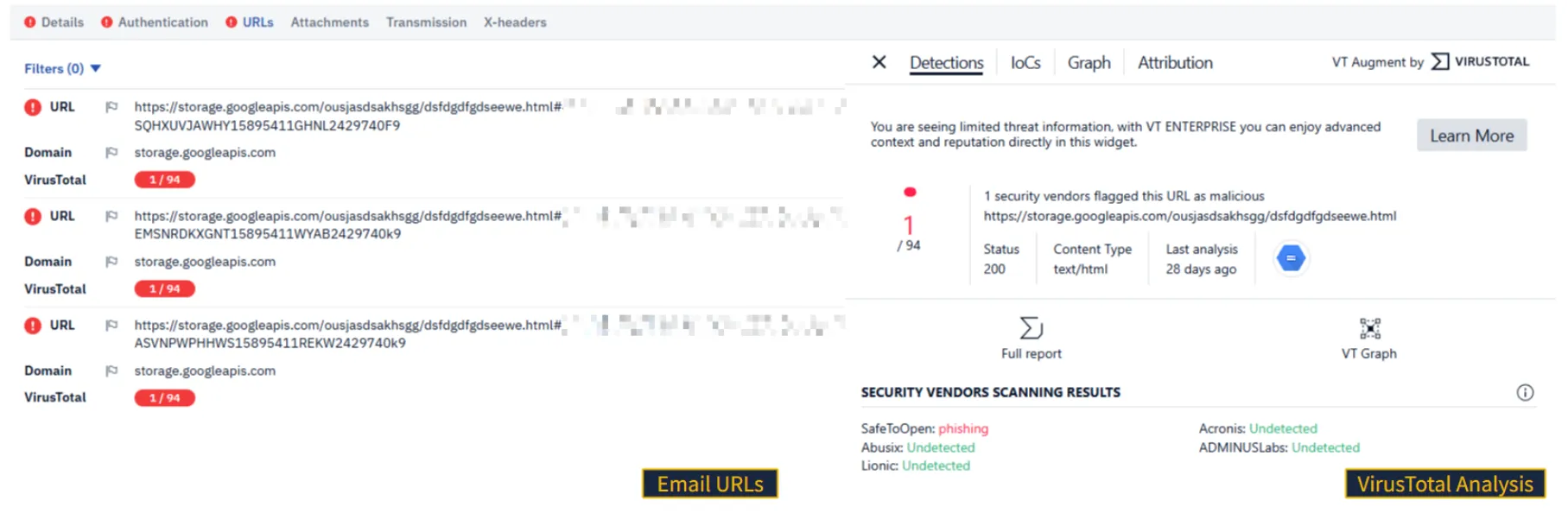
By navigating the tabs across the top of PhishTool, you can analyze key components of the email, including authentication results, transmission paths, and any embedded URLs. If the email contains attachments, they can also be reviewed and analyzed directly within the platform, giving you a comprehensive view of the message in one place.
 One of PhishTool’s standout features is its integration with VirusTotal, allowing you to view reputation and detection results without leaving the tool.
Resolving the Case
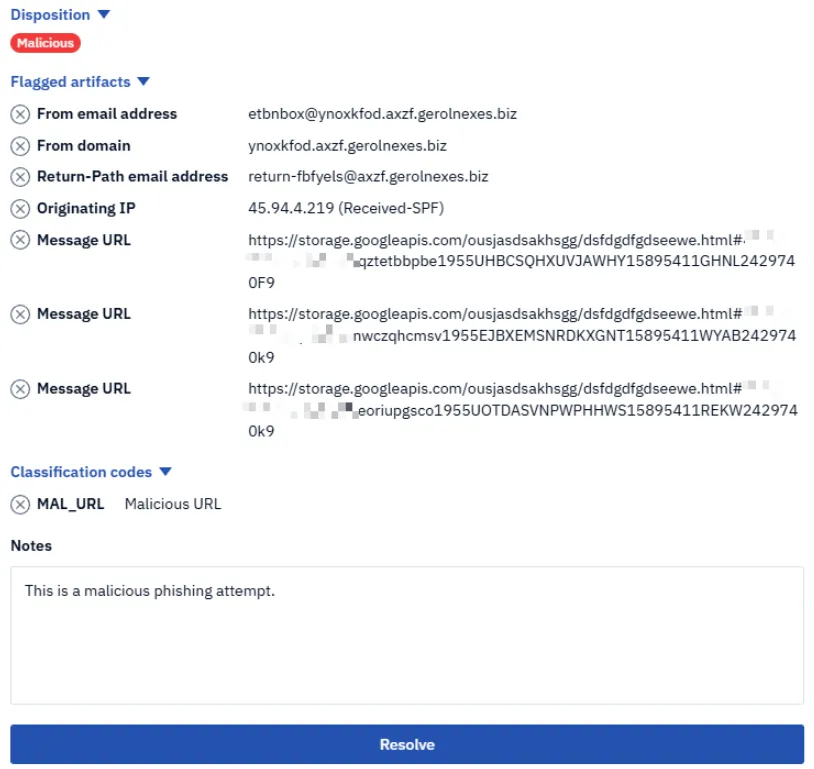
PhishTool allows you to formally document your findings.
Practice - Your Account Is on Hold
In this scenario, you are a level 1 SOC analyst. As the first line of defense, you have to identify phishing and spam emails reported by end users. In the following tasks, you will step into that role and analyze multiple suspicious emails that have been escalated by coworkers. Your objective is to carefully review each email, extract key indicators, and identify any signs of malicious activity. The findings you uncover will help your team develop detection rules to prevent similar threats from reaching other users in the future.
Note: The domains, URLs, and IP addresses referenced in this task have hosted real malicious content and may still pose a risk. Do not access or interact with them outside of a controlled lab environment.
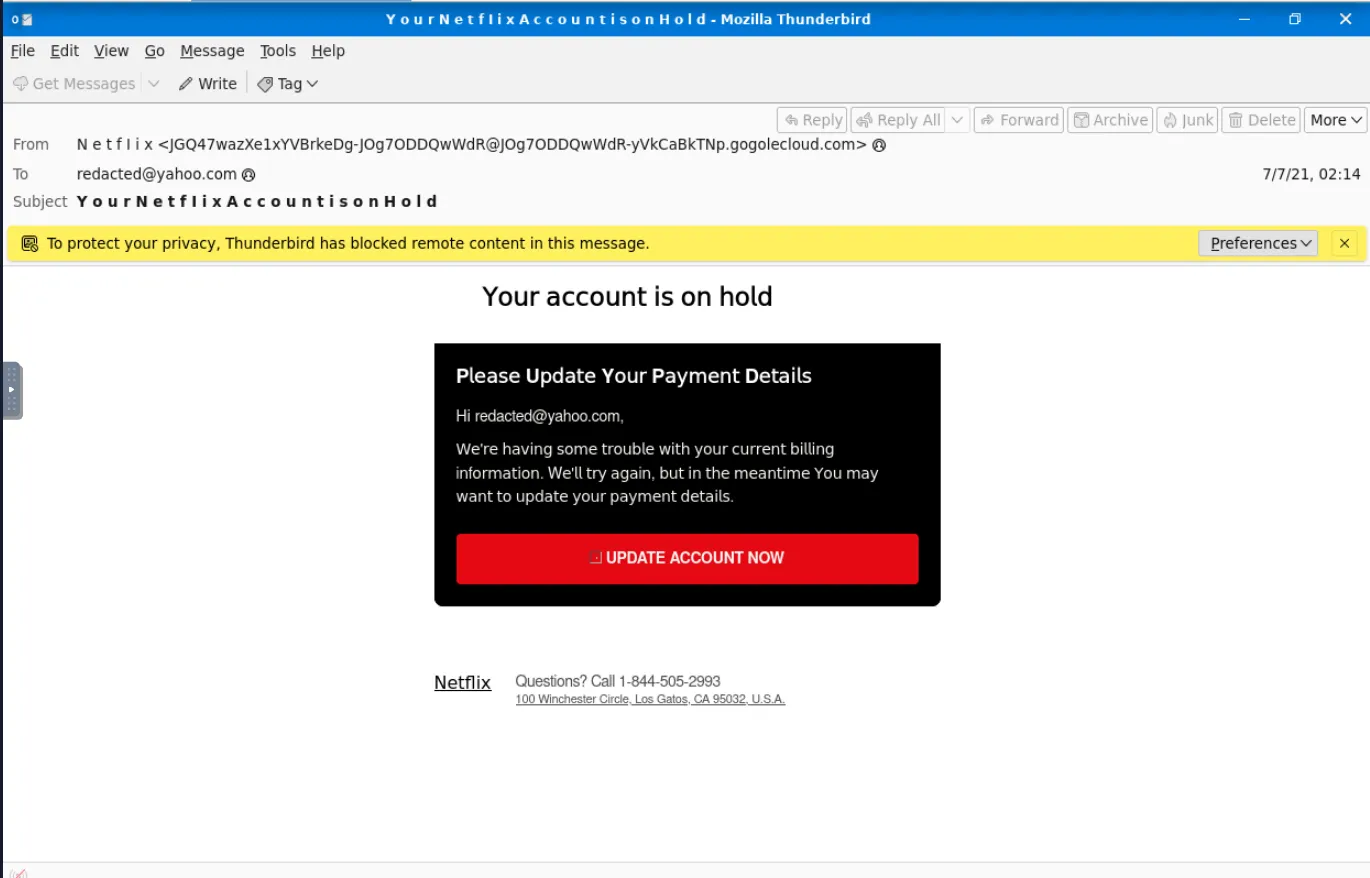
This is the mail we have to analyze. We can see it is trying to impersonate Netflix with some obvious sketchy artifacts, such as the sender address, the subject, even the email by itself is suspicious.
We are tasked with the following:
- To find the service which, this attack, is impersonating we can either look for hints the body or even better, to analyze the header.
In the header we can see that the attacker spaced the whole subject and sender information, instead of Netflix it is N e t f l i x. 
So the phishing email is an netflix clone. (a really bad one)
We are also tasked to find the IP address from the source and Return-Path from the source. 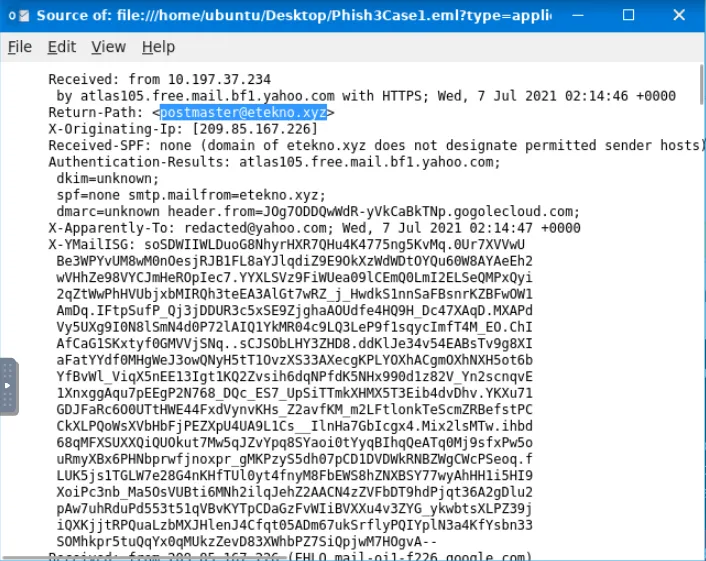
The IP requested is 10[.]197[.]37[.]234 and the return path is postmaster@etekno[.]xyz. In the task, they are strictly asking for the domain, so the answer would be etekno[.]xyz
They are also asking for the malicious link from the button in the email’s body. For that, we can just right click it to copy the address.
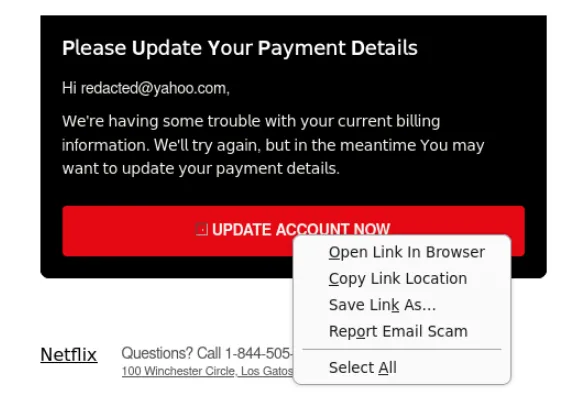
It leads us to: https[:]//t[.]co/yuxfZm8KPg?amp=1
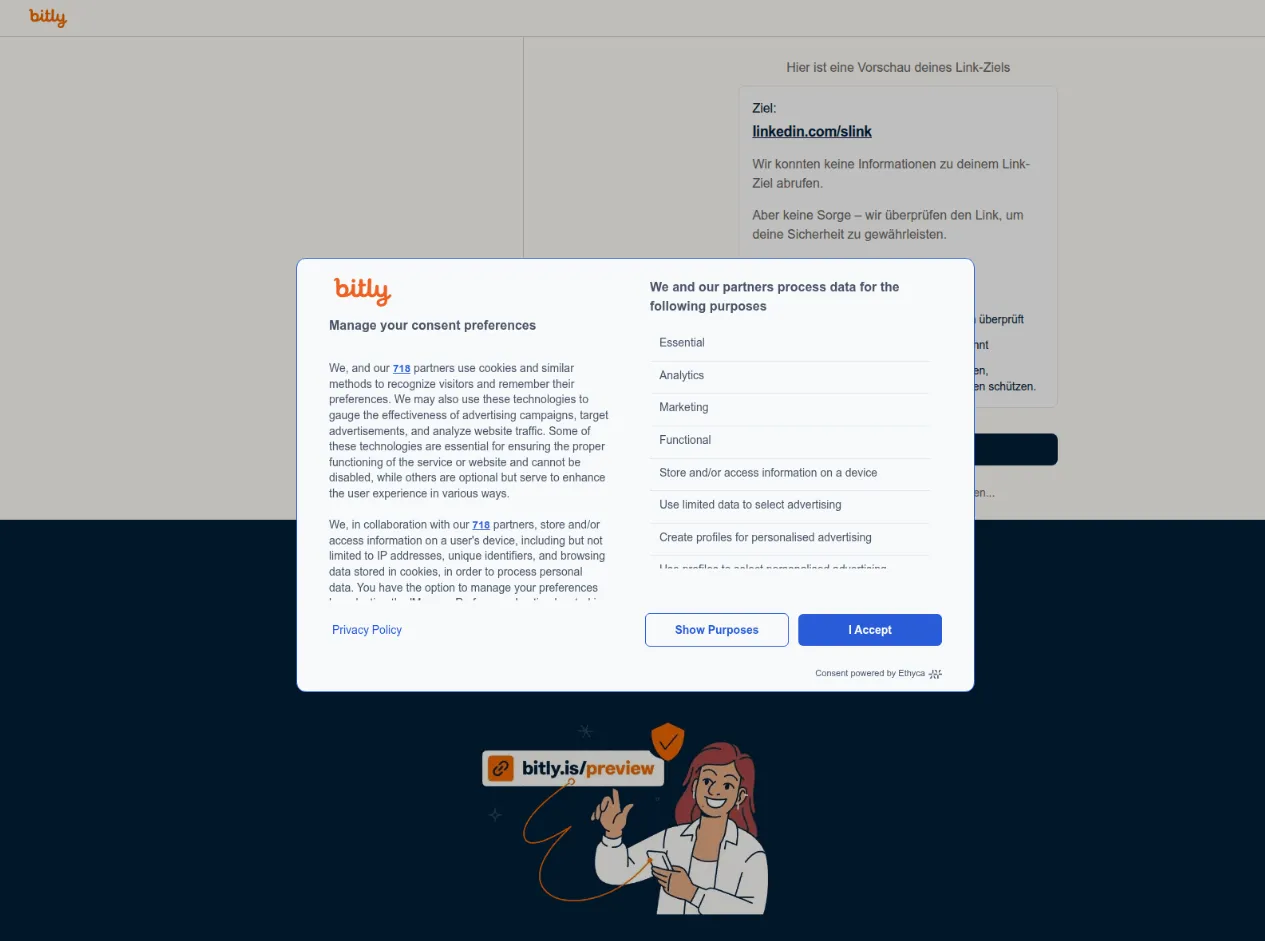
I was a bit curious what is this link getting the user to, so I used URLScan.io to also get used to the tools provided by TryHackMe. It leads up to an bit.ly link, from which is another link accessible (An Linkedin link). 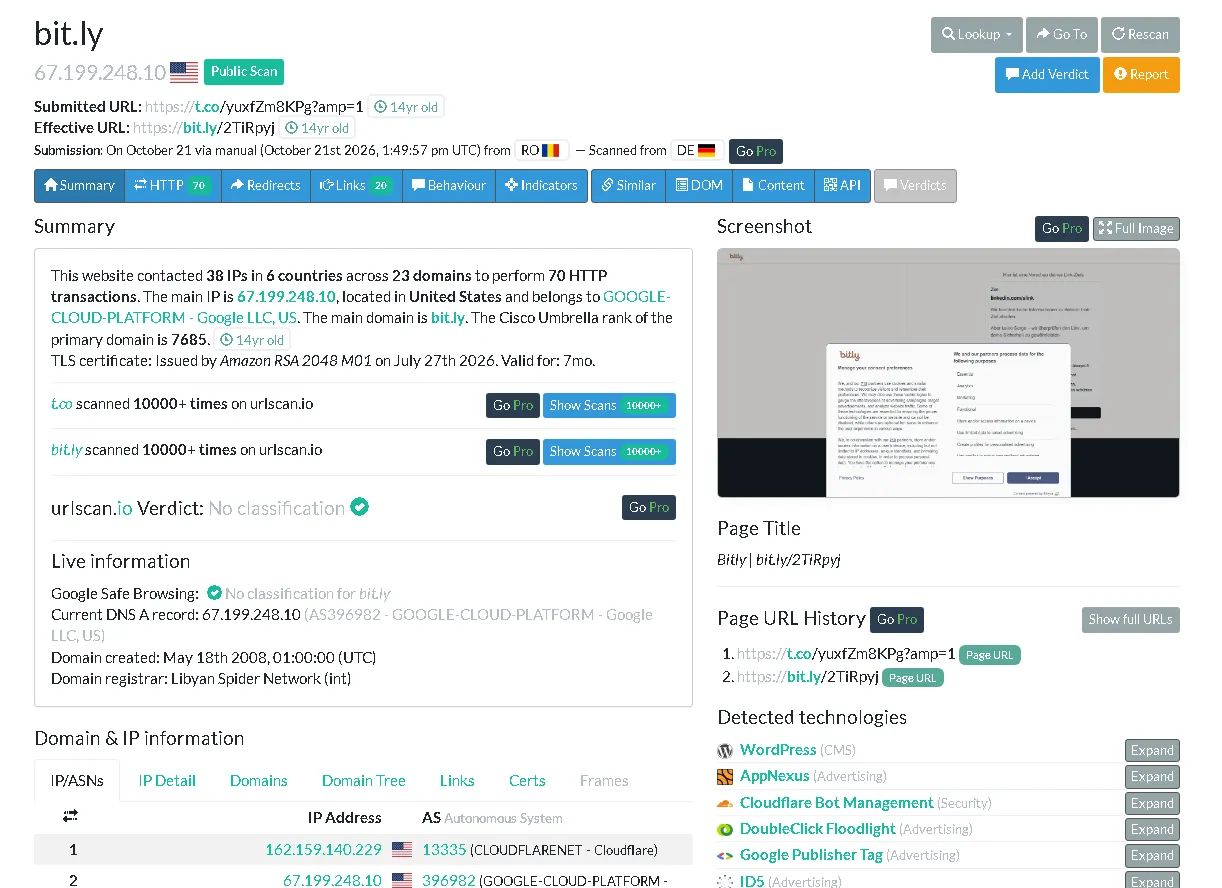
Also, another detail, in the body of the email, we can see that it is mentioned an address:

That’s not the right netflix address, even if it is close. 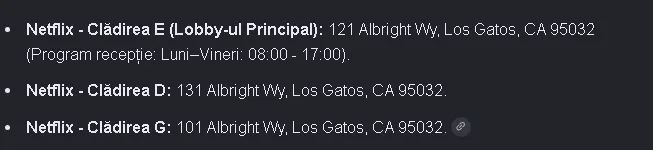
Although, they used an Netflix public number, there are too many giveaways of the fact that this is an phishing attempt.
Practice - Update Payment Details
Note: The domains, URLs, and IP addresses referenced in this task have hosted real malicious content and may still pose a risk. Do not access or interact with them outside of a controlled lab environment.
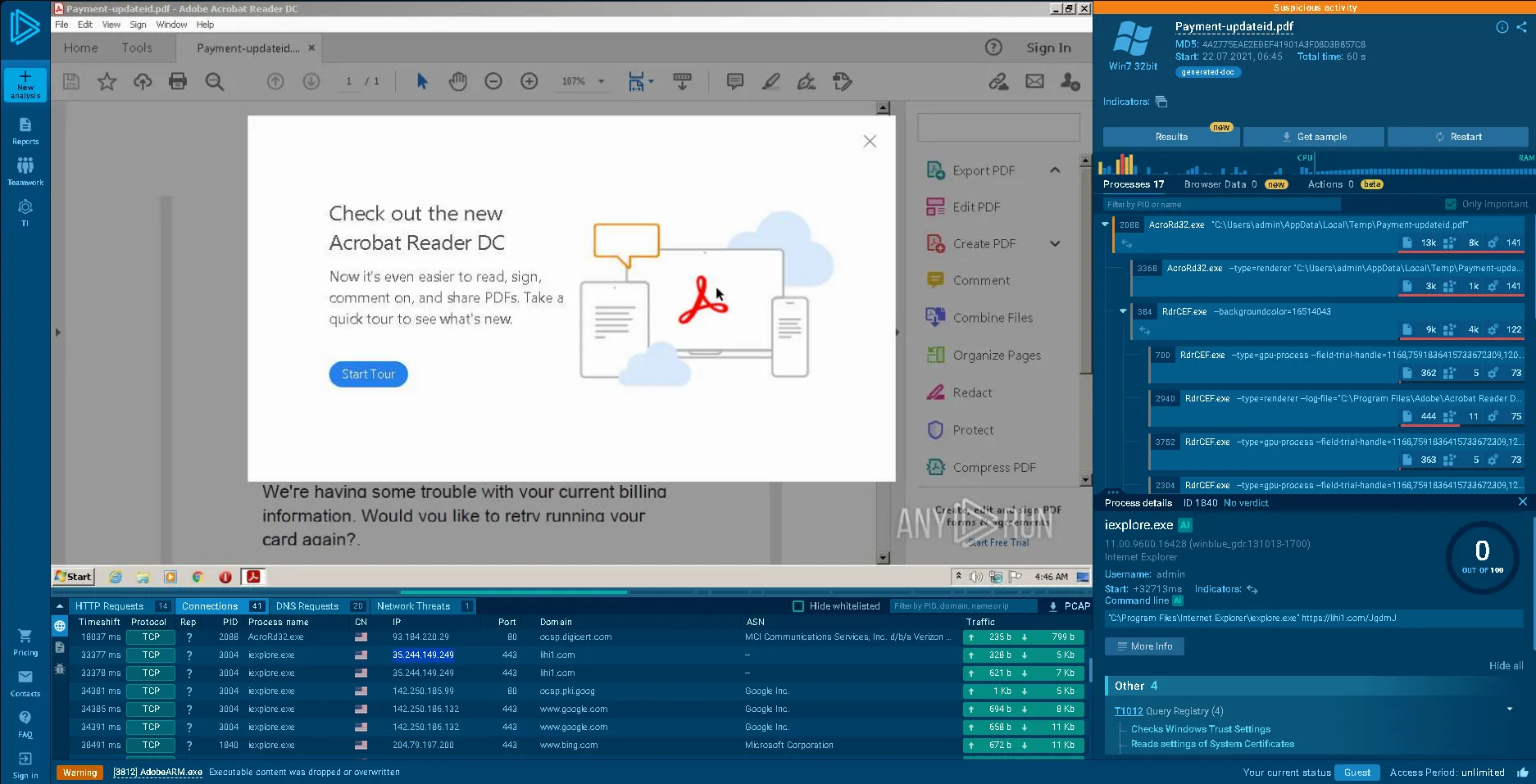 We are then given an anyrun report to analyze.
We can view the whole summary from the results tab.
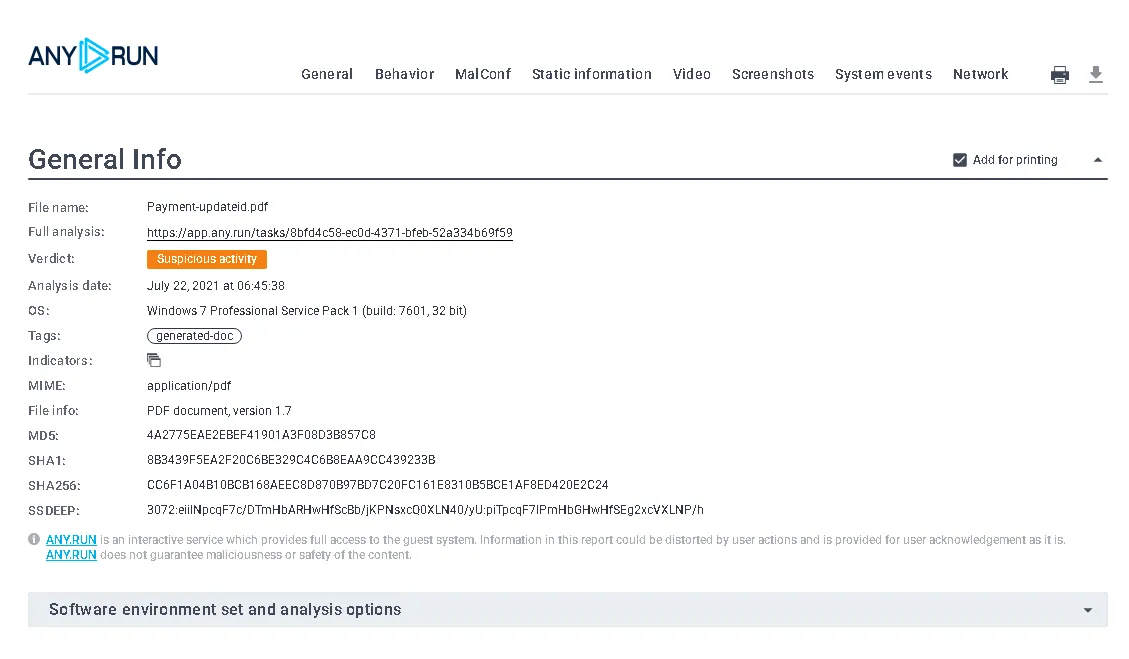
That is also the first task, to see the final verdict, in our case being Suspicious Activity. Also, the other tasks are also similar, asking for the hash, file name and other details And in the end is also asking for the IP address from the connections of a certain domain. 
Excel Executable
We are given another anyrun report, and the first task is to find the name of the attachment. There are 2 ways, either by looking at the top of the right panel or generating a text report.
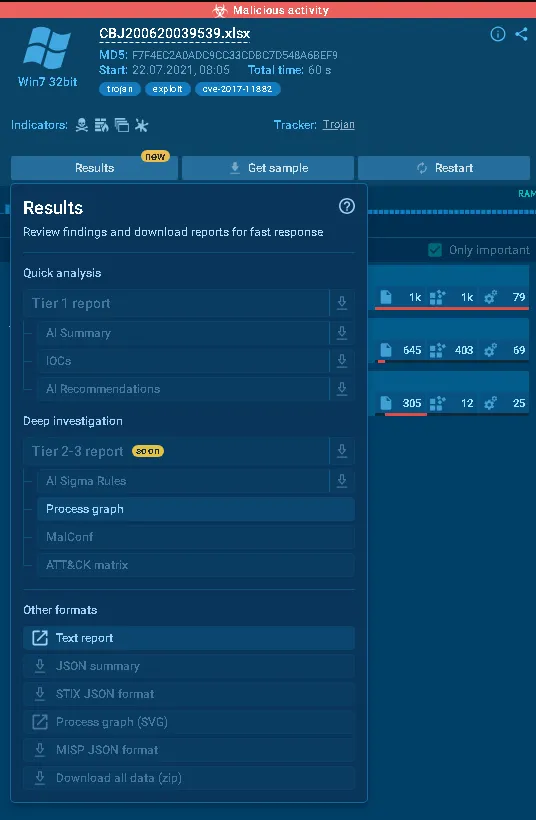
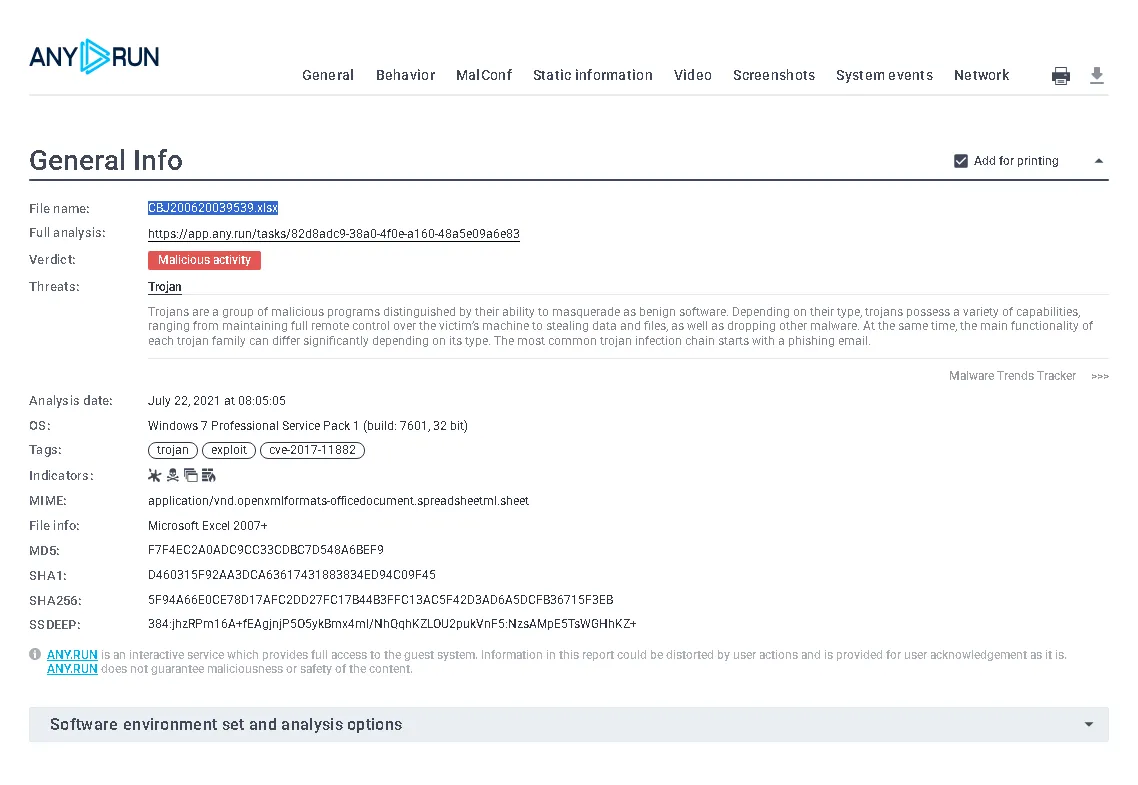
After that, we are asked to see what other process does this malicious file create.
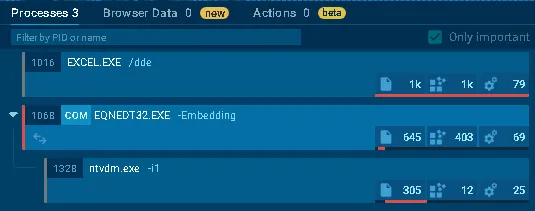
We can see it creates EQNEDT32.EXE.
The next thing to look after is: What is the full path to the malicious binary? For that, we have to press the More Info from the process details 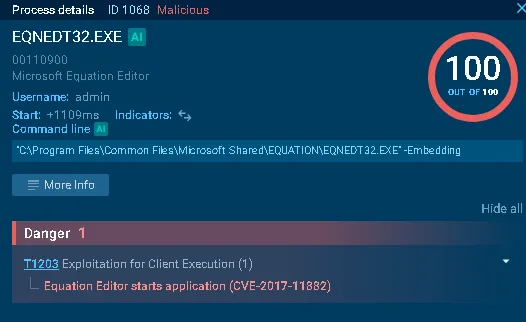 And go to modules to reveal the answer

We are tasked to find the CVE id for the exploit. For that, just go back to the main propriety to find the CVE either from the overview, or malware alert.
What domain was it downloaded from (e.g., malware.thm)? For that, we need to go to the HTTP Requests tab to find the domain. 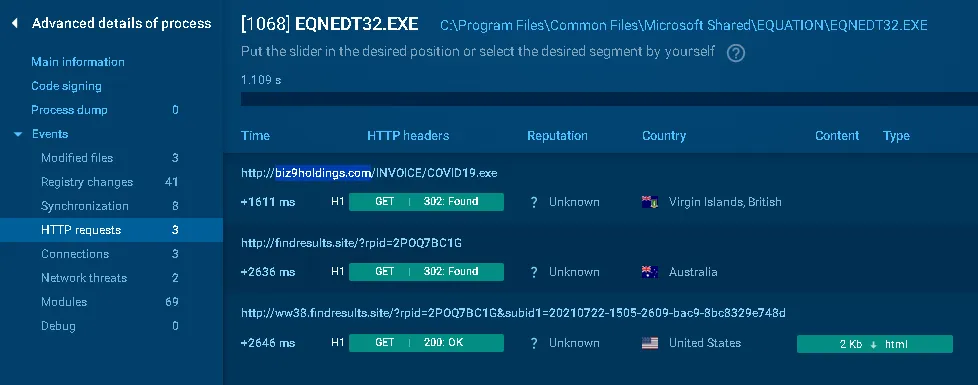
What network threat is associated with the download? Just go to the Network threads tab to find the correct answer.

Q&A
Click to view TryHackMe Room Q&A
According to the Messageheader analysis shown in this task, what is the SPF result for the email?
Answer: PassWhat command can you use in a Linux environment to obtain the
SHA256hash value of an attachment?
Answer: sha256sumAccording to the VirusTotal analysis from above, which vendor categorized the URLs as phishing?
Answer: SafeToOpenWhat reputable brand is this email tailored to impersonate?
Answer: NetflixBased on the email headers, who is the intended recipient of this message?
Answer: redacted@yahoo[.]comIn Thunderbird mail use
View→Message Source.
What is theReceived: fromIP address?
Answer: 10[.]197[.]37[.]234Check out the
Return-Pathfield in the message source.
What would you consider a domain of interest based on this field?
Answer: etekno[.]xyzInvestigate the
UPDATE ACCOUNT NOWbutton.
What is the shortened URL?
Answer: https[:]//t[.]co/yuxfZm8KPg?amp=1How does ANYRUN classify this suspected phishing email?
Answer: Suspicious activityWhat is the name of the malicious PDF attachment?
Answer: Payment-updateid[.]pdfWhat is the MD5 hash of the PDF file from Q2?
Answer: 4a2775eae2ebef41901a3f08d3b857c8The PDF attachment contains a malicious URL.
What URL is shown in the Processes tab on the right?
Answer: https[:]//lihi1[.]com/JqdmJNavigate to the Connections (or DNS Requests) tab.
Which IP does the domain from Q4 resolve to?
Answer: 35[.]244[.]149[.]249What is the file name of the malicious Excel attachment?
Answer: CBJ200620039539.xlsxWhat suspicious process is created after the attachment is launched?
Answer: EQNEDT32.EXESelect the process and open its details (“More Info” menu).
What is the full path to the malicious binary?
Answer: C:\Program Files\Common Files\Microsoft Shared\EQUATION\EQNEDT32.EXEWhat vulnerability (CVE ID) does this malicious file attempt to exploit?
Answer: CVE-2017-11882Next, the malicious file downloads COVID-themed malware.
What domain was it downloaded from (e.g., malware.thm)?
Answer: biz9holdings[.]comWhat network threat is associated with the download?
Answer: ET INFO Suspicious GET Request with Possible COVID-19 URI M1