Network Traffic Basics Walkthrough
Learn what network analysis is, why it is essential, how to collect network traffic and which tools are available
Summary
In this lesson, we are presented what network analysis is and how it works. Based on the scenarios we can get an grasp of the importance of such an analysis in real life. From the perspective of an SOC analyst, this could be the most important lesson due to the way of how data transfers into an network.
Learning Objectives
- Know what network traffic analysis is
- Know what can be observed
- Know how to observe network traffic
- Know typical network traffic sources and flows
Task 1
What is the name of the technique used to smuggle C2 commands via DNS? Answer: DNS tunneling
Why? We are given an scenario as an example, where is mentioned:
“Threat actors could, for example, use TXT records to send Command and Control instructions to a compromised system. We can discover this by inspecting the content of the DNS queries. The packet capture fragment below shows the content of a DNS reply that contains C2 commands.”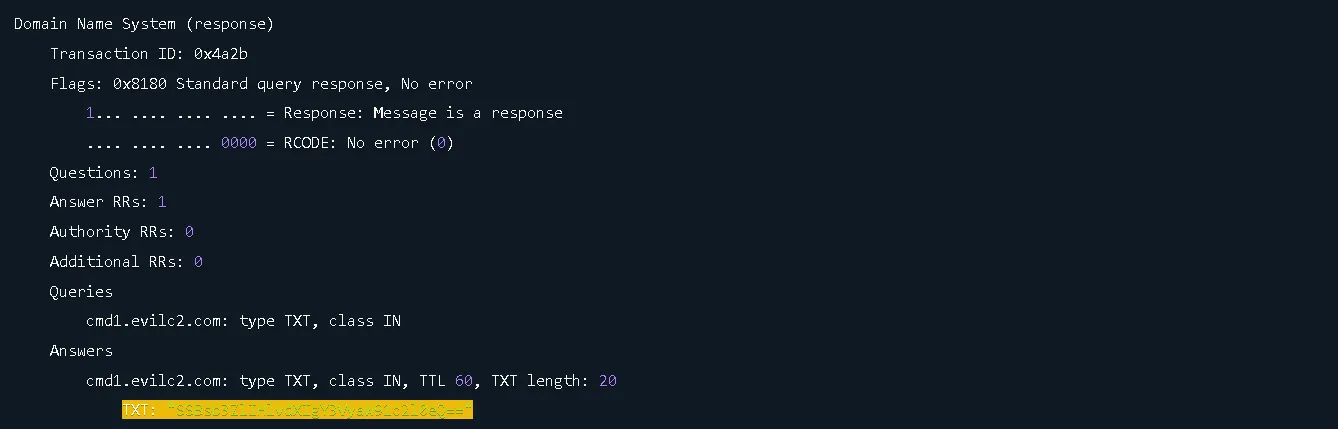
DNS tunneling is a classic covert channel where attackers hide C2 messages or exfiltrated data inside DNS queries/responses. Network Traffic Analysis (NTA) is used to spot these anomalies
Task 2.1
Look at the HTTP example in the task and answer the following question: What is the size of the ZIP attachment included in the HTTP response? Note down the answer in bytes.
Answer: 10485760
Why?
We can look for the Content-Length in the HTTP Response to figure out the size of the ZIP file.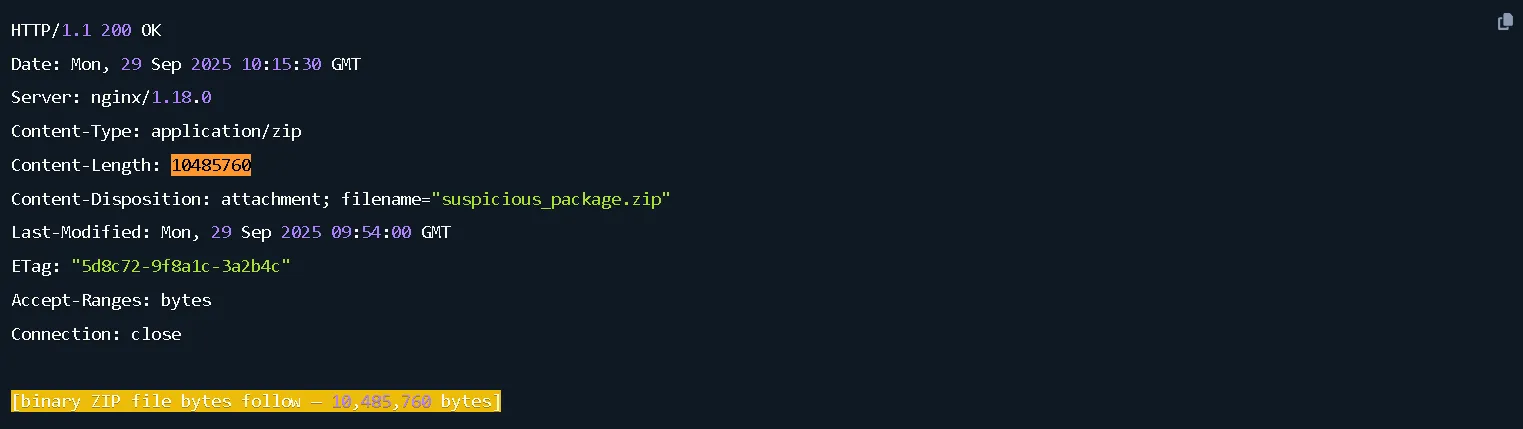
Task 2.2
Which attack do attackers use to try to evade an IDS?
Answer: fragmentation
Why?
“There are different variations of a fragmentation attack. For example, an attacker can create tiny fragments to evade the IDS or mess up the reassembly of fragments by using overlapping byte ranges.”
Packet Fragmentation is an technique, the packets are split into smaller fragments. When IDS encounter the packets, they enqueue them for checking any malicious activity. However, as the number of fragments increases, there is an increase in the CPU and network bandwidth consumption. For this reason, IDS ignores evaluating such packets. Hence, these fragments may pass undetected through the IDS.
Task 2.3
What field in the TCP header can we use to detect session hijacking?
Answer: sequence number
Why? “Session hijacking can be detected by analyzing the sequence numbers included in the header. If the sequence numbers are suddenly far apart, further investigation is warranted. The output below shows a series of packets captured with Wireshark.”
The example provided by TryHackMe: 
Task 3.1
Which category of devices generates the most traffic in a network?
Answer: endpoint
Why? “As mentioned, two network traffic sources exist: endpoint and intermediary devices. Endpoint devices take the bulk of the network bandwidth. Devices that fall under this category are servers, hosts, IoT devices, printers, lab machines, cloud resources, mobile phones, tablets, and many more.”
Task 3.2
Before an SMB session can be established, which service needs to be contacted first for authentication?
Answer: Kerberos
Why? We are presented with an explication on how SMB sessions works with Kerberos. It works based on an authentication model that is based on Key Distribution Center on the Domain Controller and Ticket Granting Ticket (TGT). The host then uses this ticket to establish the SMB connection. Once the SMB session is set up, the host can access the share
Task 3.3
What does TLS stand for?
Answer: Transport Layer Security
Why? Transport Layer Security or short form TLS is a cryptographic protocol that secures communications over a network.
Task 4.1
What is the flag found in the HTTP traffic in scenario 1? The flag has the format THM{}.
Answer: THM{FoundTheMalware}
Why? We are given an Malicious PS Download scenario. 
We have an Tap option, we can put the tap to view the logs for the scenario given. Based on it, we are going to put the tap on the proxy server (WP1). Why? To collect the all web traffic, all devices in the network send their HTTP(s) requests to this device.
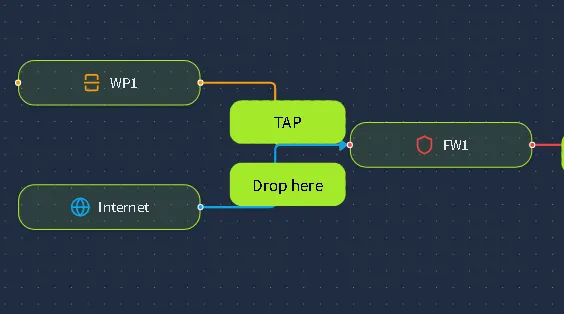

Then we can manually search each log file from the left side panel to find the hidden flag. Or, an faster way is to open all logs and then find it using the shortcut “CTRL+F” and look for the format THM{ 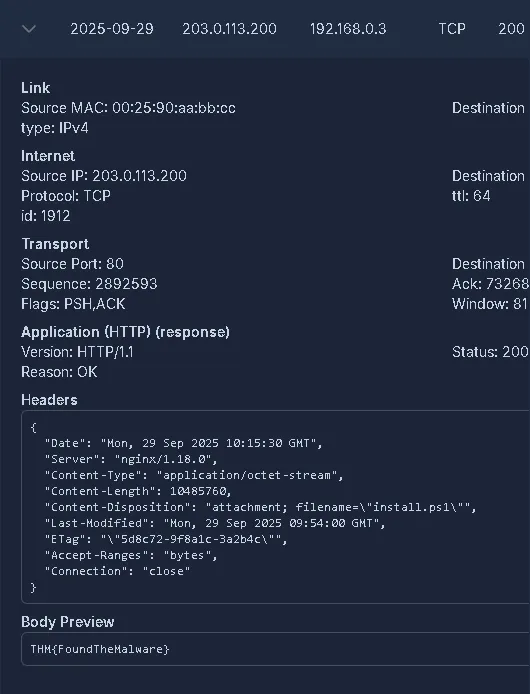
Task 4.2
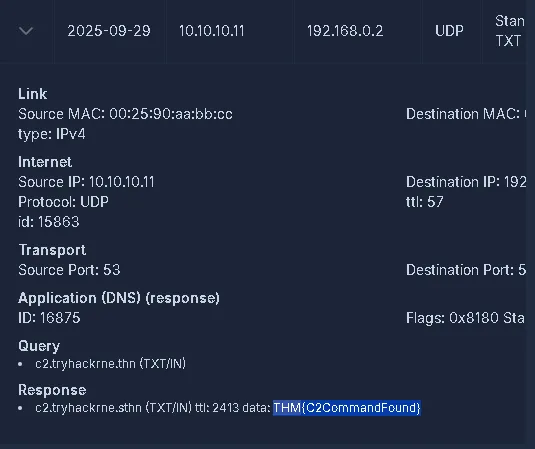
What is the flag found in the DNS traffic in scenario 2? The flag has the format THM{}.
Answer: THM{C2CommandFound}
Why? We have an DNS Infiltration scenario. 
We are tasked to tap any part of the connection, but the only option is SRV-DNS or DNS Server. 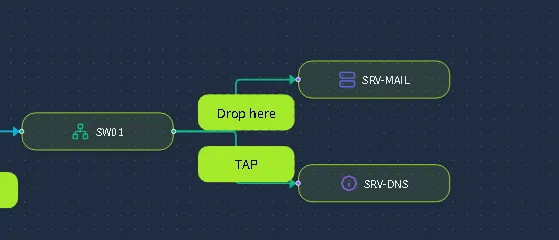
After that, three pages of log files appear in the left side panel. To find it more effective we can open all logs and then search for THM{ to find it on the page.