
Introduction to Phishing Writeup
Simulated SIEM with 4 phishing alerts, from which 3 are email related and 1 is firewall. The simulation is done right after SOC Team Internals Module.
This scenario is done right after the SOC Team Internals Module. So every alert is done without checking for SPF, DKIM, DMARC, or any other method that will be used in the following the next writeups, this is done to simulate the exact path on TryHackMe. Personal workflow will be:
Understanding the problem -> Finding the evidence -> Giving an verdict and escalate if needed.
Scenario objectives
- Monitor and analyze real-time alerts.
- Identify and document critical events such as suspicious emails and attachments.
- Create detailed case reports based on your observations to help your team understand the full scope of alerts and malicious activity.
Alerts:
The first alert we got, with other 4 alerts incoming. The first one was chosen by the fact of not having other alerts.
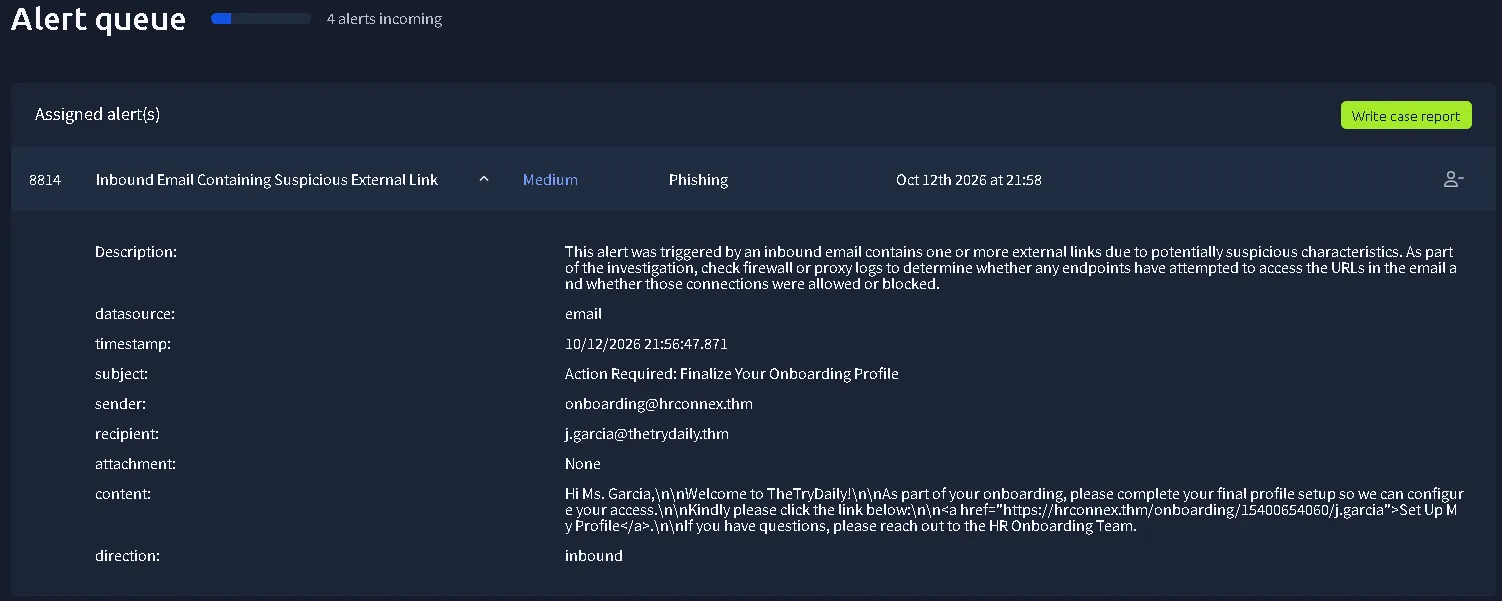
ALERT ID #8814 - Email Alert
Description: This alert was triggered by an inbound email contains one or more external links due to potentially suspicious characteristics. As part of the investigation, check firewall or proxy logs to determine whether any endpoints have attempted to access the URLs in the email and whether those connections were allowed or blocked.
datasource: email
timestamp: 10/12/2026 21:56:47.871
subject: Action Required: Finalize Your Onboarding Profile
sender: onboarding@hrconnex[.]thm
recipient: j.garcia@thetrydaily[.]thm
attachment: None
direction: inbound
content:
Hi Ms. Garcia,\n\nWelcome to TheTryDaily!\n\nAs part of your onboarding, please complete your final profile setup so we can configure your access.\n\nKindly please click the link below:\n\n’<[a] href="https[:]//hrconnex.thm/onboarding/15400654060/j.garcia">Set Up My Profile<[a]>.\n\nIf you have questions, please reach out to the HR Onboarding Team.
PROCESS AND NOTES:
Understand the alert:
The alert was created because the email contains one or more external links with suspicious characteristics. We are also told to check the endpoints and firewall or proxy logs but we are limited by the simulation and can’t do that. The alert is only saying that it was received but we are not sure if the host pressed the button from the email.
URL Analysis:
The setup button have the linked URL: https[:]//hrconnex.thm/onboarding/15400654060/j.garcia which includes the receiver real name (j.garcia), the real domain (hrconnex.thm) and the real cause (onboarding).
With limited access, we cannot view the endpoints, logs, history of any form, so due to the fact that the email looks like an request to complete to Setup the profile on TheTryDaily.
The URL wasn’t accessible, maybe due to the introductory simulation. So the final evidence we could theoretically gather would be to get an answer if the host really signed up on the website. But again, without SPF, DKIM, DMARC or contacting the host, we can only access the face value of the mail and the given detection tool.
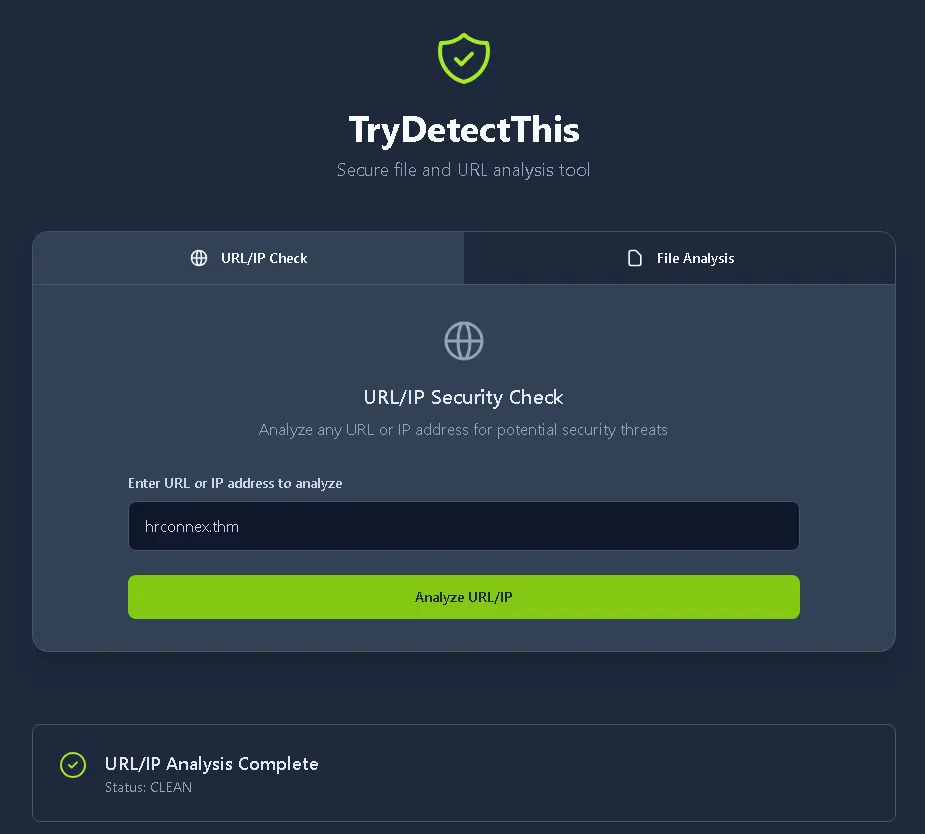
With that being mentioned, final verdict is:
Next, we already have 3 more alerts, we are going to pick the most important one based on severity, which is an high firewall alert.
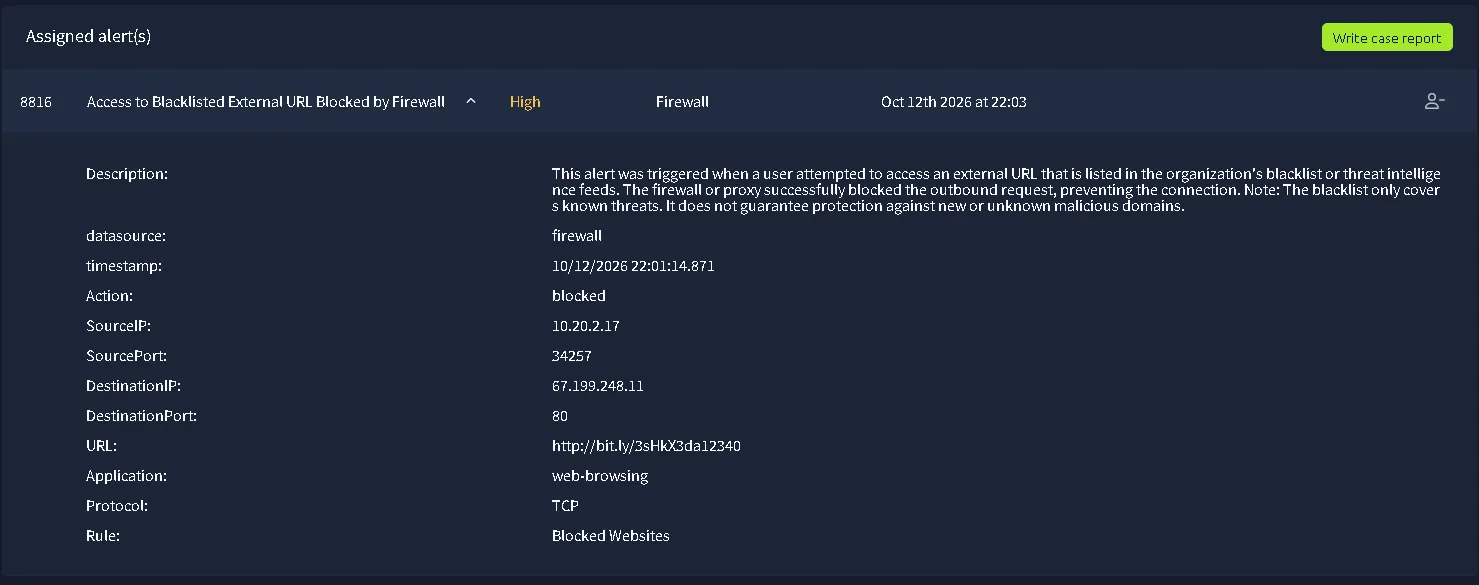
ALERT ID #8816 - Firewall
Description: This alert was triggered when a user attempted to access an external URL that is listed in the organization’s blacklist or threat intelligence feeds. The firewall or proxy successfully blocked the outbound request, preventing the connection. Note: The blacklist only covers known threats. It does not guarantee protection against new or unknown malicious domains.
datasource: firewall
timestamp: 10/12/2026 22:01:14.871
Action: blocked
SourceIP: 10.20.2.17
SourcePort: 34257
DestinationIP: 67.199.248.11
DestinationPort: 80
URL:http[:]//bit.ly/3sHkX3da12340
Application: web-browsing
Protocol: TCP
Rule: Blocked Websites
Understand the alert:
The alert was created because when a user attempted to access an external URL that is listed in the organization’s blacklist or threat intelligence feeds. Which means the damage was done. Based on the findings an host training might be necessary.
IP Checks:
Internal platform 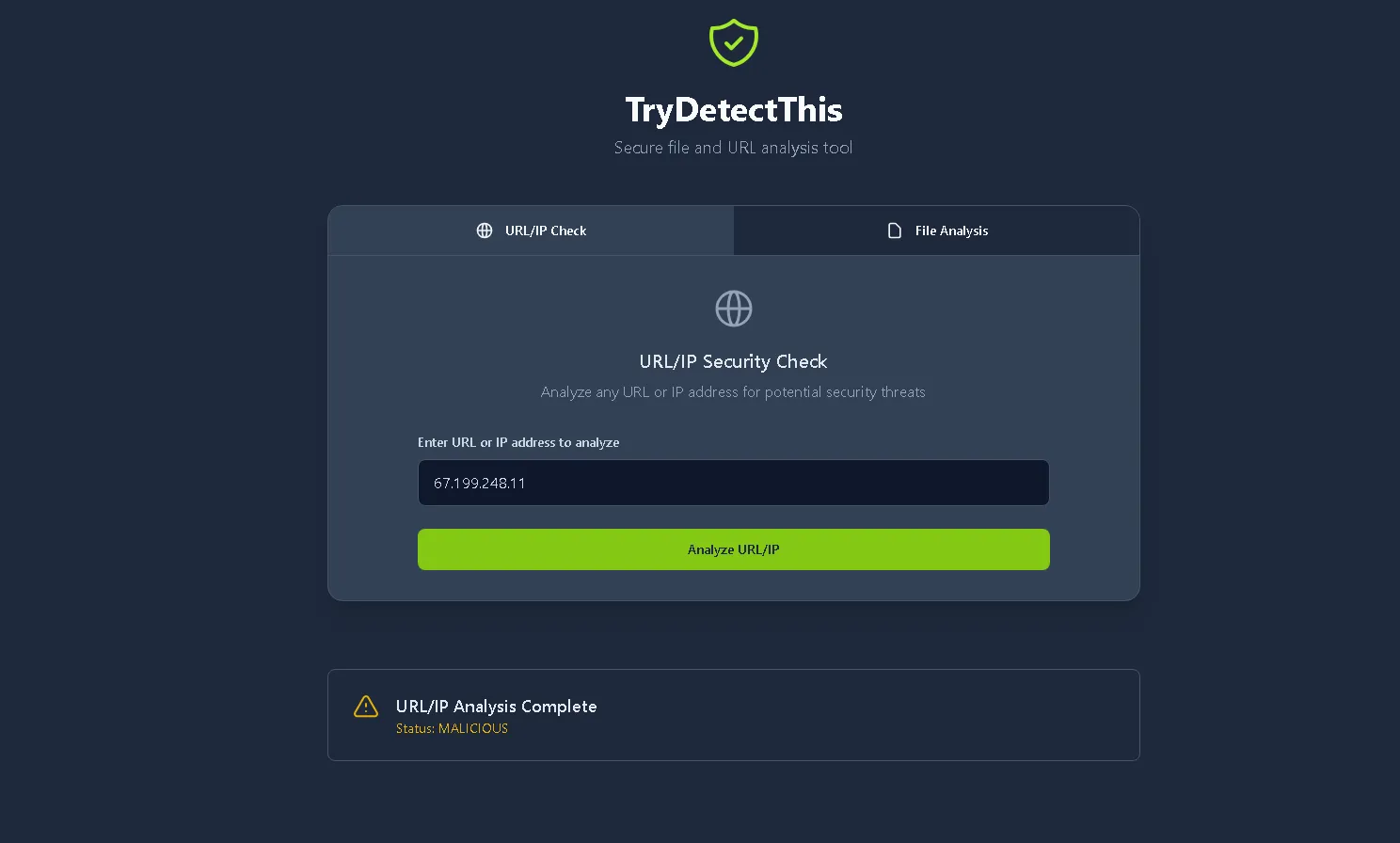
The internal platform finds the IP as being MALICIOUS. Which is already a huge red flag. But for more information, I also used different platforms that are used for IP analysis to make more evidence based decision. So, below you can see listed some platforms and their results.
AbuseIPDB.com 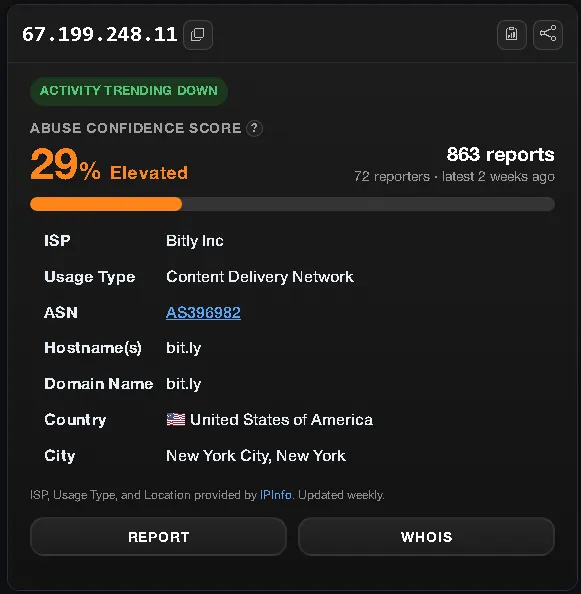
The IP belongs to bit[.]ly which is a legitimate service.
Result: 29% Elevated, with 72 reports just in the last 2 weeks. Which confirms the suspicion about it being Malicious, because bit[.]ly is used as a scamming method, and in the end an True Positive (TP) case.
 Source:
Let’s use other 2 platforms just for the sake of learning.
VirusTotal: 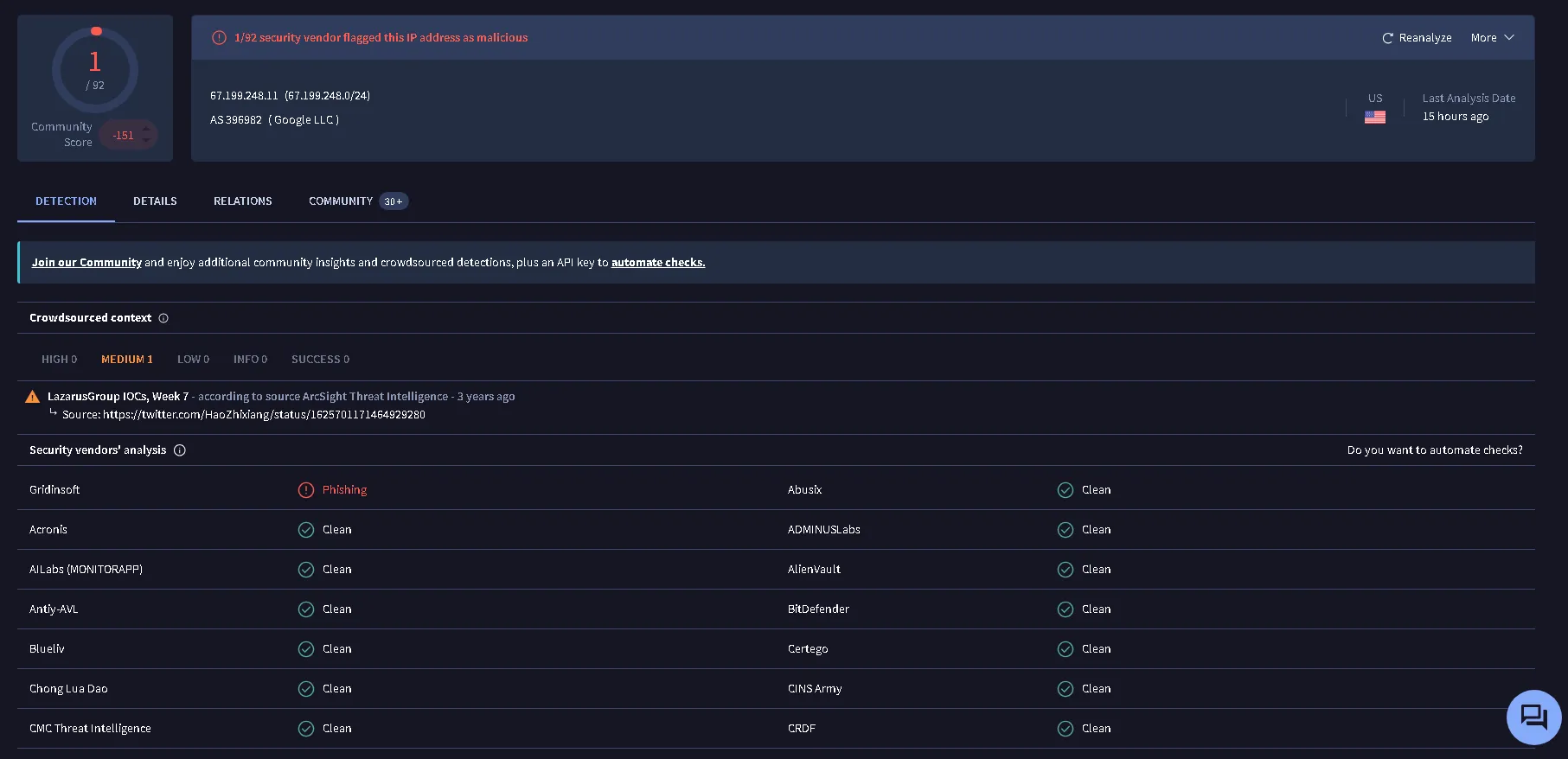 Result: One finding of it being an IP used for Phishing attacks. We can also try to access the URL directly in an isolated envoierment.
Direct Access to the bit[.]ly link via browserling.com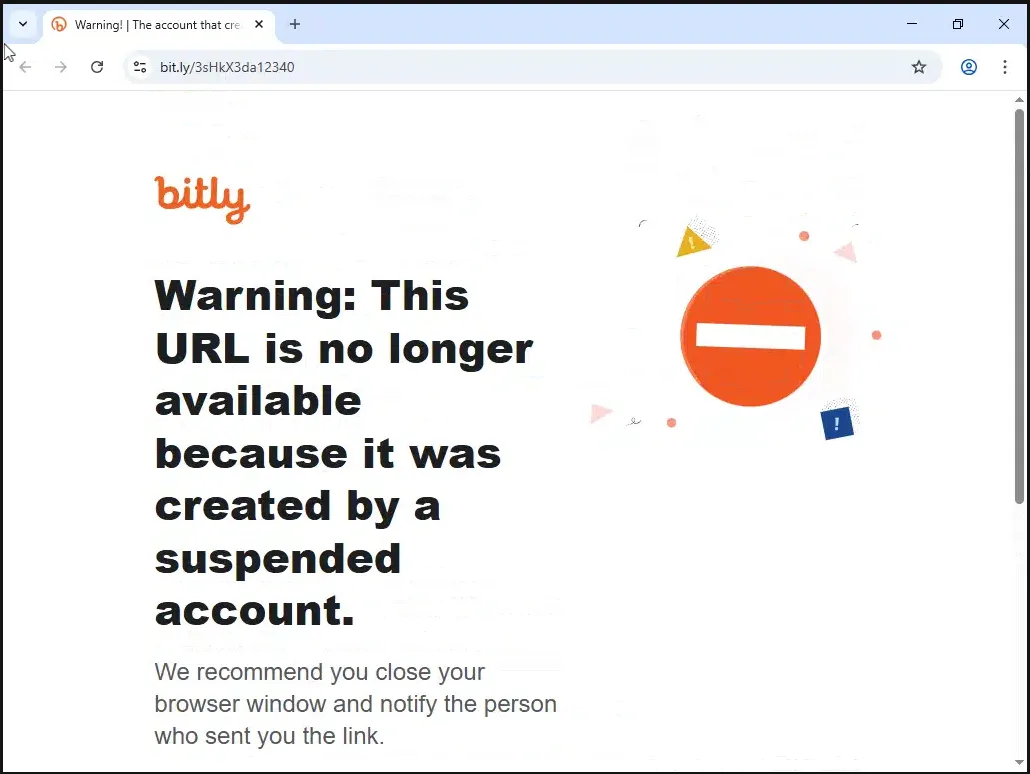 Result: The URL is not accessible via direct connection due to it being sent by an suspended account.
After a quick analysis, we can already tell there are a lot of huge red flags, such as:
- Shortening an URL for no reason given.
- All indicators reveal the fact that the IP is Malicious, but worth noting the fact that the IP is marked as being Malicious due to the nature of bit[.]ly as a service.
- The suspended account on bit[.]ly.
Final verdict, with limited tools for verifications, is:
The remaining alerts are the exact same severity level (Medium), which gives me the right to pick the oldest one.
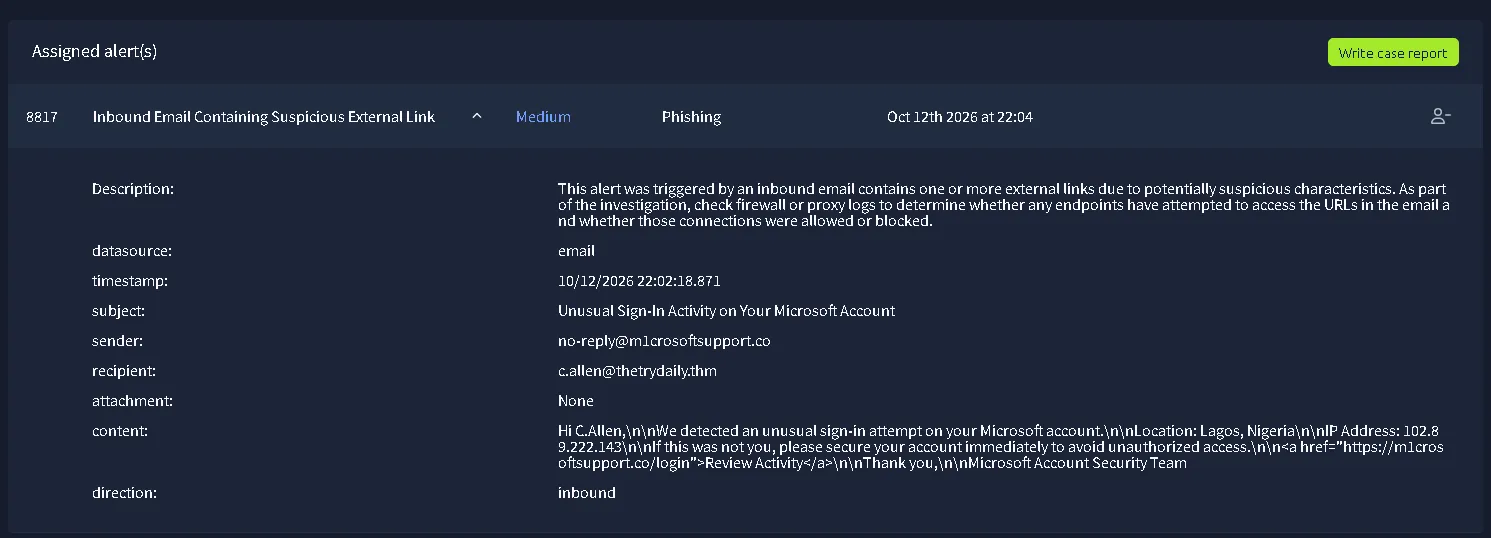
ALERT ID #8817 - Email Alert
Description:
This alert was triggered by an inbound email contains one or more external links due to potentially suspicious characteristics. As part of the investigation, check firewall or proxy logs to determine whether any endpoints have attempted to access the URLs in the email and whether those connections were allowed or blocked.datasource: email
timestamp: 10/12/2026 22:02:18.871
subject: Unusual Sign-In Activity on Your Microsoft Account
sender: no-reply@m1crosoftsupport[.]co
recipient: c.allen@thetrydaily[.]thm
attachment: None
content:
Hi C.Allen,\n\nWe detected an unusual sign-in attempt on your Microsoft account.\n\nLocation: Lagos, Nigeria\n\nIP Address: 102.89.222.143\n\nIf this was not you, please secure your account immediately to avoid unauthorized access.\n\n<[a]href="https[:]//m1crosoftsupport.co/login">Review Activity</[a]>\n\nThank you,\n\nMicrosoft Account Security Team
direction: inbound
Understand the alert:
The alert was generated because n inbound email contains one or more external links due to potentially suspicious characteristics. We can already see the luring aspect of the mail but it is common practice for the “Unusual activity email” to appear in cases where your account is compromised.
So, we can already spot the typo (m1crosoftsupport[.]co) from the sender (no-reply@m1crosoftsupport[.]co), which is already a confirmation of the luring aspect of urgency mentioned before. The attacker is trying to lure the target with similar looking domains and uncertainty of “unusual activity”. The attacker also attached the location and IP Address(102[.]89[.]222[.]143) and location (Nigeria), we can do a quick search for the IP provided, just to see if the information inside the email looks legitimate, but we need to mention that the IP is not the sender’s IP, it is part of the scam.
Internal tools. 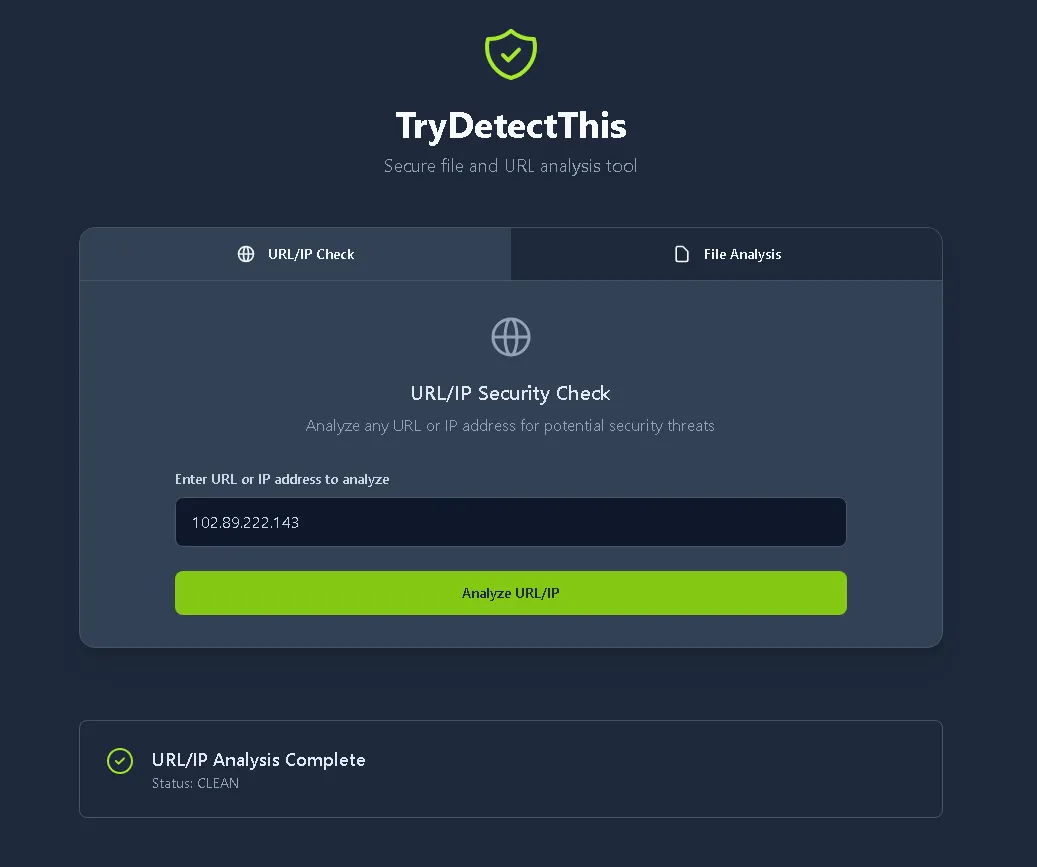
AbuseIPDB: 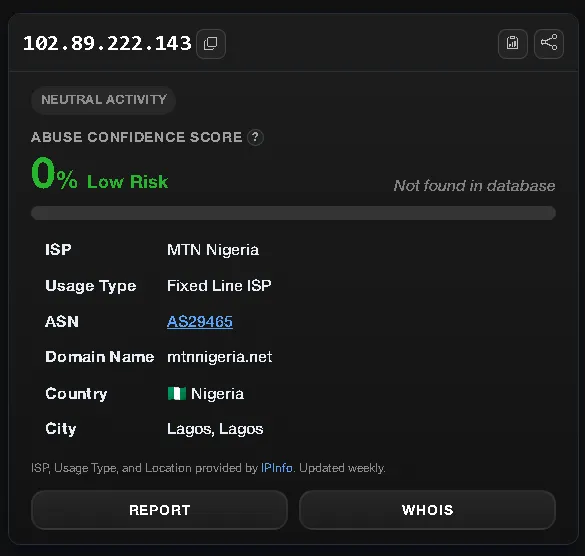
ip2proxy: 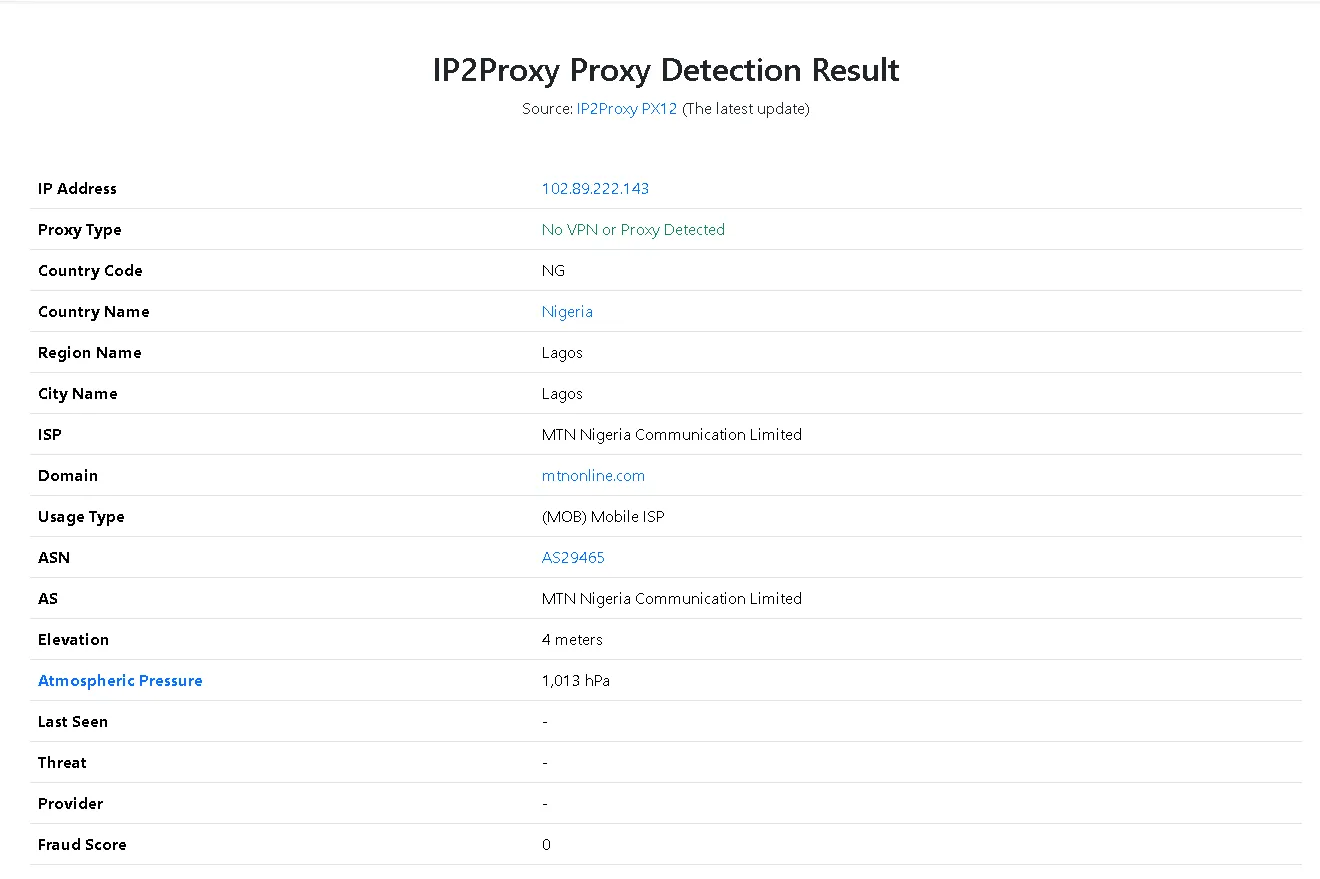 Even if the IP is matching the location, that doesn’t prove the email is legit, the attacker could use stolen IPs from other breaches, for example, to make the email more trustful.
In the end, m1crosoftsupport.co is not a real domain, it’s simulating a real company support team (Microsoft Support). Although, microsoft doesn’t use an email for support, they use a custom CRM (Customer Relationship Management) solution. The link provided also leads to: https[:]//m1crosoftsupport.co/login. The email provided is using an template of “unusual activity notice” but the sender gives it away.
Final verdict:
Last alert of the simulation:
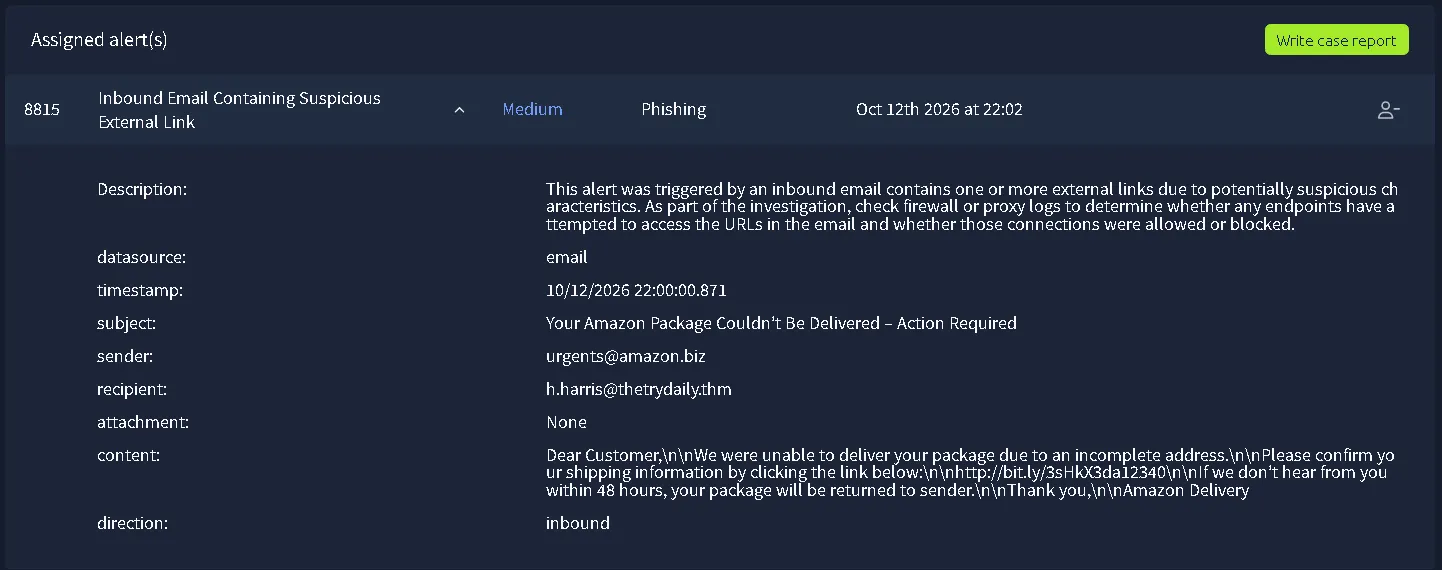
ALERT ID #8815 - Email Alert
Description:
This alert was triggered by an inbound email contains one or more external links due to potentially suspicious characteristics. As part of the investigation, check firewall or proxy logs to determine whether any endpoints have attempted to access the URLs in the email and whether those connections were allowed or blocked.datasource: email
timestamp: 10/12/2026 22:00:00.871
subject: Your Amazon Package Couldn’t Be Delivered – Action Required
sender: urgents@amazon[.]biz
recipient: h.harris@thetrydaily[.]thm
attachment: None
content:
Dear Customer,\n\nWe were unable to deliver your package due to an incomplete address.\n\nPlease confirm your shipping information by clicking the link below:\n\nhttp[:]//bit.ly/3sHkX3da12340\n\nIf we don’t hear from you within 48 hours, your package will be returned to sender.\n\nThank you,\n\nAmazon Delivery
direction: inbound
Understand the alert:
The alert was triggered because n inbound email contains one or more external links due to potentially suspicious characteristics. As the last alert, the attacker looks like it is using urgency (“we don’t hear from you within 48 hours, your package will be returned to sender”) which could be an legitimate email, we have to look at the evidence and decide if it is legit or just abusing urgency for the clicks.
Sender (urgents@amazon[.]biz) is using an legitimate service (Amazon) to impersonate the real company and it’s practices. Amazon doesn’t use urgents@amazon[.]biz for this type of problems as seen in the screenshot below: 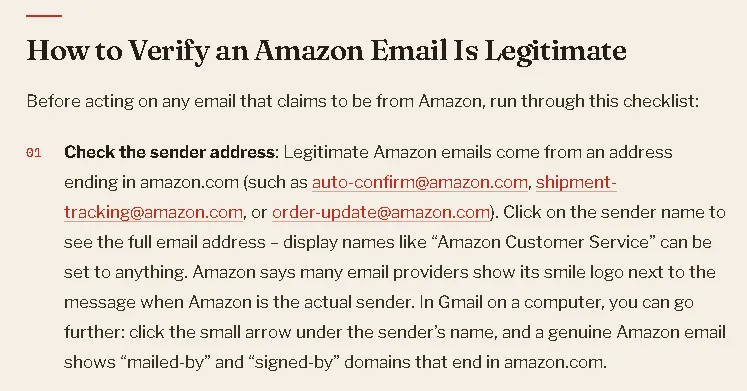 Our sender email is .biz instead of .com
Another aspect to look for, the link is a shortened form link, which is absolutely not necessary for a company like amazon. At the first glance we can see it is the exact same shortened link as we analyzed before.
ALERT #8816: 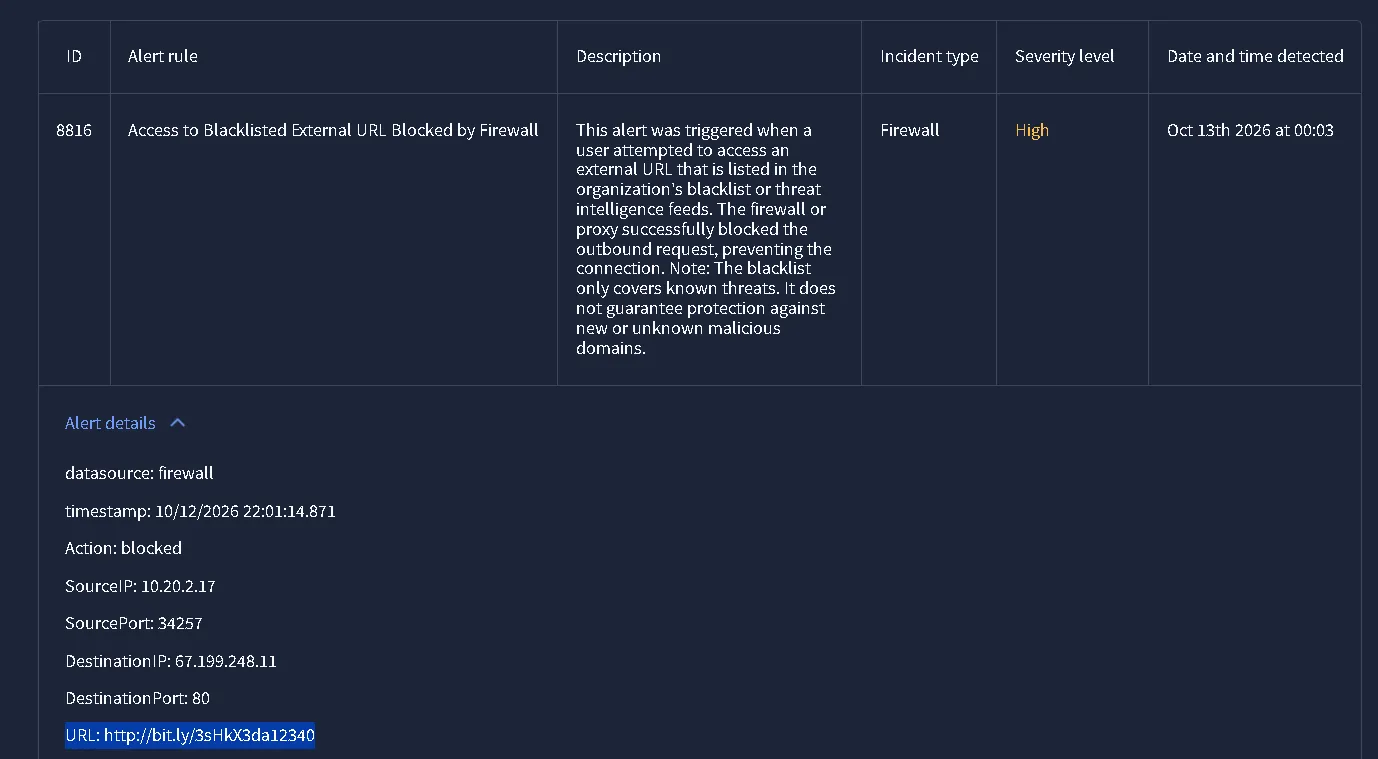 ALERT ID: #8816:
http[:]//bit.ly/3sHkX3da12340
ALERT ID: #8815:http[:]//bit.ly/3sHkX3da12340
Which means that the attacker is on the second attack and could be more to follow, in that case, a deeper investigation could occur in order to find more details about the bad actor.
With that being said, the sender domain is not an legitimate Amazon domain for emails. Amazon uses .com instead of .biz, even if they use amazon.biz to redirect the user to amazon.com, sender email stays consistent due to internal regulations. Also, the link provided for the action is the exact same link as the alert before, which brings more attention to the second attempt of the attacker. With limited checking and resources, we can only inspect it but the URL should be immediately blocked or put on a blacklist.
Final verdict:
RESULTS OF THE SIMULATION:
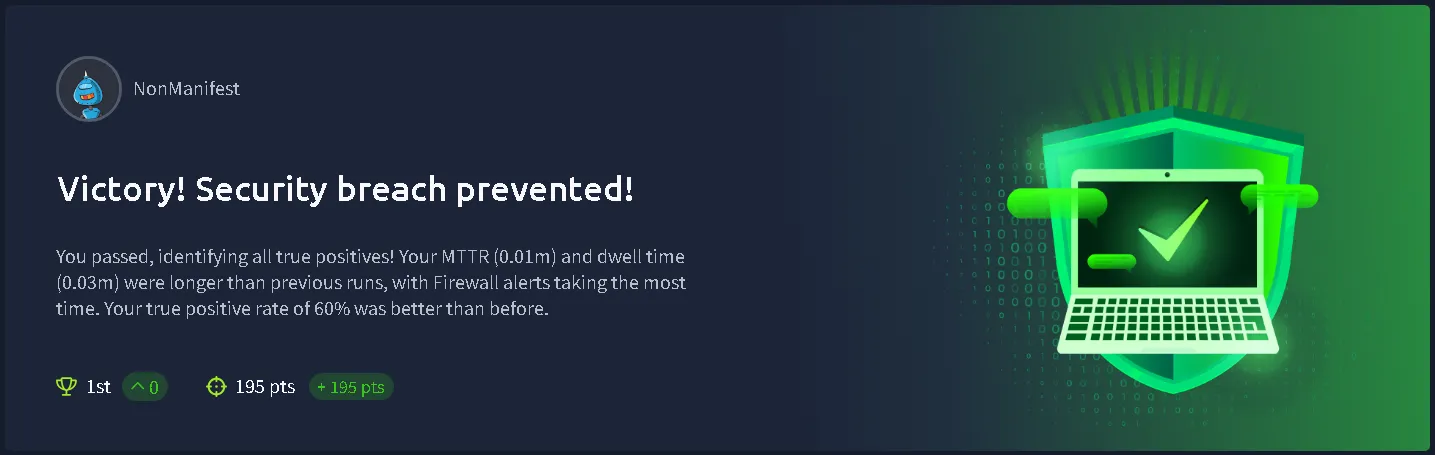
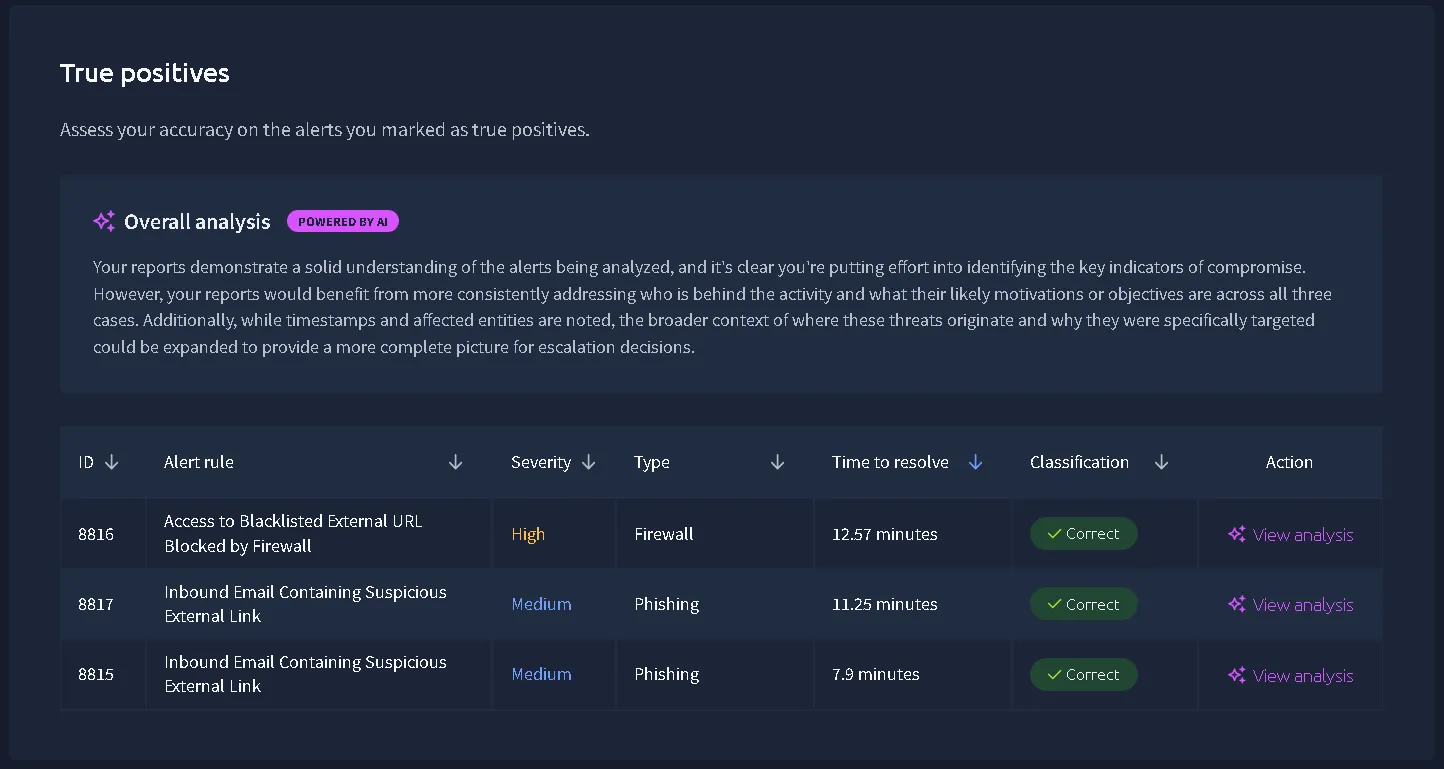
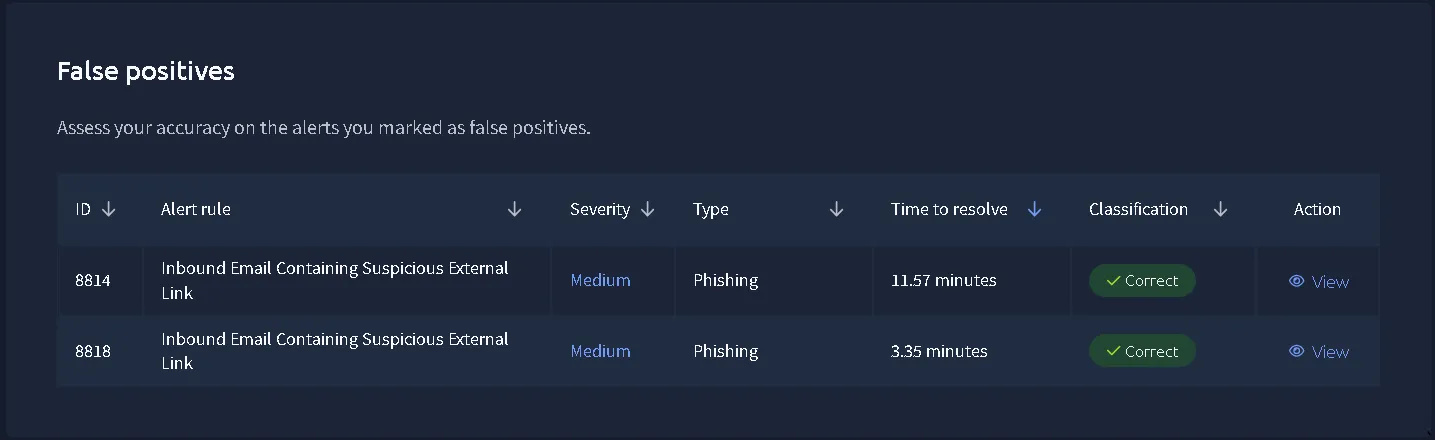
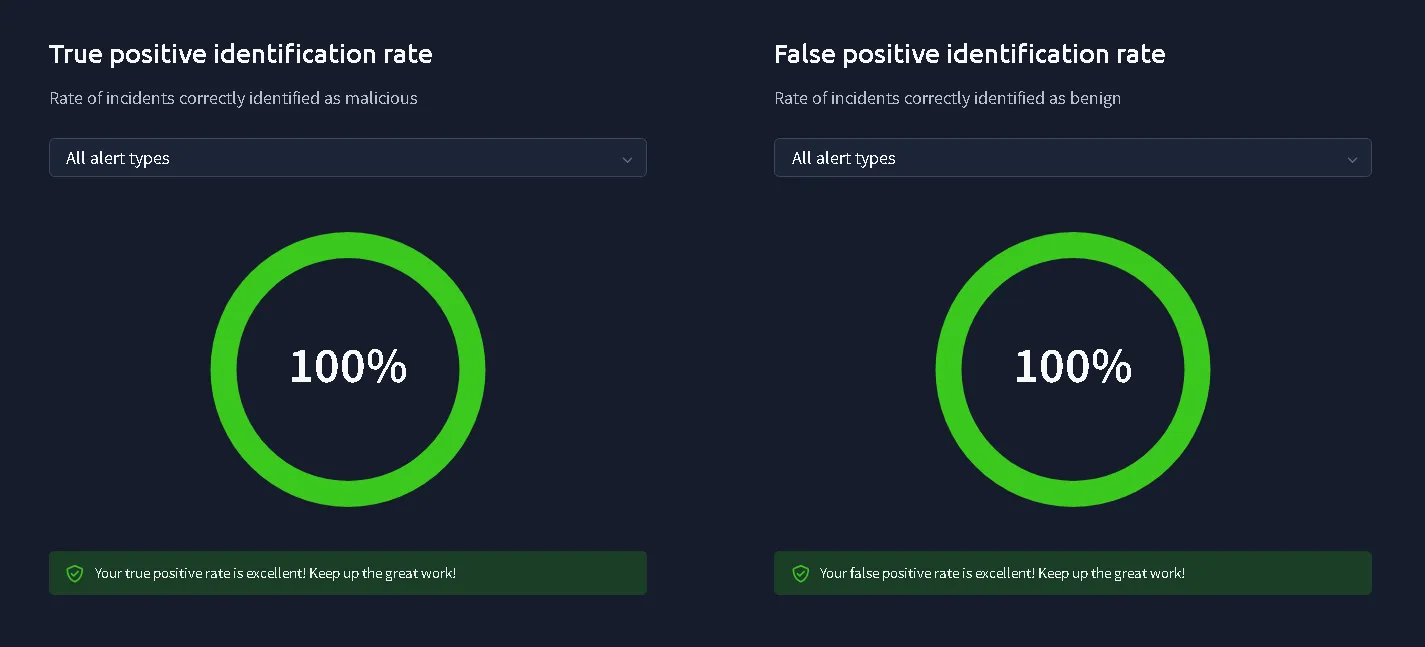
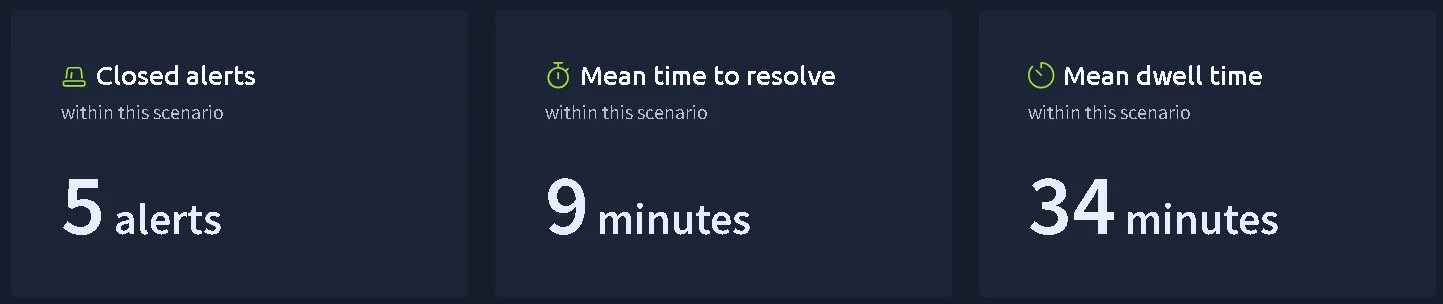
Note: TTR was higher due to the noting factor of the whole simulation. We prioritized information gathering than speed. I tried to get as much information as I could with limited information in an simulated environment. Good introduction for beginners to improve detail gathering.